Cheap BLE valve-stem TPMS sensors are everywhere now — Tesla-style 401 MHz units that broadcast pressure, temperature, and battery over Bluetooth Low Energy. They wake on motion or a few PSI of change, so you get live readings without a dedicated receiver box.
The hardware is fine. The bundled Android apps are not — clunky UIs, questionable permissions, and the usual “Chinese app store” feel. I already decode these sensors in TrackDayPyrometerHelper for cold/hot PSI on the 135i, but I wanted a dedicated monitor that runs in the background, alerts on pressure drops, and handles the layouts I actually drive: a car, a truck, an RV with dually rear wheels, and trailers with different wheel counts.
TPMS Monitor is that app. Source is private for now; Play Store release is on the someday list.
Live dashboard
Pick a vehicle from the garage and the main screen shows every bound corner — pressure, temperature, battery, and how fresh the reading is.
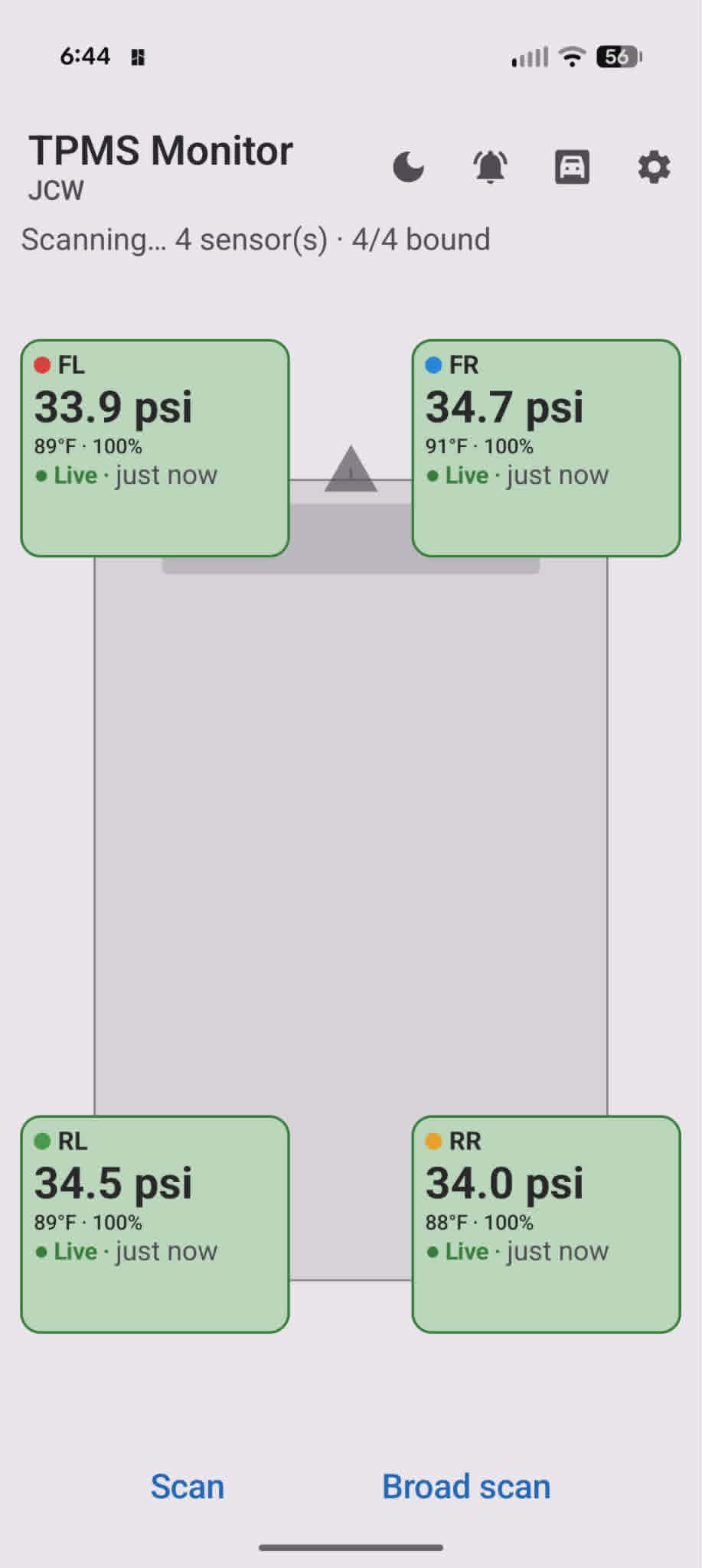 JCW profile — 33.9 / 34.7 / 34.5 / 34.0 psi, all live. Color dots match the paint marks on each valve stem.
Each tire card goes green when pressure is in range, and the header shows how many sensors are bound vs. expected for the current layout.
Scan and bind
Pairing is a three-step flow so you are not guessing which MAC address is which tire:
- Mark the sensor — dab the valve stem with a paint color (red, blue, green, etc.).
- Pick the wheel position — FL, FR, RL, RR, or the RV/trailer slots below.
- Tap the sensor — hold the phone near the marked sensor while it is broadcasting. Wake it with motion or roughly 4 psi of pressure change if it is asleep.
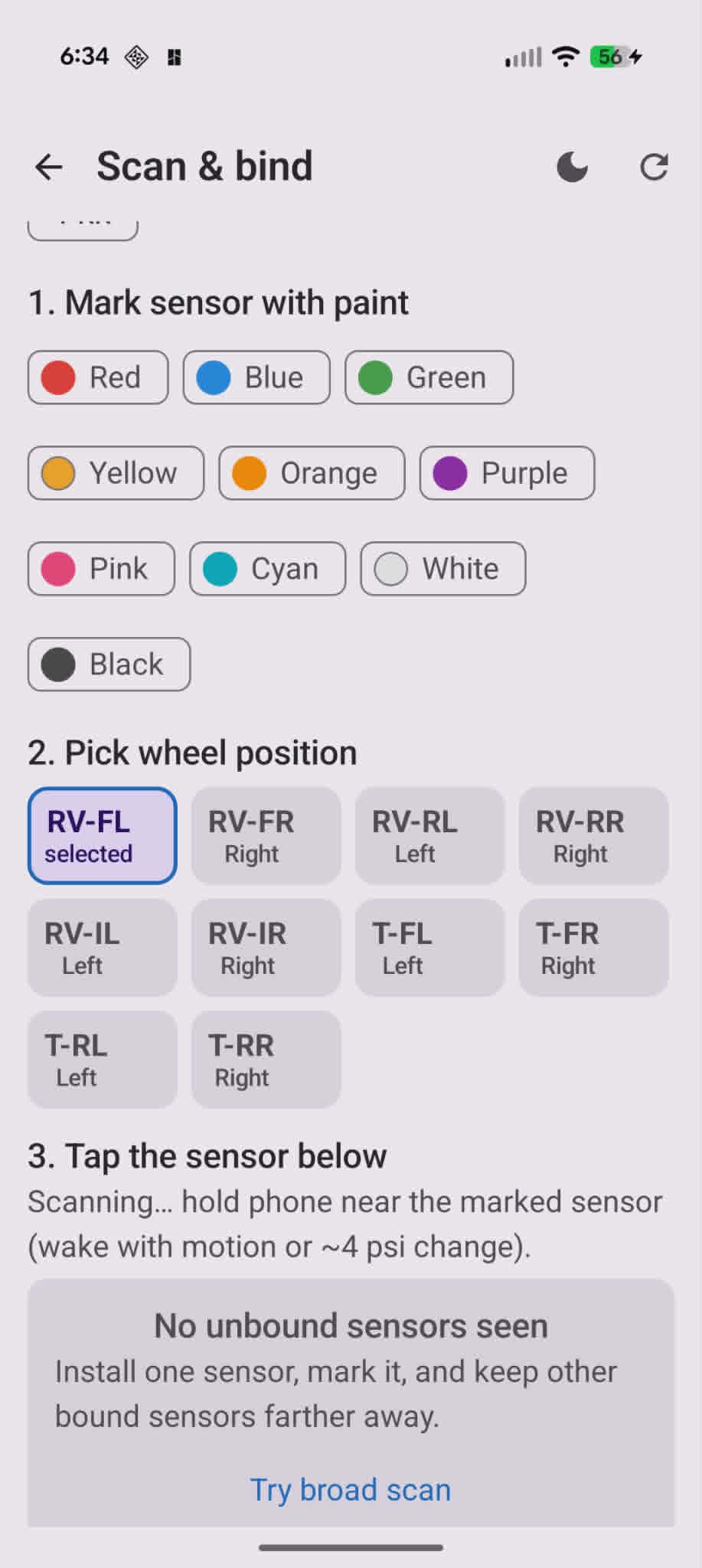 Only unbound sensors show up. Bound ones stay out of the list so you can pair one tire at a time without confusion.
Broad scan is there when the filtered list is empty — useful if a sensor is broadcasting under a name the narrow filter missed.
Garage — vehicle and trailer profiles
Bindings are saved per tow vehicle and per trailer, not as one giant list. Swap the F-150 for the RV on Monday and the same carhauler trailer keeps its four sensor assignments.
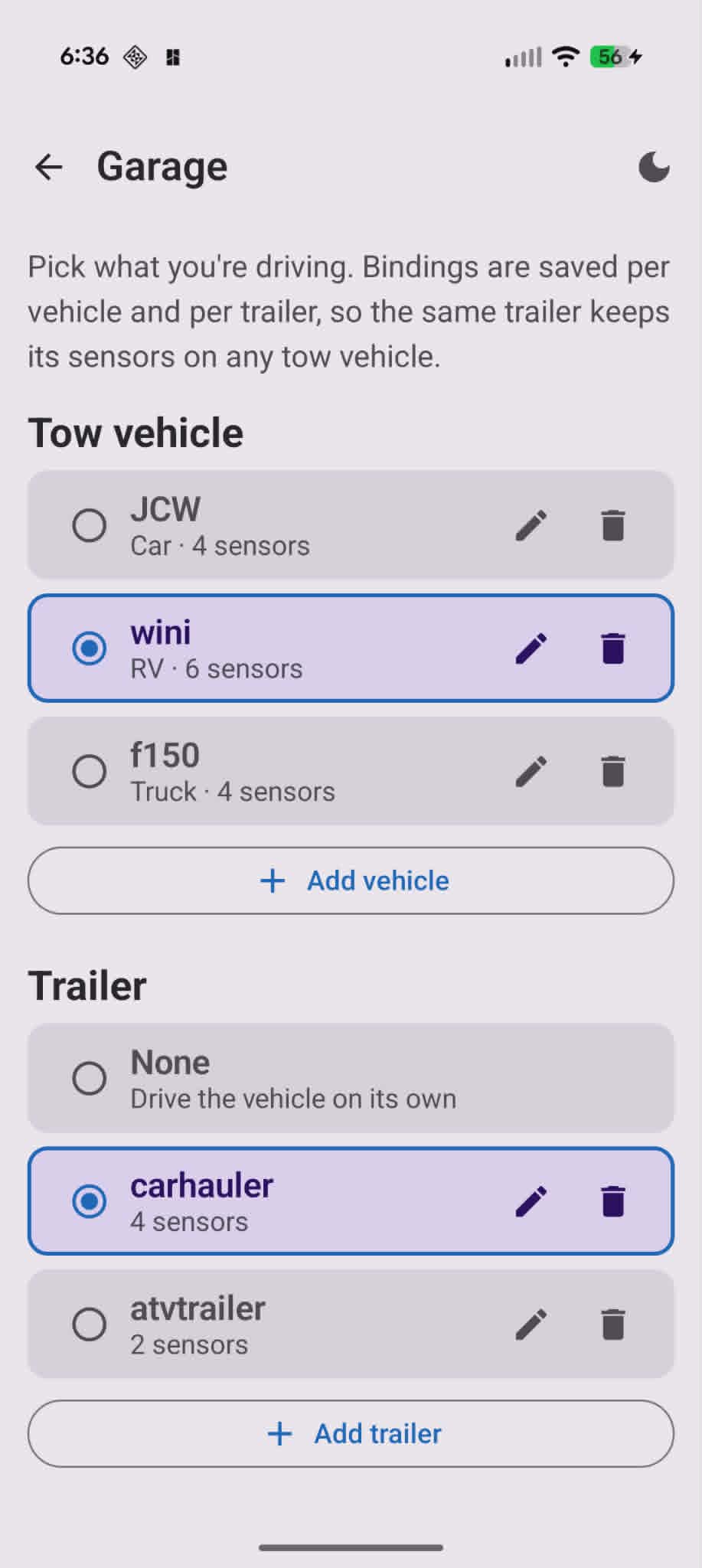 JCW (car, 4 sensors), wini (RV, 6 sensors), f150 (truck, 4 sensors) — plus trailers from none up to a 4-wheel carhauler or 2-wheel ATV hauler.
Each profile stores its own layout type and sensor map. Add, rename, or delete vehicles and trailers from here.
RV plus trailer layout
The RV profile is a 6-wheel motorhome — front axle plus dually rear (FL, FR, RL, RR, inner left, inner right) — with a 4-wheel trailer hung off the back. Ten positions total on one screen.
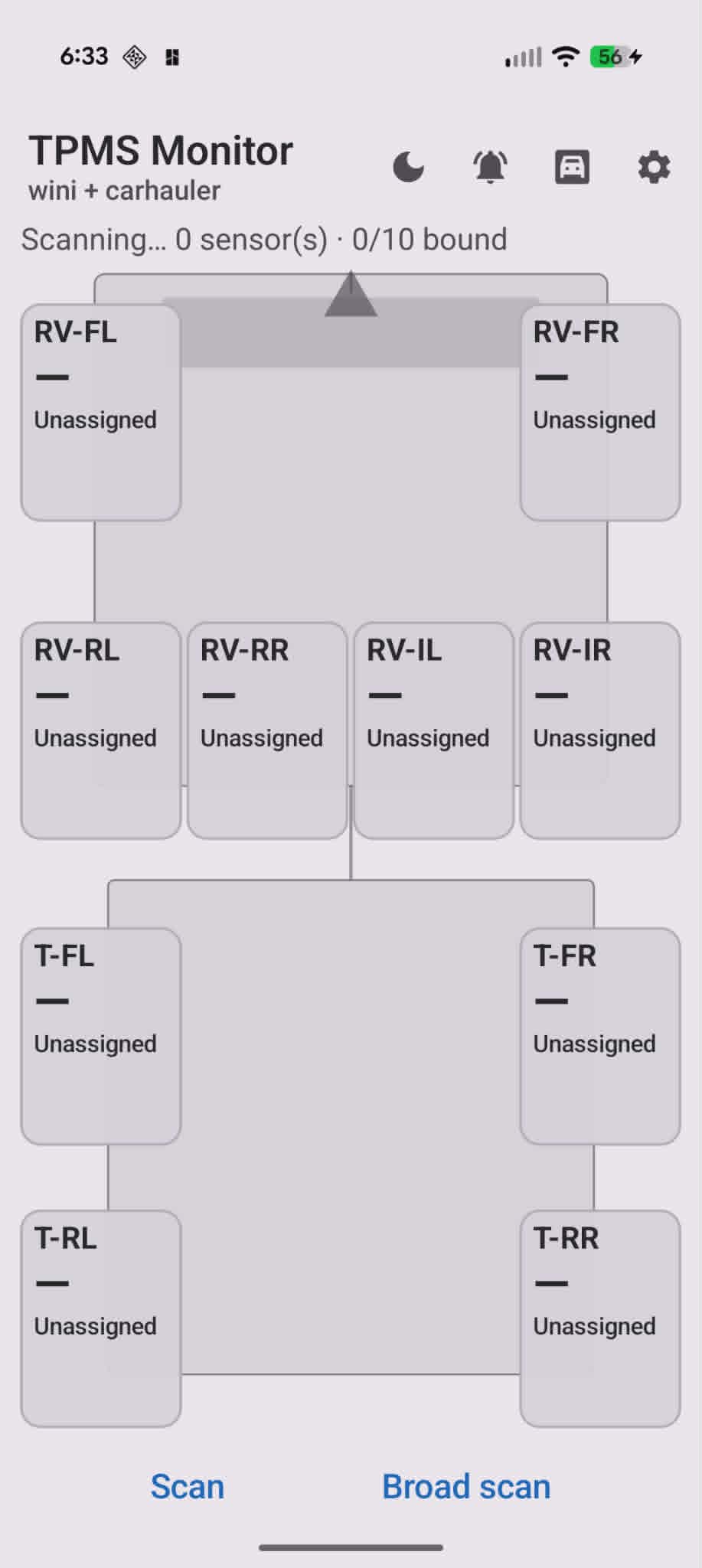 RV-FL through RV-IR up top, T-FL through T-RR on the trailer. Positions show “Unassigned” until each sensor is bound.
Truck plus small trailer
Not every haul is ten wheels. The F-150 plus ATV trailer profile is four truck corners and two trailer tires — same app, different layout template.
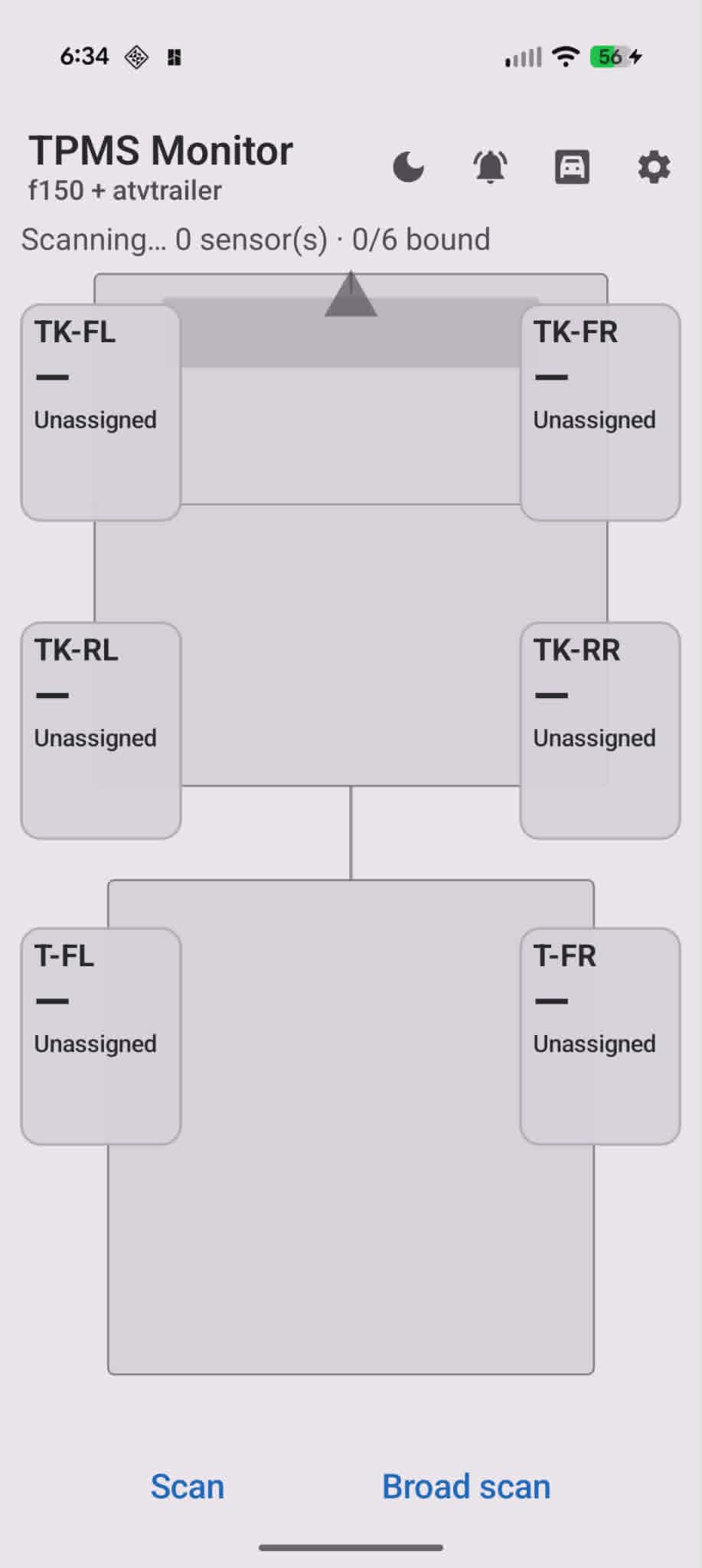 TK-FL/FR/RL/RR for the truck, T-FL/FR for the trailer.
Background monitoring and alerts
The part that makes this worth running daily: a foreground service keeps scanning while you drive. A persistent notification shows summary status — all tires OK, or which corner dropped.
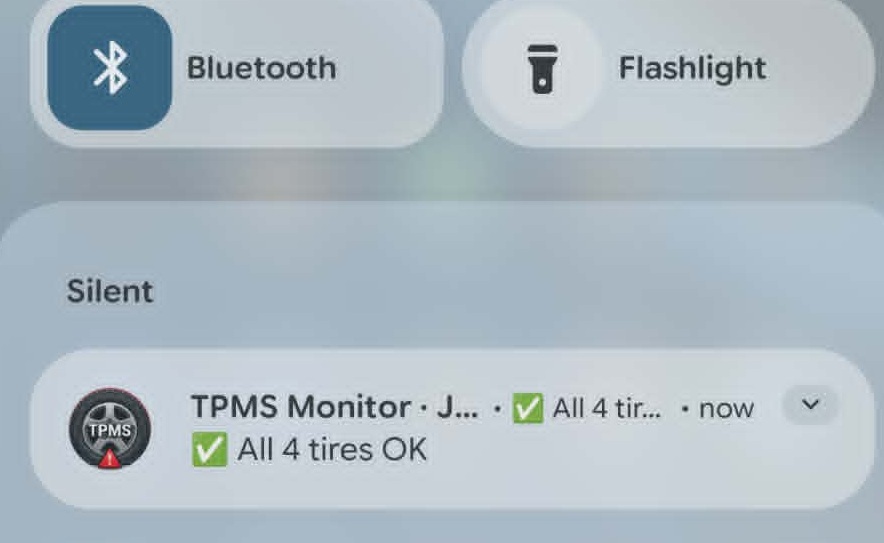 Silent ongoing notification — no sound unless something is wrong.
Expand it for per-corner PSI and temperature without opening the app.
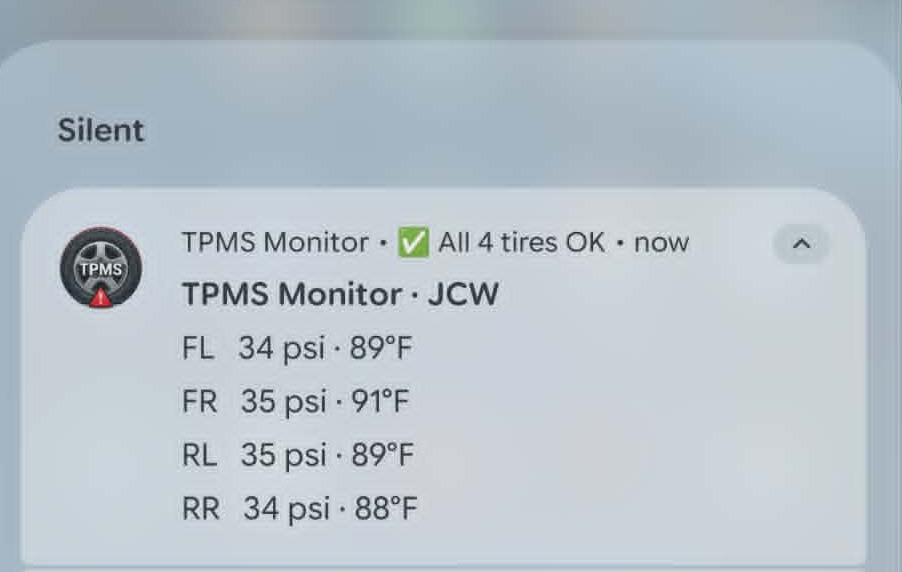 34 / 35 / 35 / 34 psi at a glance from the shade.
When pressure falls below your threshold, the notification escalates — you get a PSI drop alert even if the app is not in the foreground. That is the whole point of TPMS on a tow rig.
What is not tested yet
Layout and binding logic are done. Sensor range on a long RV-plus-trailer haul is not. BLE is short-range by design; the phone sits in the cab while trailer sensors can be 30+ feet back. I have verified binding and live reads in the driveway and on short trips. A full highway tow with all ten sensors reporting reliably is still on the to-do list — repeater placement, phone mount location, and whether the sensors rebroadcast often enough at highway speed all need real miles.
What is next
Play Store submission when the range question is answered and I am happy with alert tuning. Until then it is my daily driver for anything with color-tagged BLE sensors on the stems.
If you are running the same cheap sensors, the paint-and-position bind flow is the workflow — mark one, assign one, move on. No MAC-address spreadsheet required.