ESP32 · CAN bus · Toyota 86 / Subaru BRZ · MINI R53
Shift light,
straight off the CAN bus.
Eight LEDs on the steering column, reading RPM off the car's own CAN bus at 100 Hz. They light in pairs from both ends, close in the middle right at your shift point, and then the whole bar flashes. Every threshold and colour is a slider on your phone, live, with the engine running.
Now shipping · rev C boards for the Toyota 86, Subaru BRZ and Scion FR-S, and for the MINI R53, with the printed LED housing for each car. Four wires to the car, the bar on the column, and the rest is done from your phone.
LEDs on the column
RPM straight off the bus
wires to the car
factory wires cut
01 · See it run
Read it without reading it.
A shift light you have to interpret is one you'll ignore. This one tells you two things at once, how many LEDs are lit and what colour they are, and both land in peripheral vision while your eyes stay on the track.
- Dark below the start point. Cruising the paddock doesn't look like a police chase.
- Pairs fill from both ends. The outer pair first, then inward, until the middle pair closes the bar right at the shift point. A bar converging on its own centre reads at a glance in a way a left-to-right progress bar never does.
- Colour fades through the warning zone. Green, through amber, to red, smoothly with RPM.
- Past the blink point the whole bar flashes. Shift. Now.
Dark, green fill, the fade to red, then the flash
02 · Pick your car
One board, set up for your car.
Same rev C board for every car, flashed with the firmware for yours and tested before it ships. It listens to the bus and never transmits, so the car never knows it's there.
03 · 86 / BRZ / FR-S
A track cluster for the first-gen car.
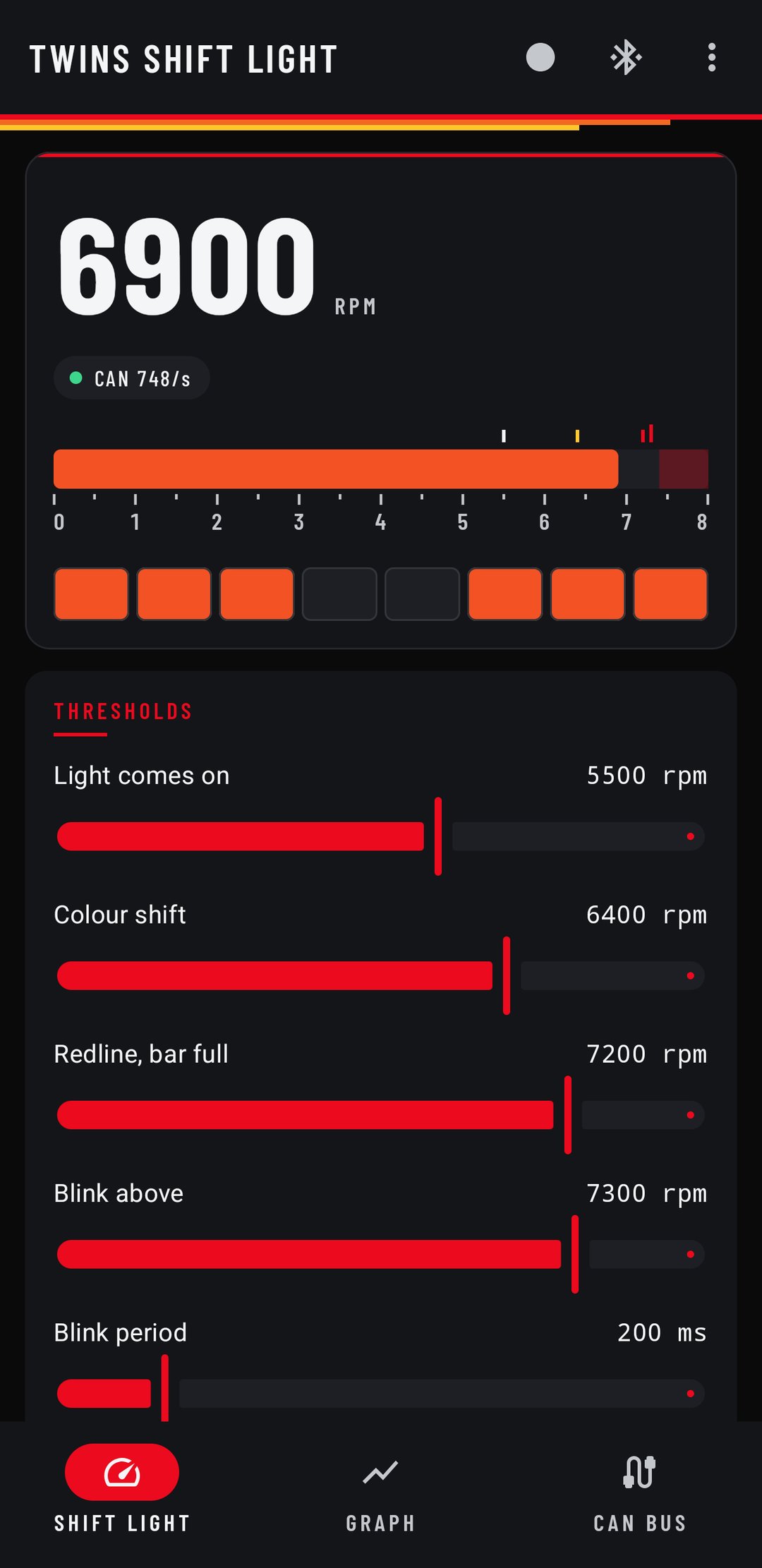
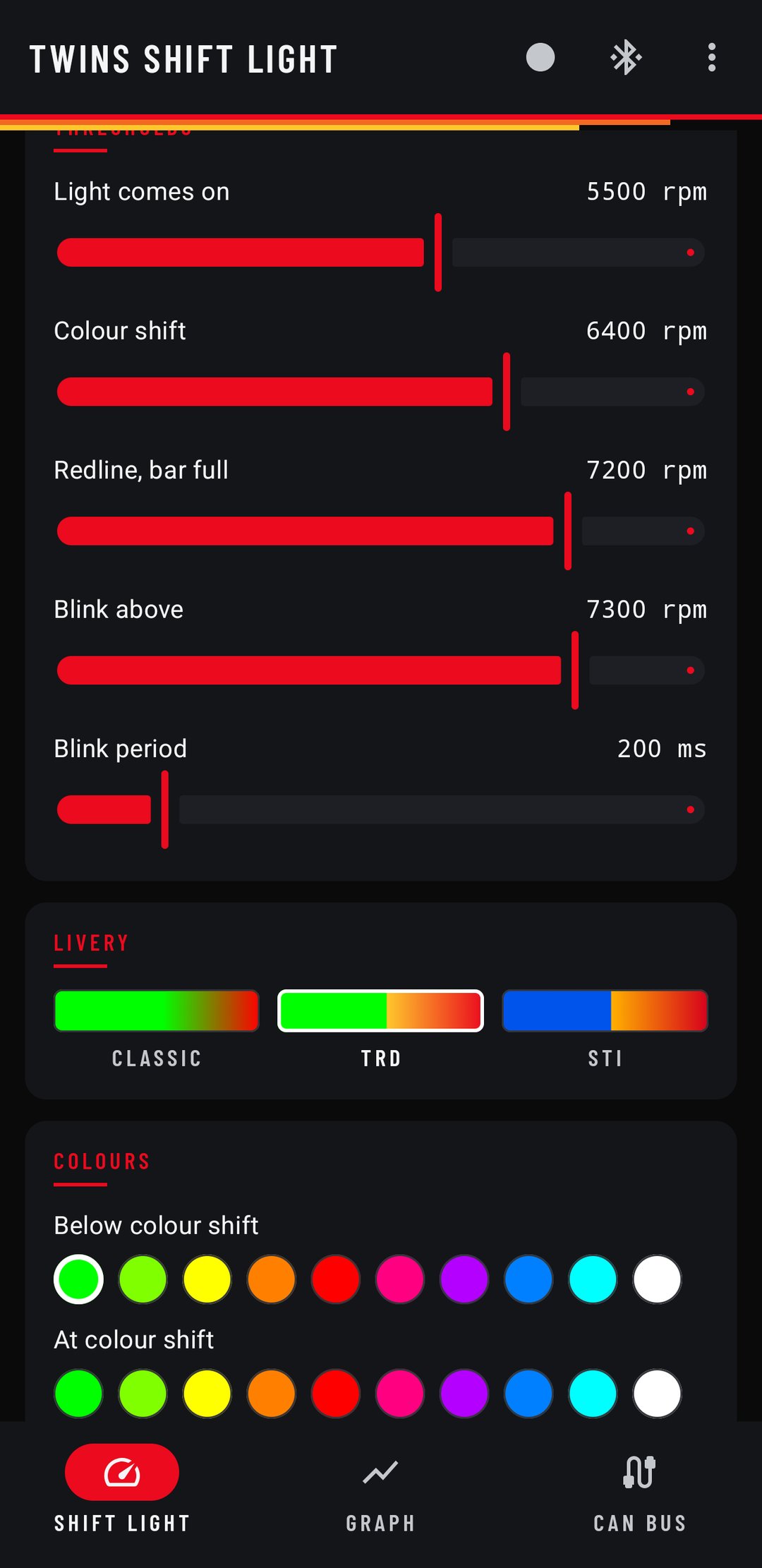
The Twins Shift Light app opens on a tach the way the second-generation car draws its cluster in track mode, and the way every first-gen owner wishes theirs did. A horizontal bar from 0 to 8,000, filled to live RPM in the exact colour the strip is showing at that moment. The four thresholds sit above it as markers, each in the colour it switches the strip to, and the FA20's own red zone is fixed on the right, so you set your shift points against the thing that limits them.
Under the tach, a big RPM readout and a mimic of the strip in the car, both drawn off the same model as the firmware. What you see on the phone is what the LEDs are doing.
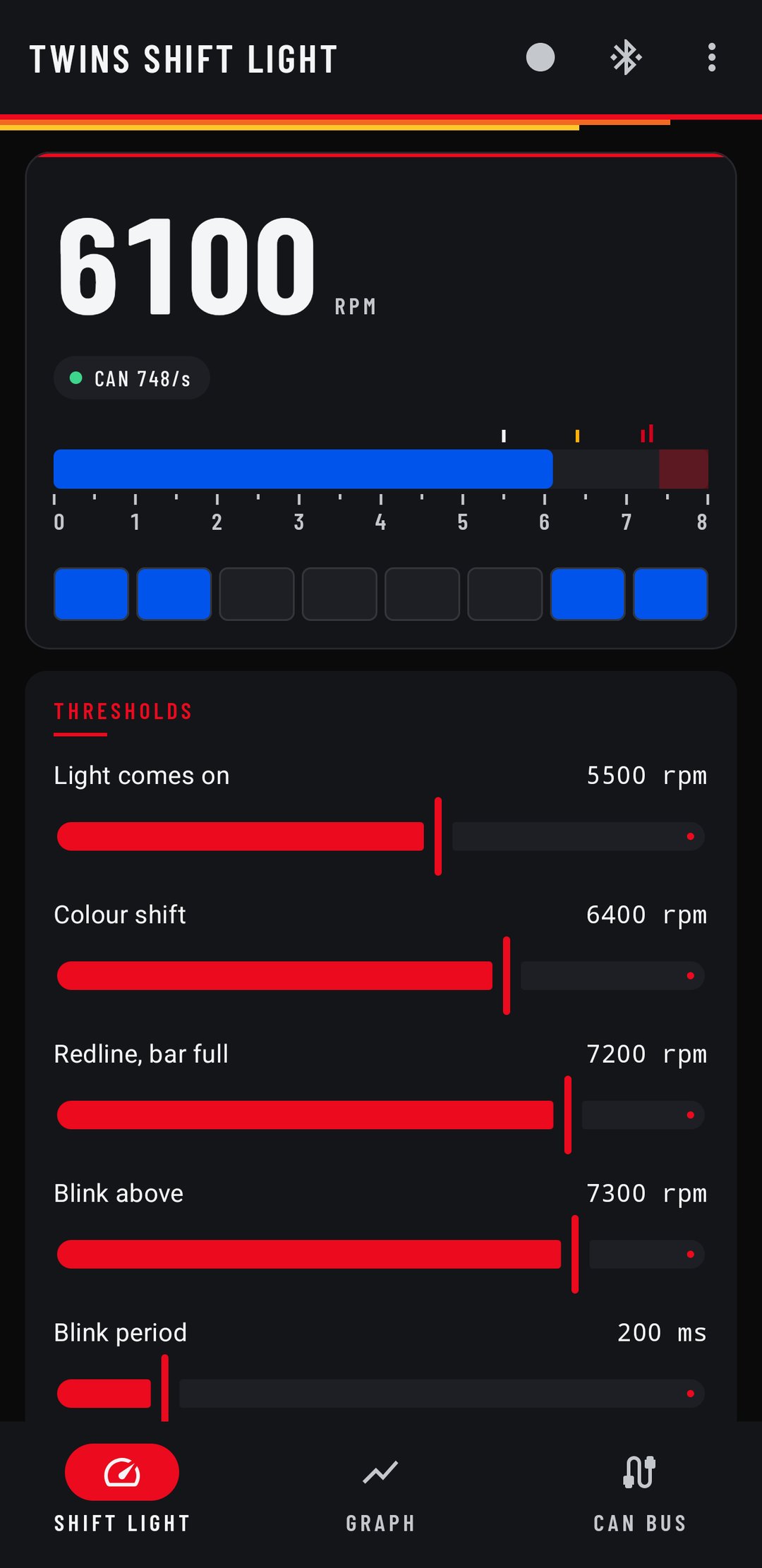
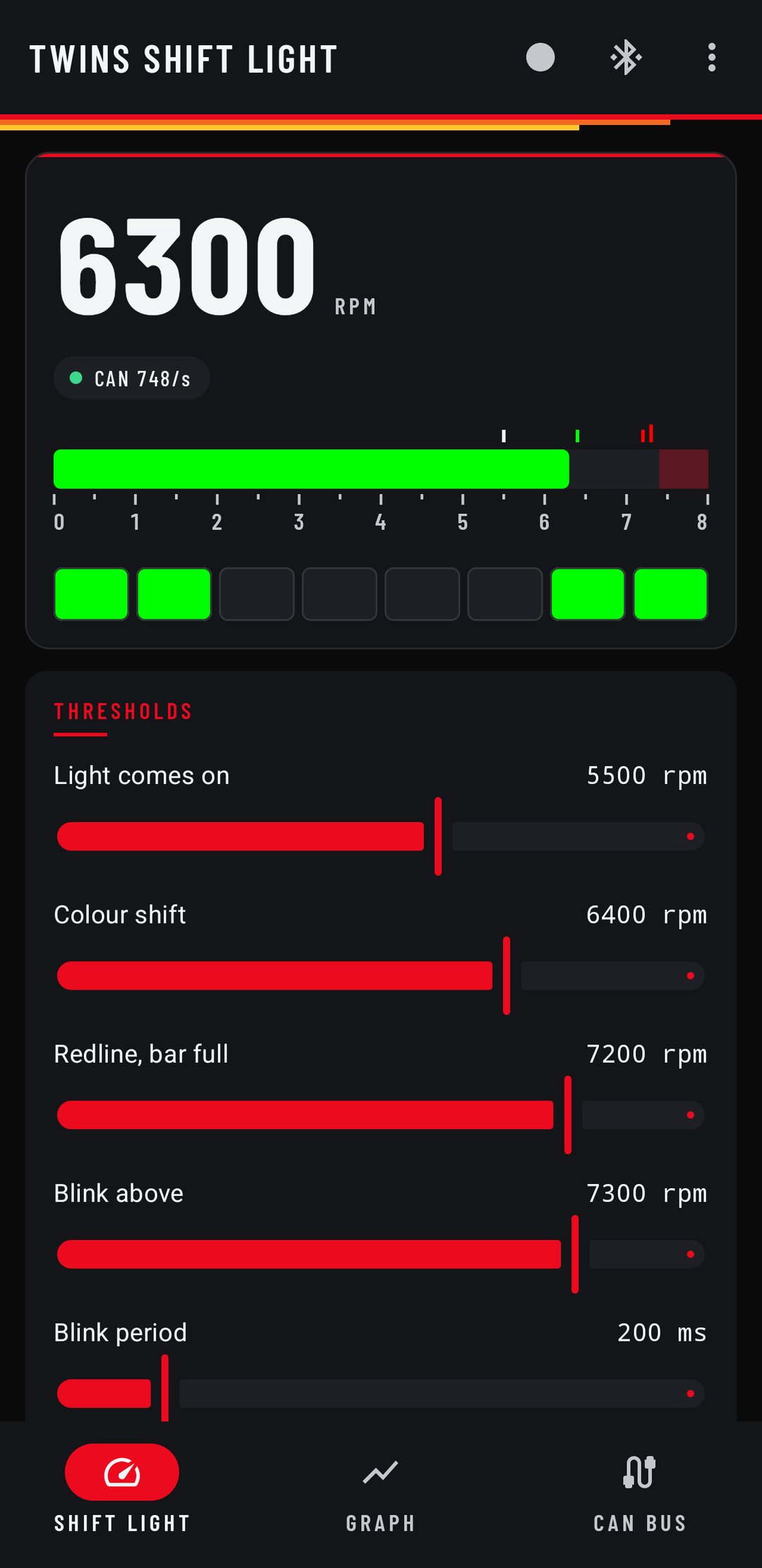
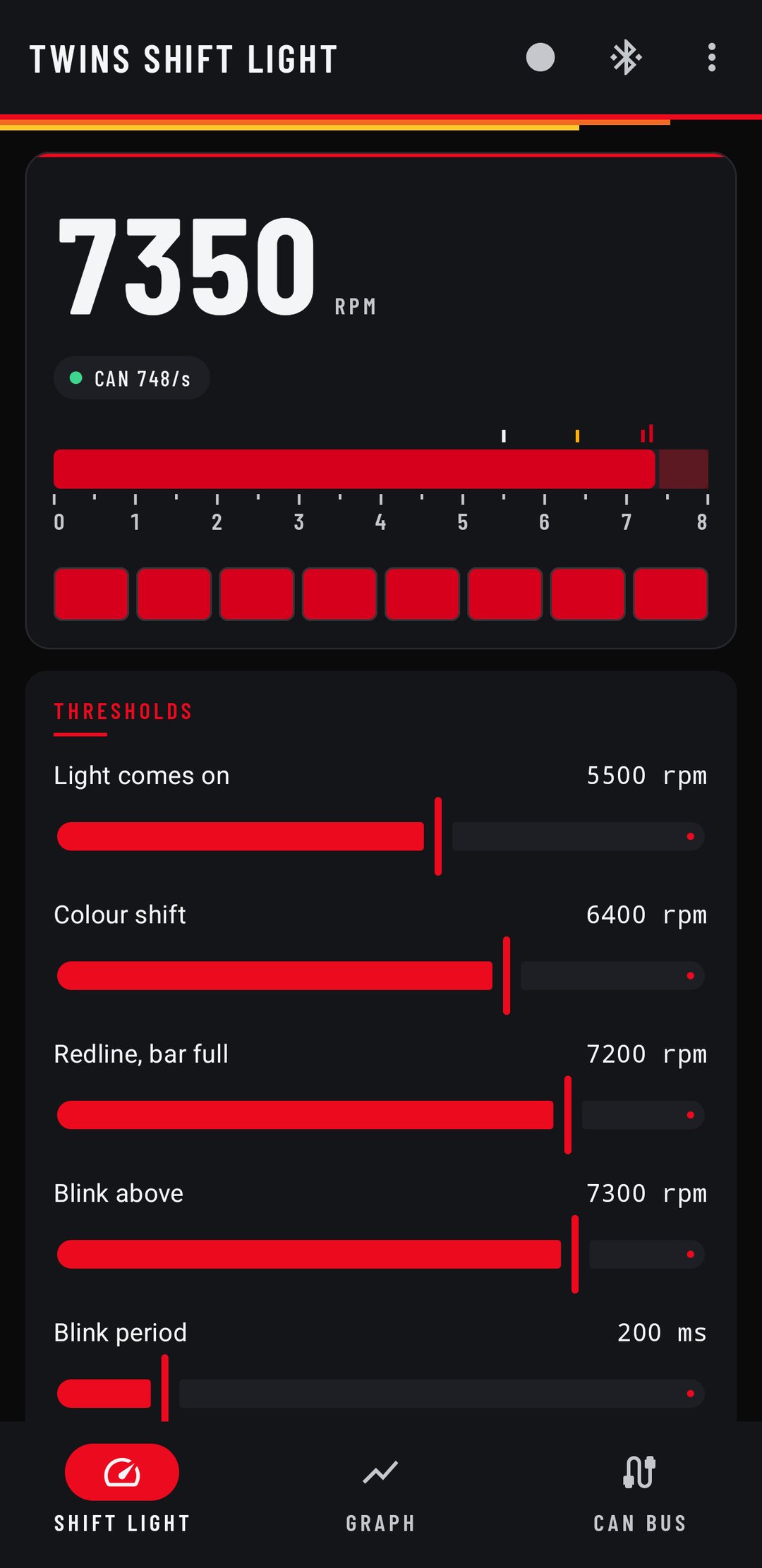
Three liveries
- Classic
- Green to red. The shift light everyone knows.
- TRD
- Heritage yellow into Toyota red. Halfway between the two lands on TRD orange, so the warning zone comes out in the right colour on its own.
- STI
- World Rally Blue, 555 gold, STI cherry.
One tap sets all four strip colours, and you can pick your own from the palette after. A livery is colour only. Your shift points stay where you put them.
Every setting, live
- Four RPM thresholds. Where the light comes on, where the colour starts shifting, where the bar fills, and where it flashes. Out of the box it stays dark below 5,500 and fills at 7,200.
- Blink rate, brightness and LED count. Build a longer bar and tell the board how many LEDs it has.
- Fill direction. Pairs from both ends, or a straight left-to-right bar.
- Apply and Save. Apply changes the strip instantly while you drag, with the engine running. Save writes it to the board, where it stays.
Graph the whole bus
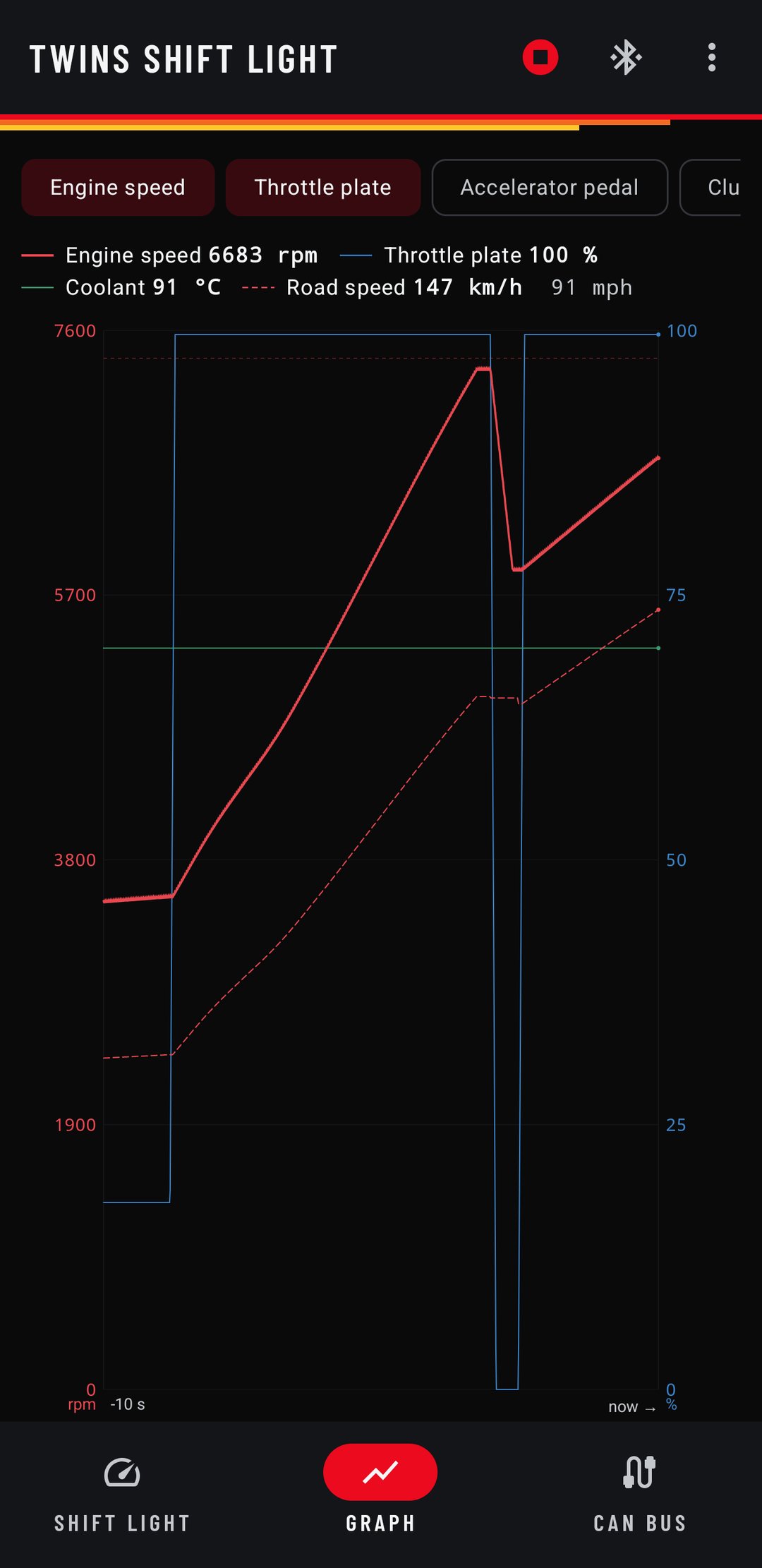
The board hears everything on the 86's CAN bus, and the Graph tab plots it. Fourteen channels, any of them on one screen, each on its own scale with labelled axes in matching colours:
- Engine: RPM, throttle plate, accelerator pedal, clutch, gear.
- Temperatures: oil and coolant, in °C or °F.
- Motion: road speed, brake pressure, all four wheel speeds, steering angle.
Watch the FA20's torque dip go by around 4,000, see where the plate opened against where the pedal went, or line the rear wheels up against the fronts coming out of a corner.
And the raw bus
The CAN Bus tab lists every ID the car sends, how fast each one arrives and its latest bytes. It's how you find the next channel worth reading, and it's on a switch, so a phone that isn't looking costs the board nothing.
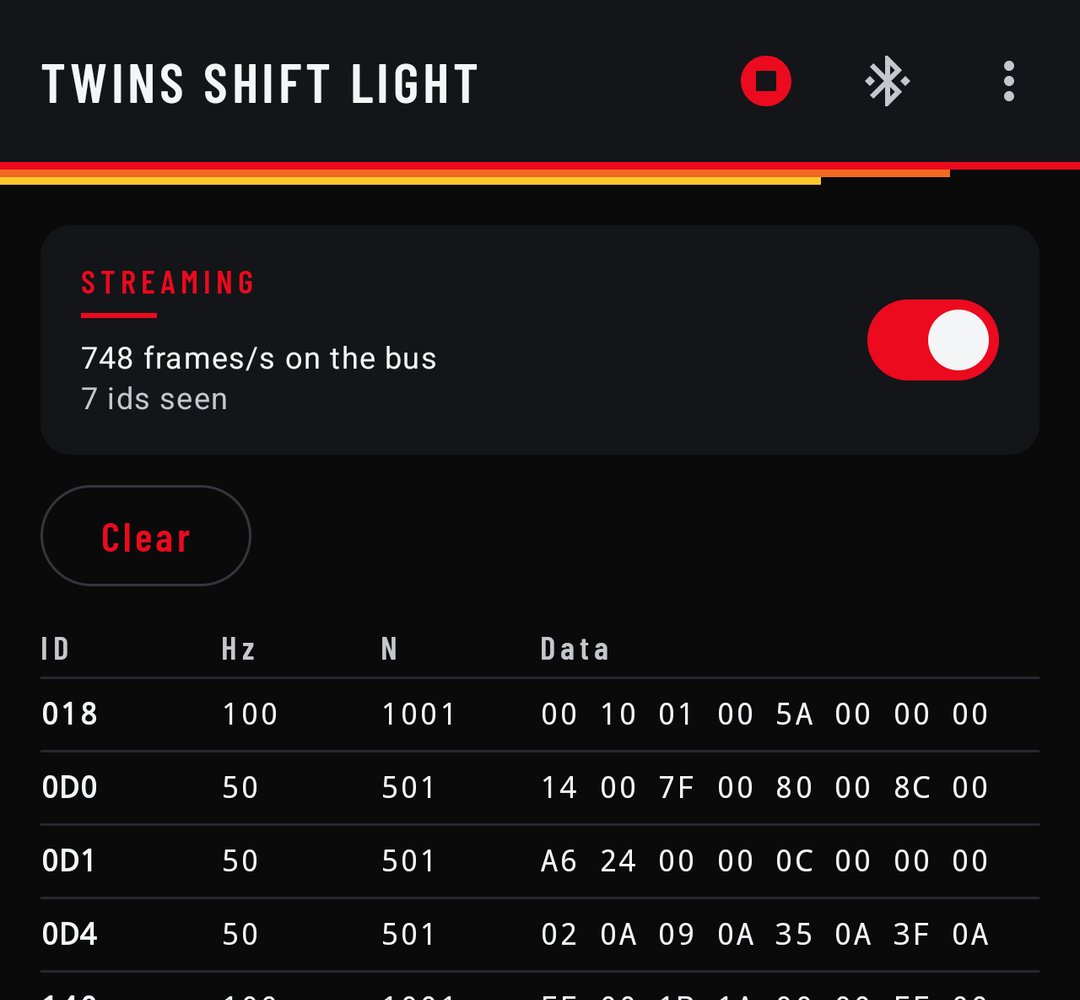
App screenshots on demo readings.
04 · 86 / BRZ / FR-S
Your lap timer gets the engine.
Switch on lap timer mode and the board also shows up as a Bluetooth OBD dongle. SoloStorm and Harry's LapTimer connect to it the way they connect to any ELM327, and log the engine next to your laps. Position keeps coming from wherever it already does: the phone's GPS, a RaceBox, a Qstarz.
- RPM
- The same number driving the LEDs, so the lap log and the light always agree.
- Throttle
- Plate and pedal, both.
- Temps
- Coolant and oil.
It answers from frames it has already heard on the bus, so it's quicker than the dongle it stands in for, and it still never transmits on the car. The shift light app keeps working alongside it. Mention lap timer mode with your order and the board ships with it on.
05 · MINI Cooper S R53
Where it started.
The R53's tach is a small pod on the column, and mid-corner with your eyes up it might as well not be there. The light sits on the column shroud, directly under that pod, dead centre in your sightline. It moves with the column, so the rim never blocks it, and the housing shades the LEDs enough to kill windscreen reflections.
Shift Light has the same sliders, the same Apply and Save, and a live strip at the top of the screen updating at 10 Hz. Drag the redline down to 6,800 and the bar fills sooner, right there, before you've moved the car.
Its Graph tab decodes the R53's bus: engine speed, throttle pedal, coolant, road speed, front wheel speeds, steering angle, fuel level and outside temperature. Run an AEM X-Series wideband and its CAN output goes on the same pair, and the app plots air/fuel ratio with no setup at all.
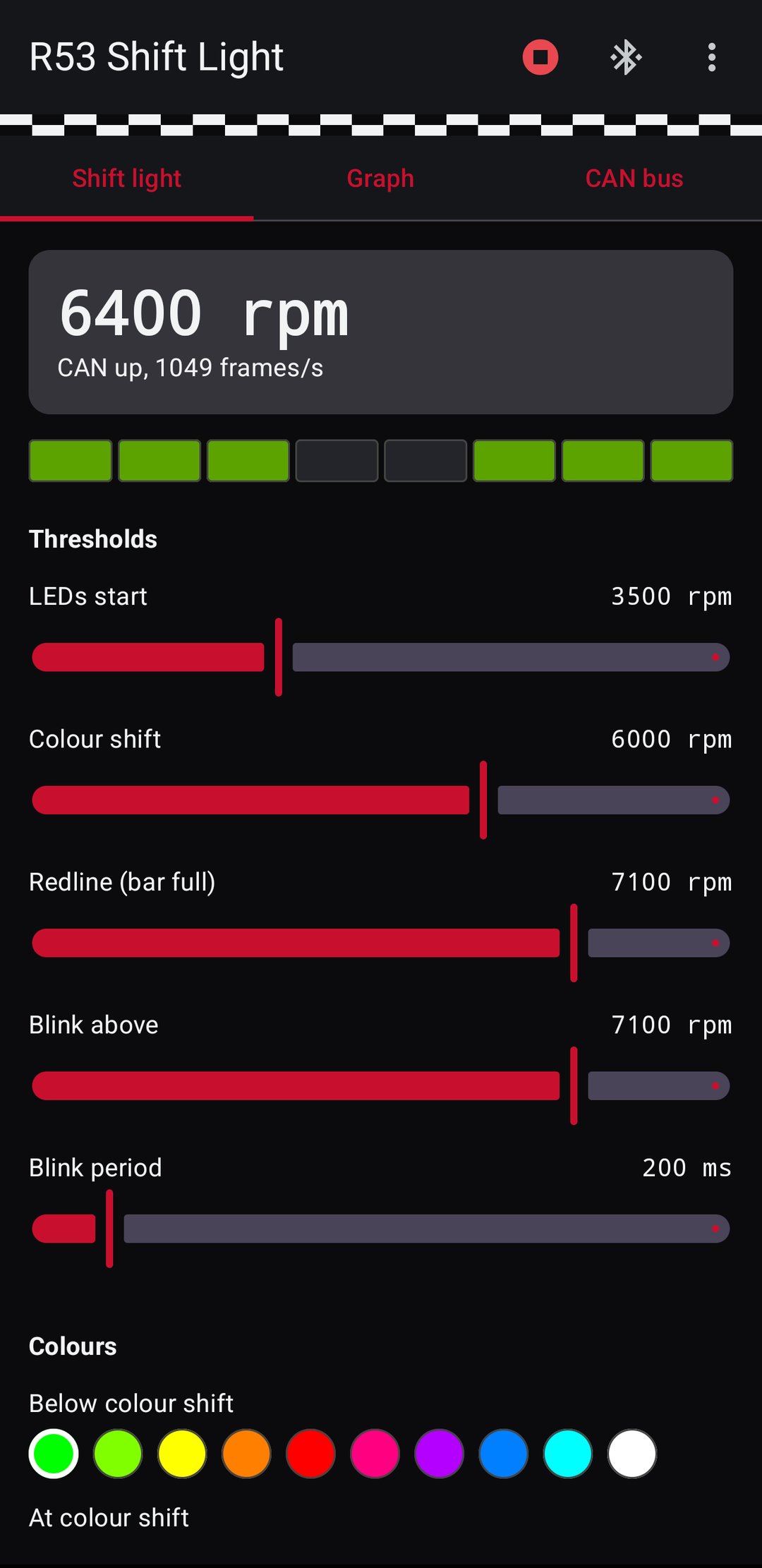
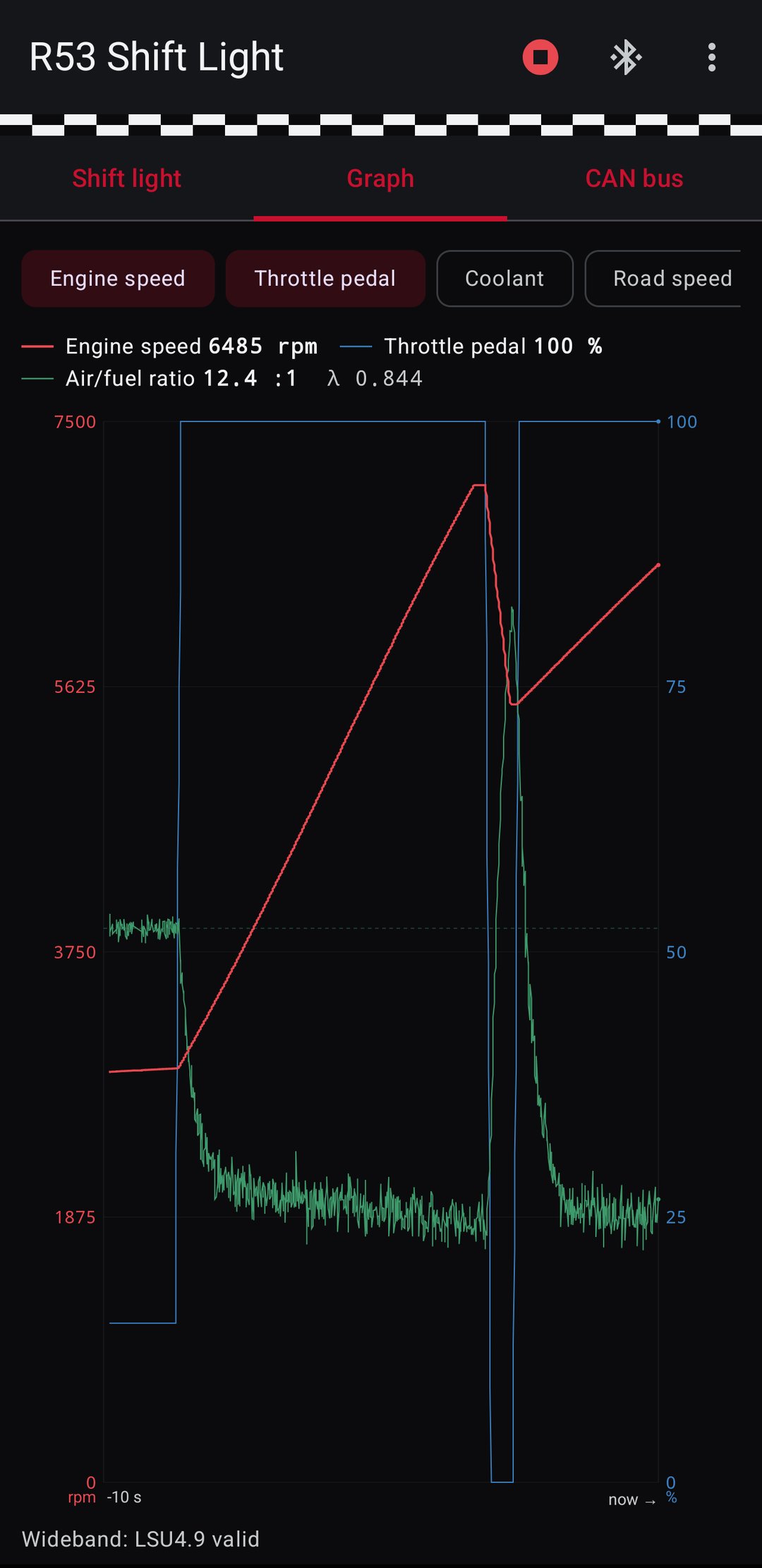
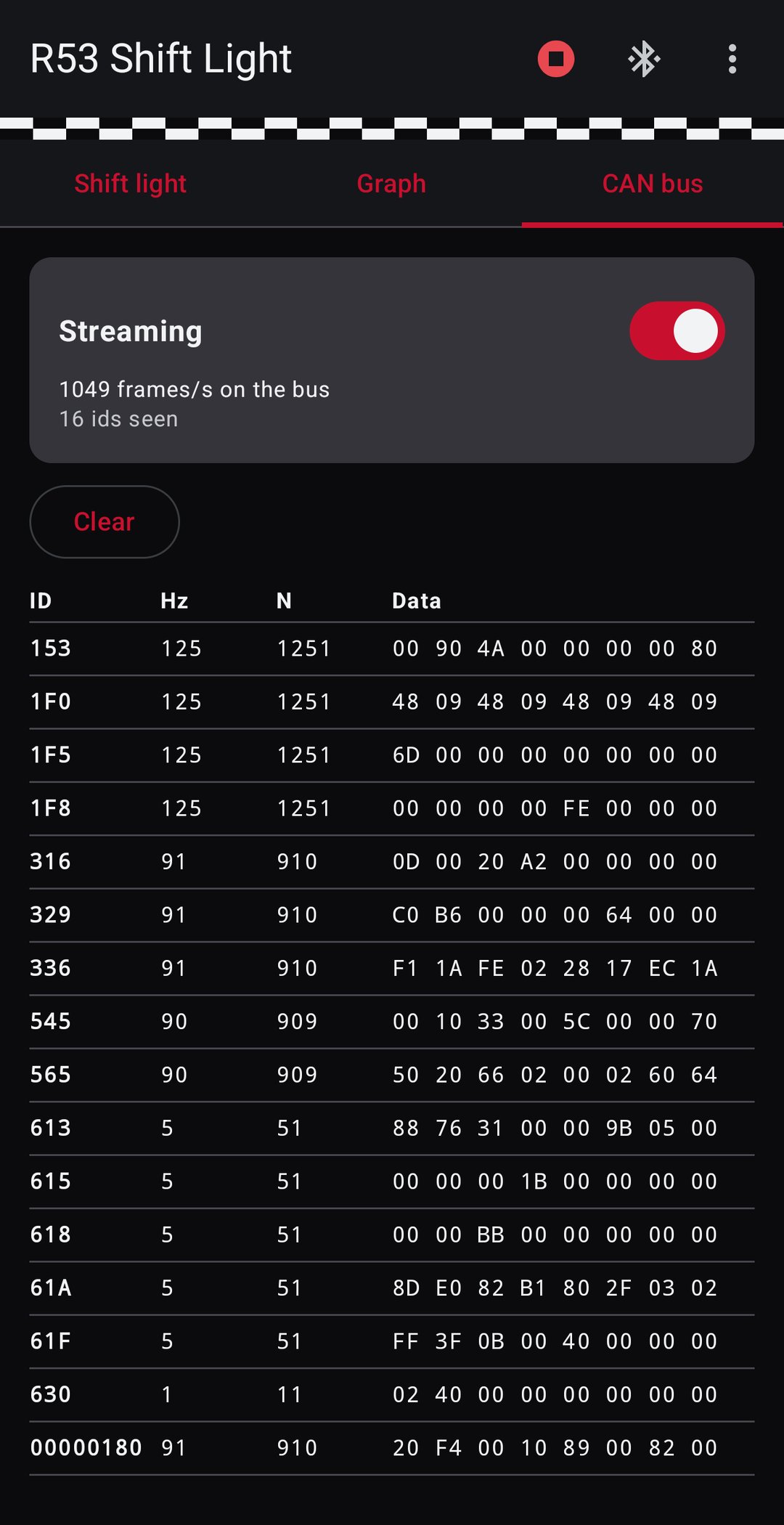
App screenshots on demo readings.
On an iPhone
The R53 board also configures from a browser at logs.geekopolis.com/shiftlight. Same sliders, same graph, same CAN view, nothing to install. On an iPhone, open it in the free Bluefy browser, which carries Bluetooth to the page. On Android, Windows, Mac or Linux, Chrome or Edge does it directly.
06 · BMW 135i and more
Your car is five numbers.
Almost every modern car puts engine speed on its CAN bus. The board doesn't hard-code where: the CAN ID, the byte it starts at, the field width, the byte order and the scale are all settings it stores. A new car means setting those five numbers, not writing new firmware.
- BMW 135i
- E82 N54, ready. RPM from
0x0AAon PT-CAN. - 86 / BRZ
0x140, 100 times a second.- MINI R53
0x316, read straight off the car.
Got something else? Email me the car and I'll set a board up for it.
07 · The board
Rev C, built for a car.
A 54 × 58 mm two-layer board with everything soldered down: an ESP32-C3 SuperMini in the middle, a CAN transceiver, an MP1584 buck trimmed to 5.0 V, and screw terminals for everything that leaves the board. No dev-board stack, no jumper wires, nothing to come loose behind a dash.
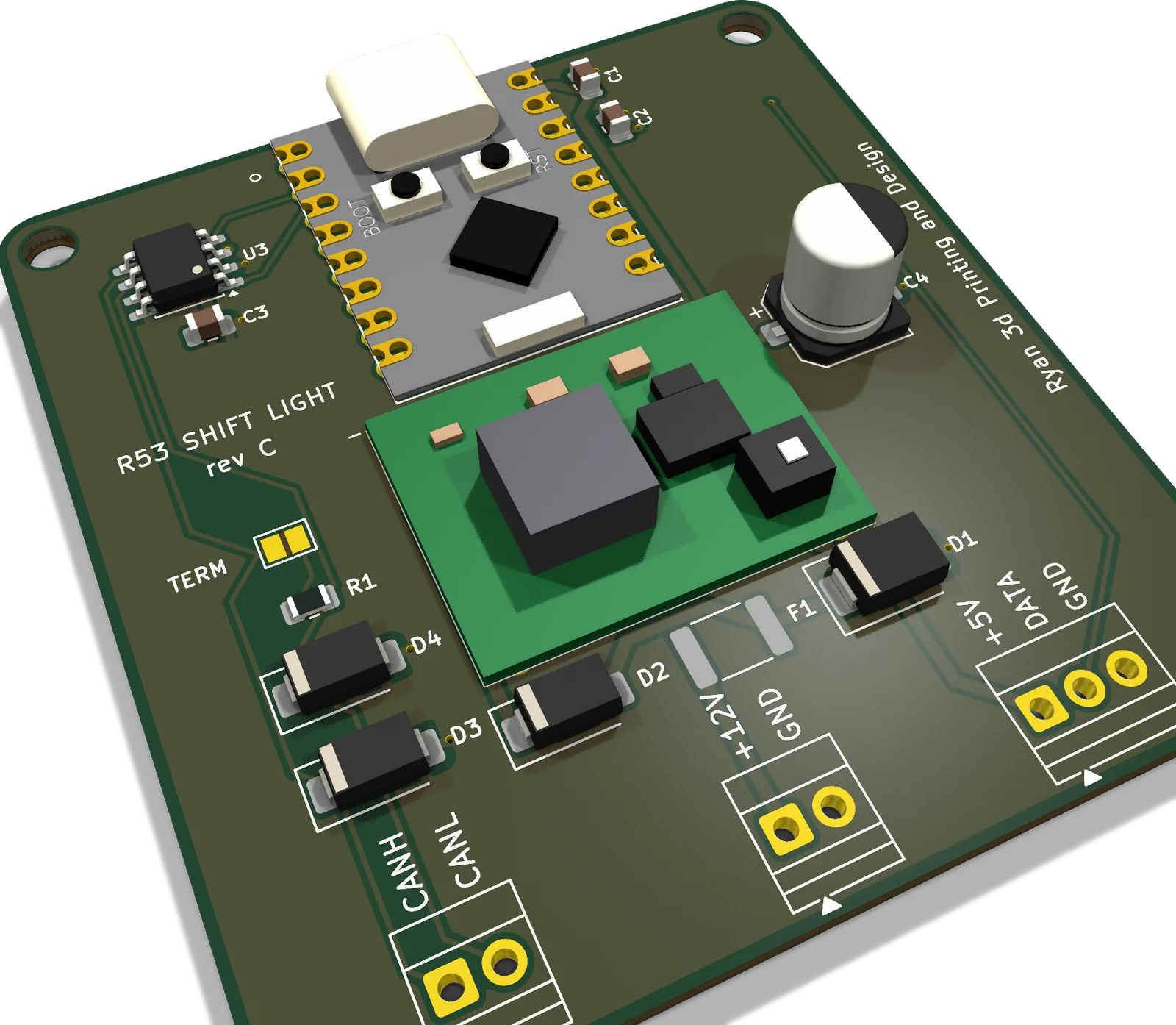
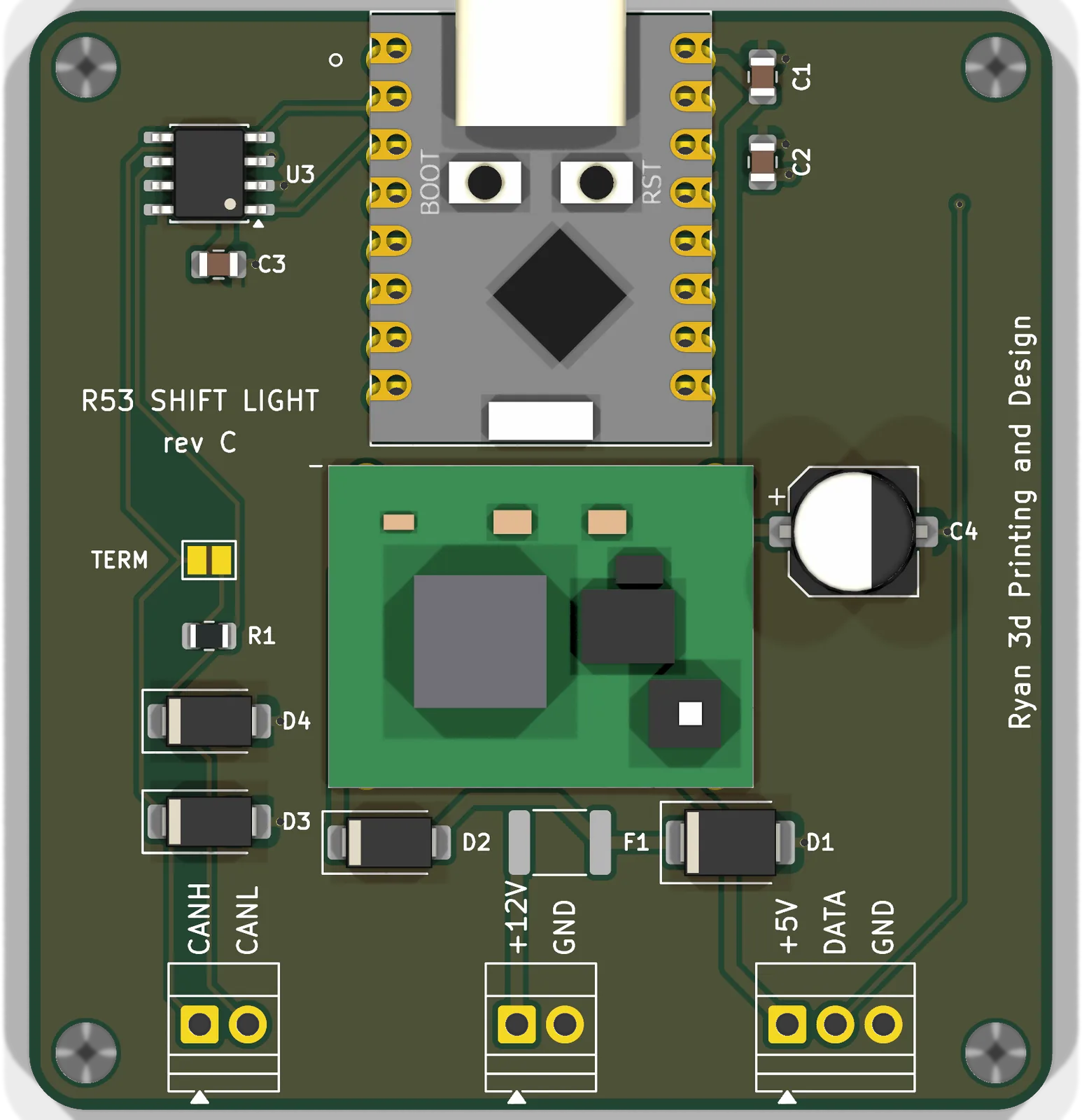
- Power in
- 12 V switched, fused, TVS clamped and reverse-blocked.
- 5 V rail
- MP1584 buck, trimmed to 5.0 V before it ships. The board and a full strip draw well under half an amp.
- CAN
- SN65HVD230, listen-only, 500 kbit/s. The termination jumper ships open, because the car's bus is already terminated.
- Strip
- 8 × WS2812B, on three wires: +5 V, data, ground.
- Phone
- Bluetooth LE. No pairing, no PIN, nothing to set up. The app proves itself to the board on its own, so a stranger's phone in the car park can't change your settings.
- Mounting
- M3 holes at the four corners.
- Status
- A blue LED on the SuperMini: steady when it's reading the bus, blinking when it isn't.
The phone is optional. The light boots, reads the bus and lights up with no phone in the car. Settings live on the board. The app is a screwdriver, not a component.
08 · The housing
Printed for each car.
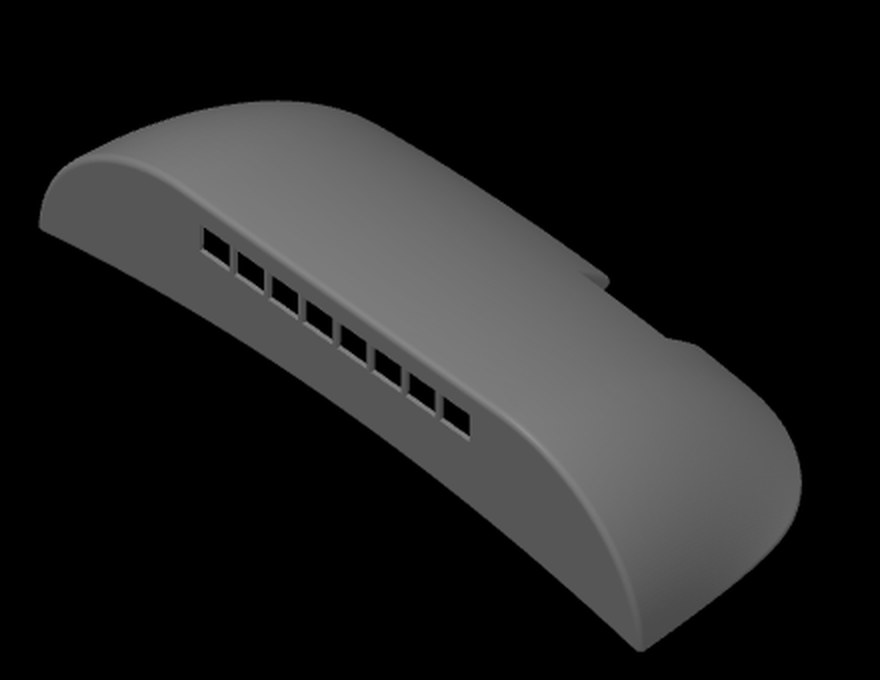
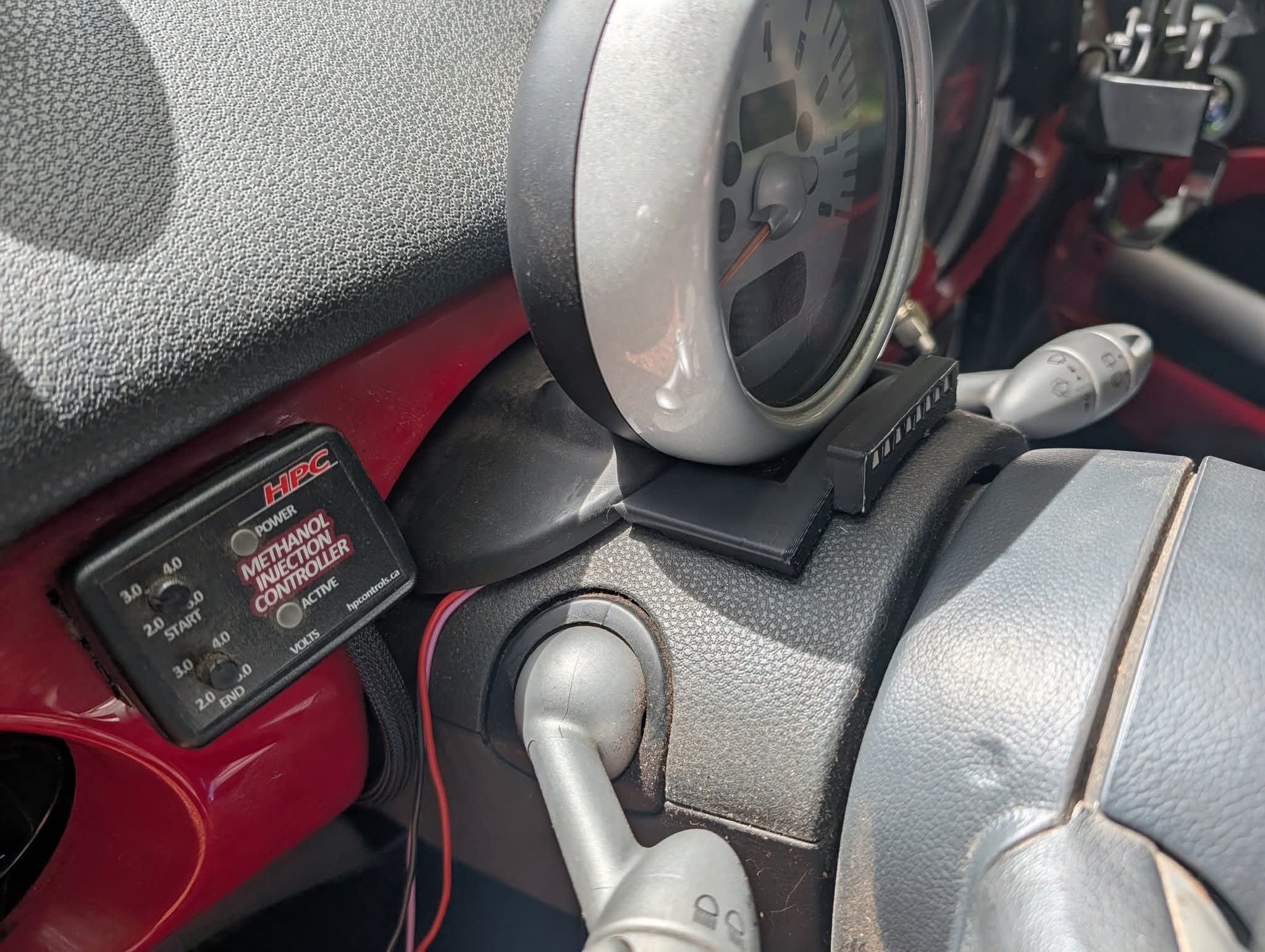
Each housing holds the eight-LED stick behind its own windows, shades it from the sun, and sits on top of the steering column where the bar and the road share one glance. Both are printed and shipped with the light, or sold on their own. Prefer to print the R53 one yourself? It's on Cults3D.
09 · Fitting it
An afternoon, four wires.
Switched 12 V, ground, CAN high and CAN low. Then three wires from the board to the strip on the column.
86 / BRZ / FR-S
- Find the spare CAN port. It's a male connector behind the head unit, right next to the glovebox. The two middle pins of a Toyota radio harness plug straight into it.
- Power from the glovebox. There's a second 12 V socket inside it to feed the board, and the board lives in there too.
- Run 60 to 90 cm of twisted pair from the port to the board's CAN terminals, then the strip cable up to the column.
Want to try it before you fit it? OBD pin 6 is CAN high and pin 14 is CAN low, the same bus. Clip on there for a test drive, then move it behind the dash.
MINI Cooper S R53
Everything is behind the access panel on the left end of the dash, which comes off by hand. Posi-Taps ship with the light, so nothing gets cut and the car goes back to standard whenever you like.
| Wire | Colour | Where |
|---|---|---|
| Switched 12 V | green / blue | terminal 15, X11177 pin 16 |
| Ground | brown | body stud |
| CAN high | yellow / black | X11177 pin 11 |
| CAN low | yellow / brown | X11177 pin 24 |
The CAN pair is twisted, which is how you pick it out of the loom. Colours and pins come off the factory WDS sheets for the instrument cluster, and Two yellow wires walks through reading them.
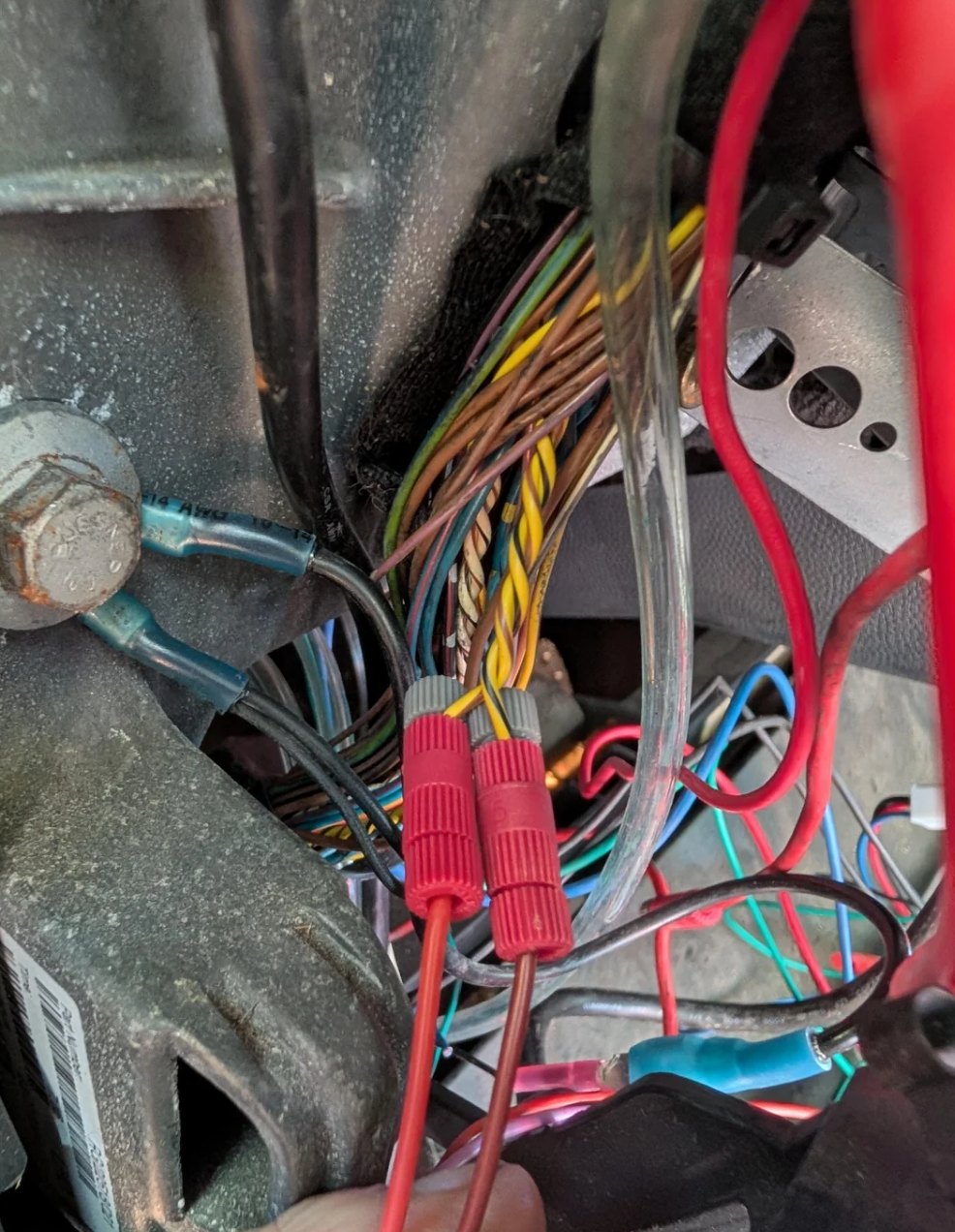
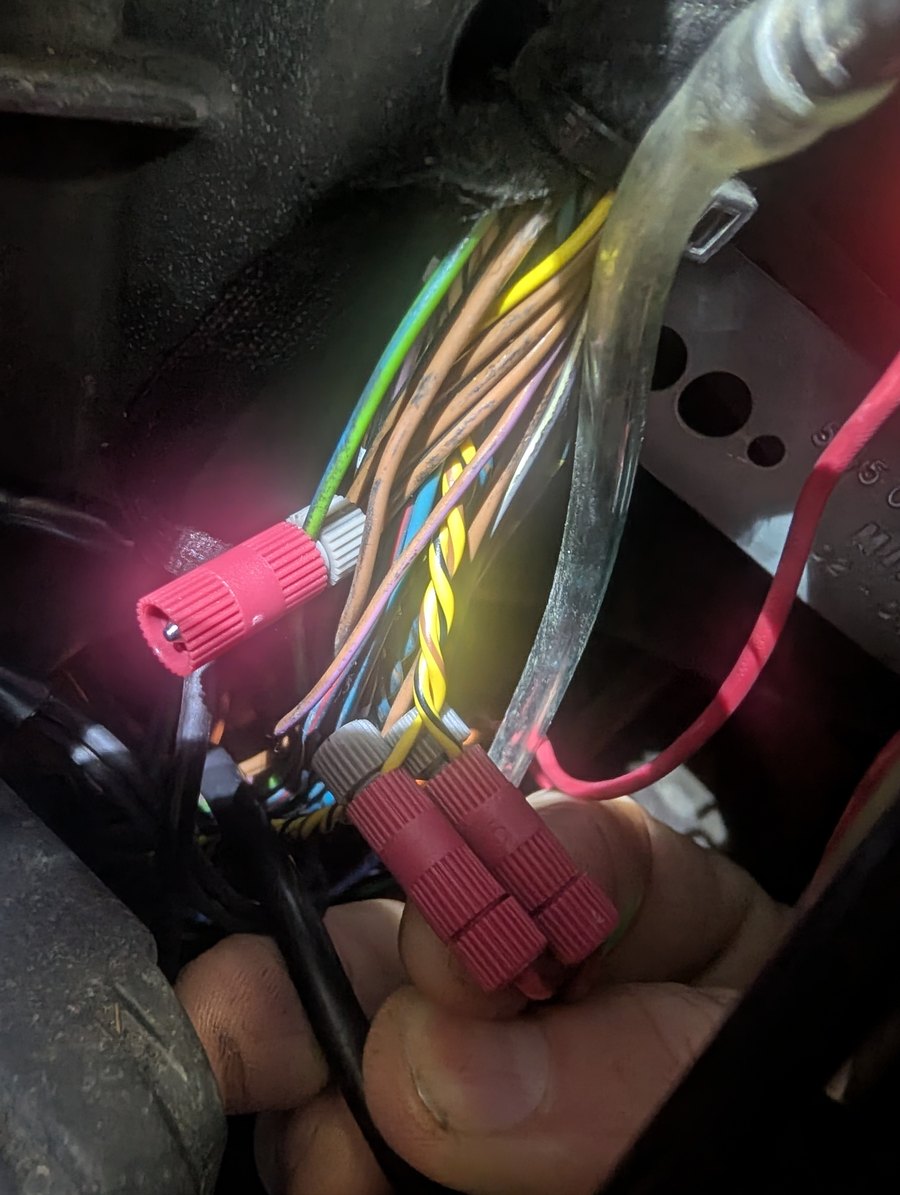
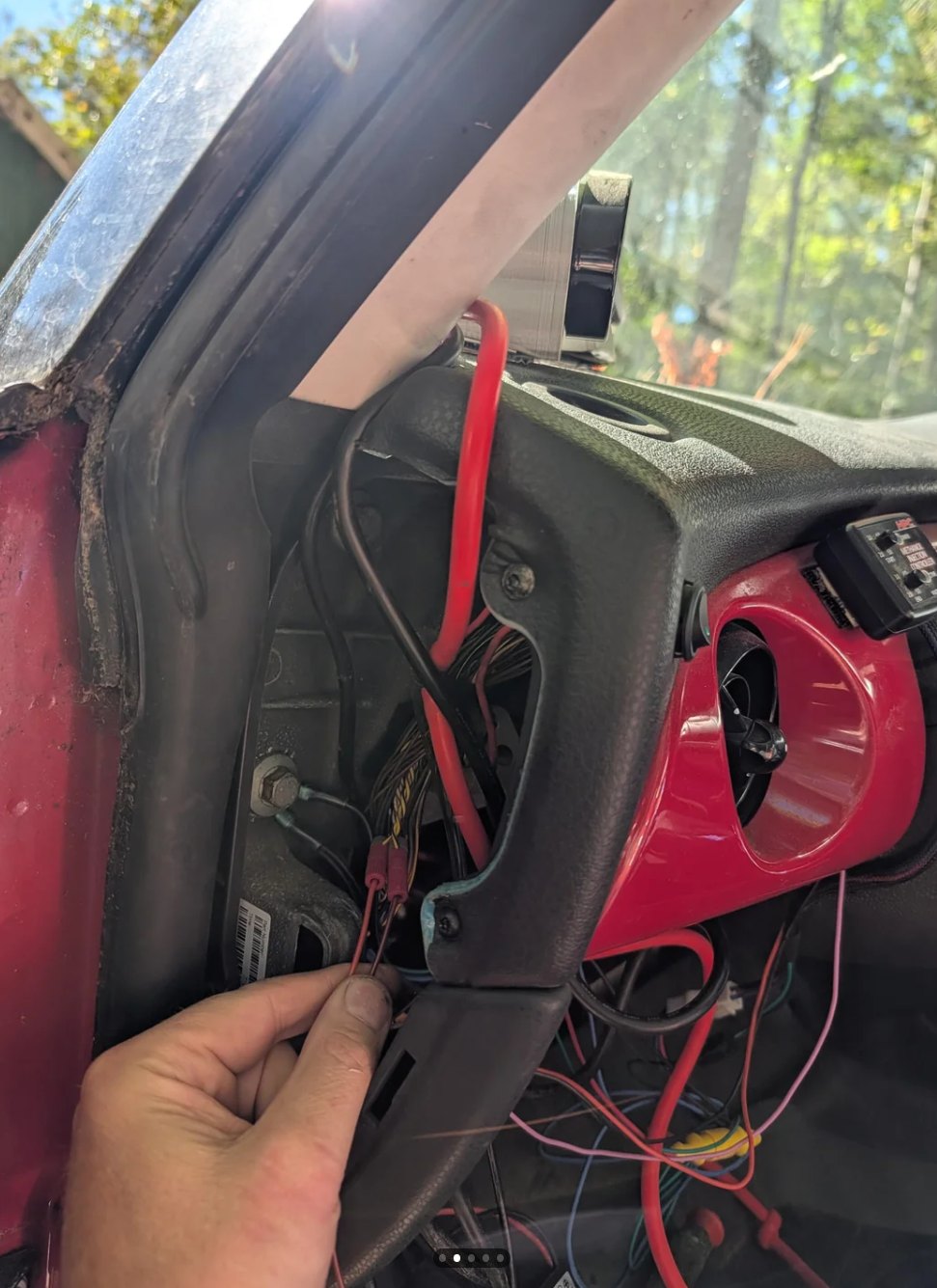
Swapped the CAN pair by accident? Nothing happens to the car. The board just hears nothing and blinks; swap them and it's reading.
10 · Order
Get one.
Email your car
Year, model, and the light or the housing. Mention lap timer mode if you want it on an 86.
Email to orderFit it
Four wires and the strip on the column. The light works the moment the key turns.
How it fitsSet it up
Install the app for your car and set your shift points with the engine running.
Get the app11 · The apps
Free, for your car.
The Android app installs straight from the download, outside the Play Store, so Android asks you to allow installs from your browser the first time. It asks for one permission, Nearby devices, which is how Android gates Bluetooth. It has no internet access, so nothing leaves the phone.
Scan from the car for the app. Firmware updates flash from Chrome over USB-C and keep your saved settings: the R53 flasher and the 86 / BRZ / FR-S flasher.