PumpWitness
Take three photos at the pump and the fill-up is logged: gallons, price, grade, mileage and the station. It works out the MPG for every car in the garage, and flags a station when its gas keeps running bad.
PumpWitness is in Google Play testing, so it won't show up in a search. Two steps, both signed in with the Google account on your phone. Android 8.0 and newer.
About 10 minutes after joining, tap Become a tester, then install from Google Play.
Get the appGoogle takes about 10 minutes to give a new group member access. If Play says the app isn't available, wait a few more minutes and check you're signed in with the same Google account that joined the group. The website and the privacy policy are at pumpwitness.geekopolis.com.
PumpWitness is my wife Jackie's app. It was her idea, and it's her first app. The name is what it does: every fill-up keeps its photos of the pump and the odometer, so there's a record of what went in the tank and where it came from.
Every screenshot here is from my phone, with our family's real cars and fill-ups.
Three photos at the pump
Photograph the pump, the price sign and the odometer. PumpWitness reads them and fills in the fill-up for you to check.
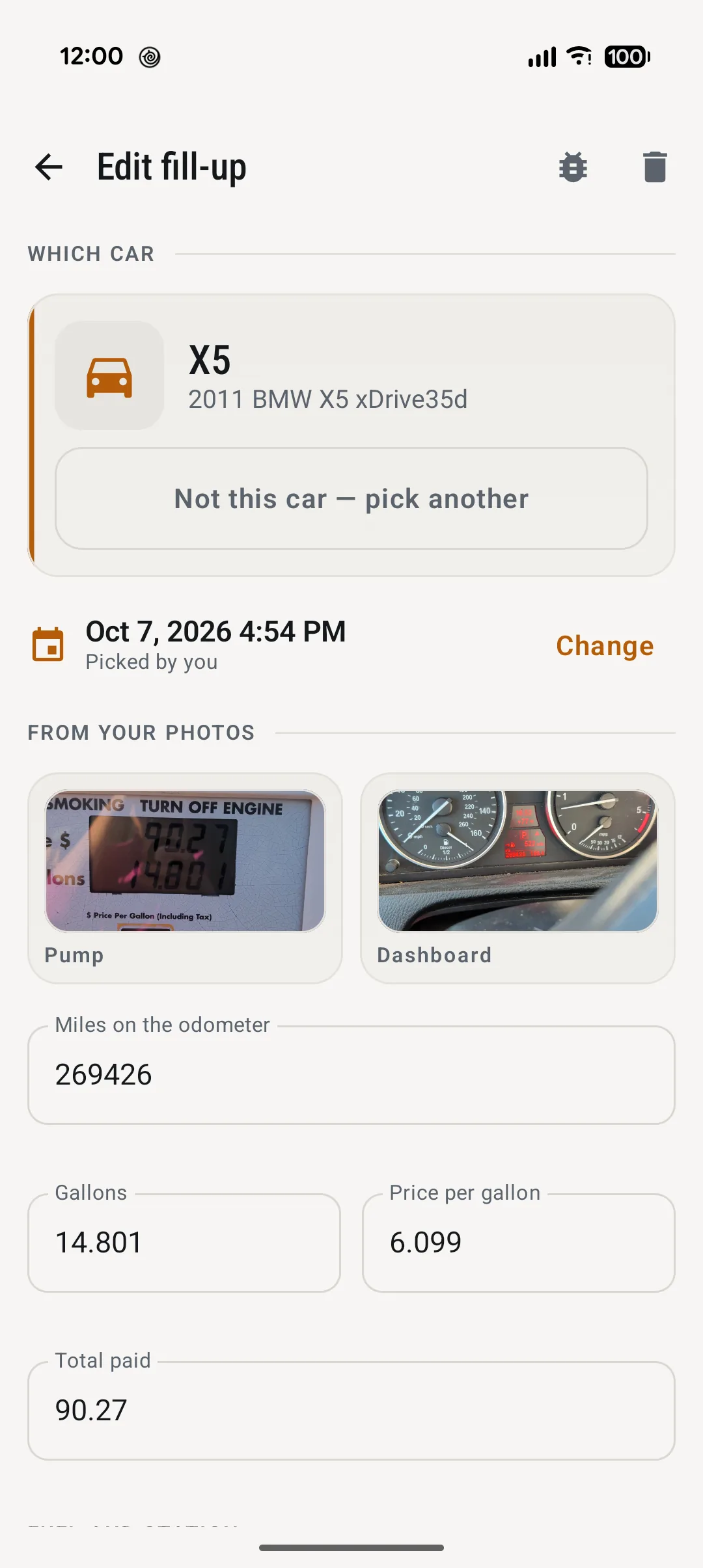
- The pump gives the sale, the gallons and the price per gallon. The odometer gives the mileage.
- The price sign is optional. When the pump's price matches exactly one of the posted prices, it names the grade.
- Every number is checked before it reaches the form: decimals where a pump puts them, sensible ranges, and gallons times price matching the total. Then it's yours to fix. Nothing is saved until you tap Save.
- It picks the car from the odometer: the one whose last mileage is a sensible amount lower. "Not this car" changes it.
- It names the station from your location: a station you've used before by the name you gave it, otherwise the nearest one on OpenStreetMap, checked against the brand on the price sign.
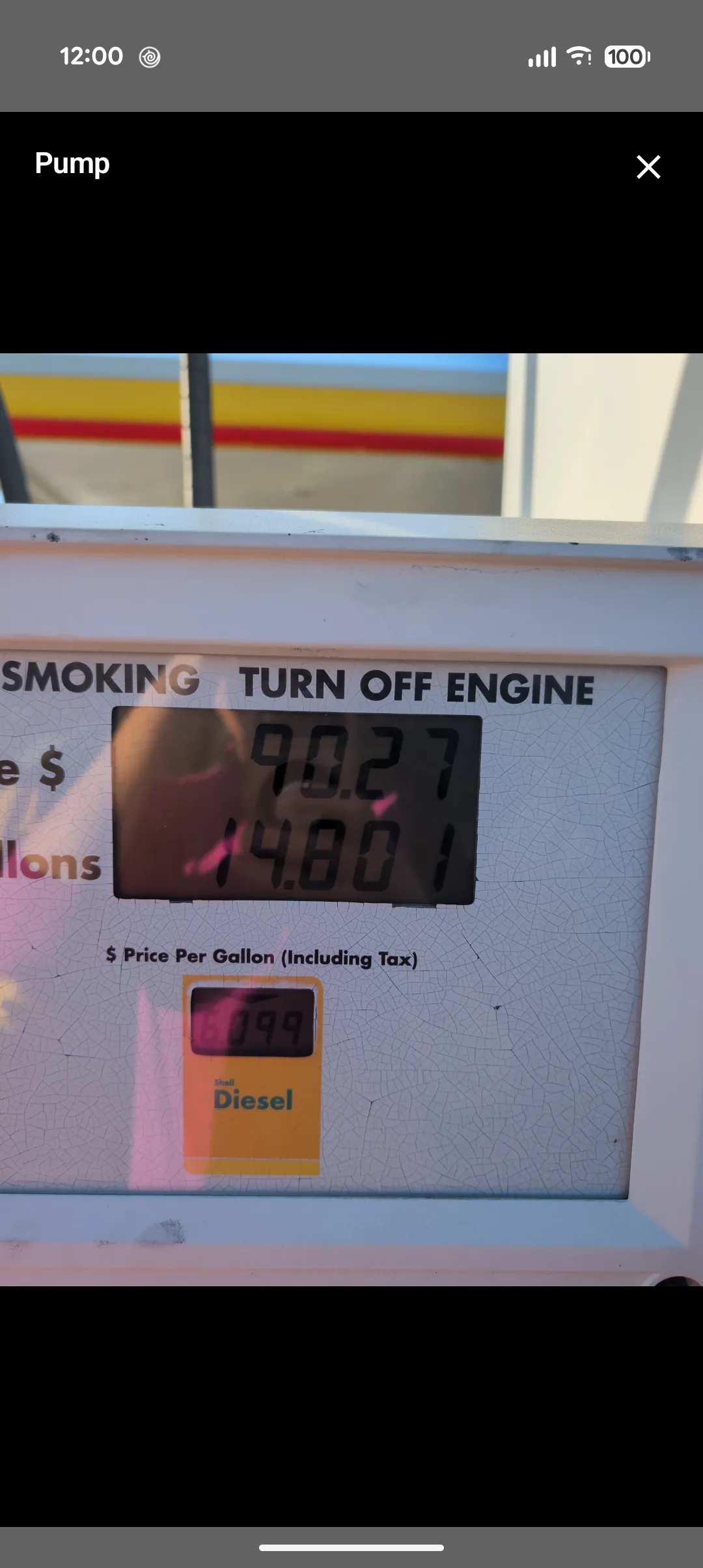
The photos are the witness. Tap any photo on a fill-up to see it full size, long after the receipt is gone.
On Android 10 and newer, saving a fill-up also copies its photos to your phone's gallery, in a PumpWitness album. Each copy has the date, the location and a one-line summary of the sale written into the photo's details: car, station, gallons, grade, price, total and odometer. They're ordinary photos, so they stay even if the app is uninstalled. If a tank of bad fuel ever ends in a repair bill, that's the record.
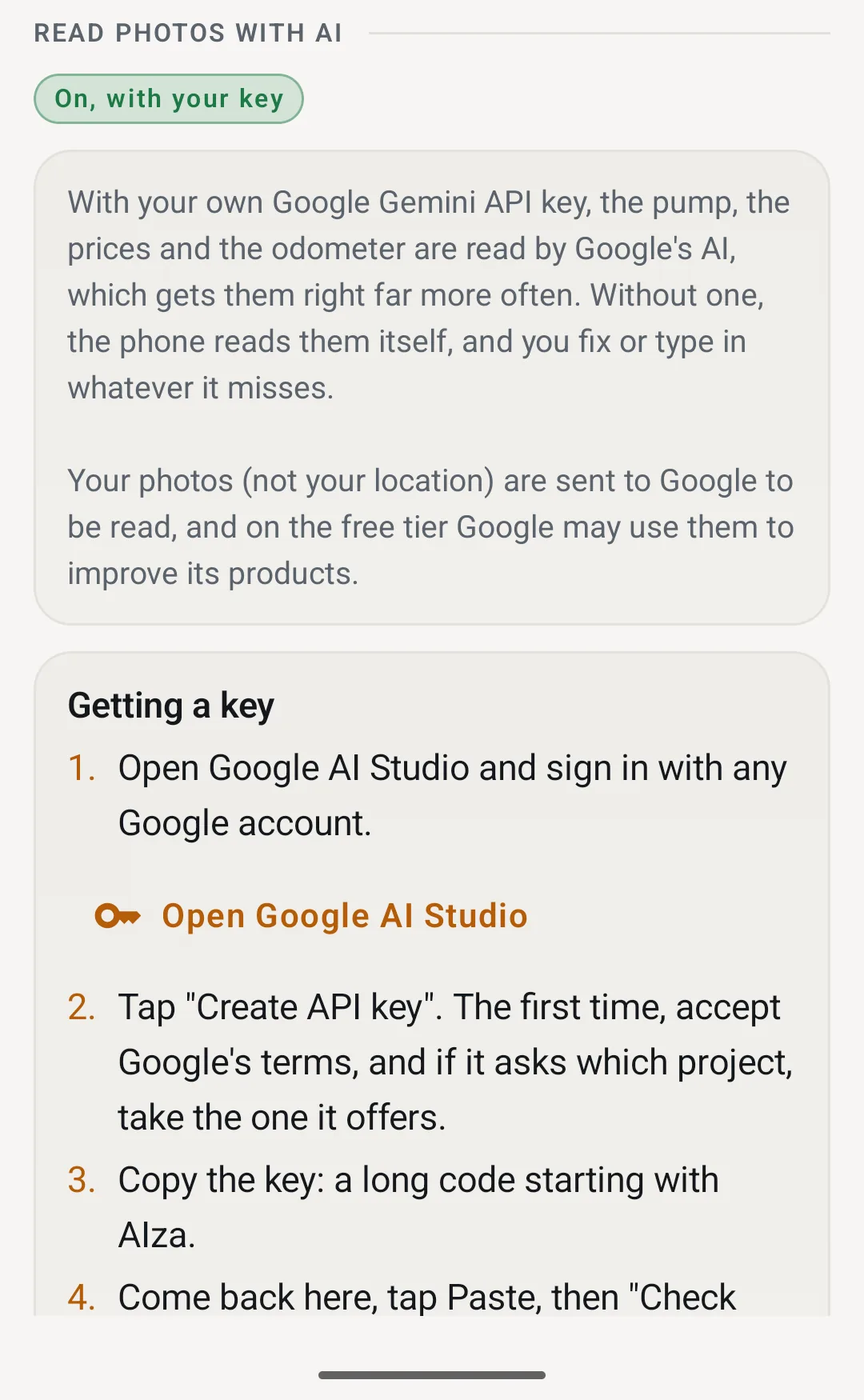
On the phone. Out of the box the photos never leave your phone. Phones with Gemini Nano (the Pixel 9 and 10, and recent Galaxy flagships) read them with it. Everything else uses Google's on-device text reader, plus a decoder written for the segmented digits on pump displays.
With your own key. Paste a free Gemini API key from Google AI Studio and the pump, prices and odometer go to Google's Gemini to be read. It gets the hard ones right far more often: glare, faded LCDs, dot-matrix odometers. Your location never goes with them. Settings walks you through getting a key in four steps.
Every car in the garage
One garage for the whole household, with every car's MPG beside it.
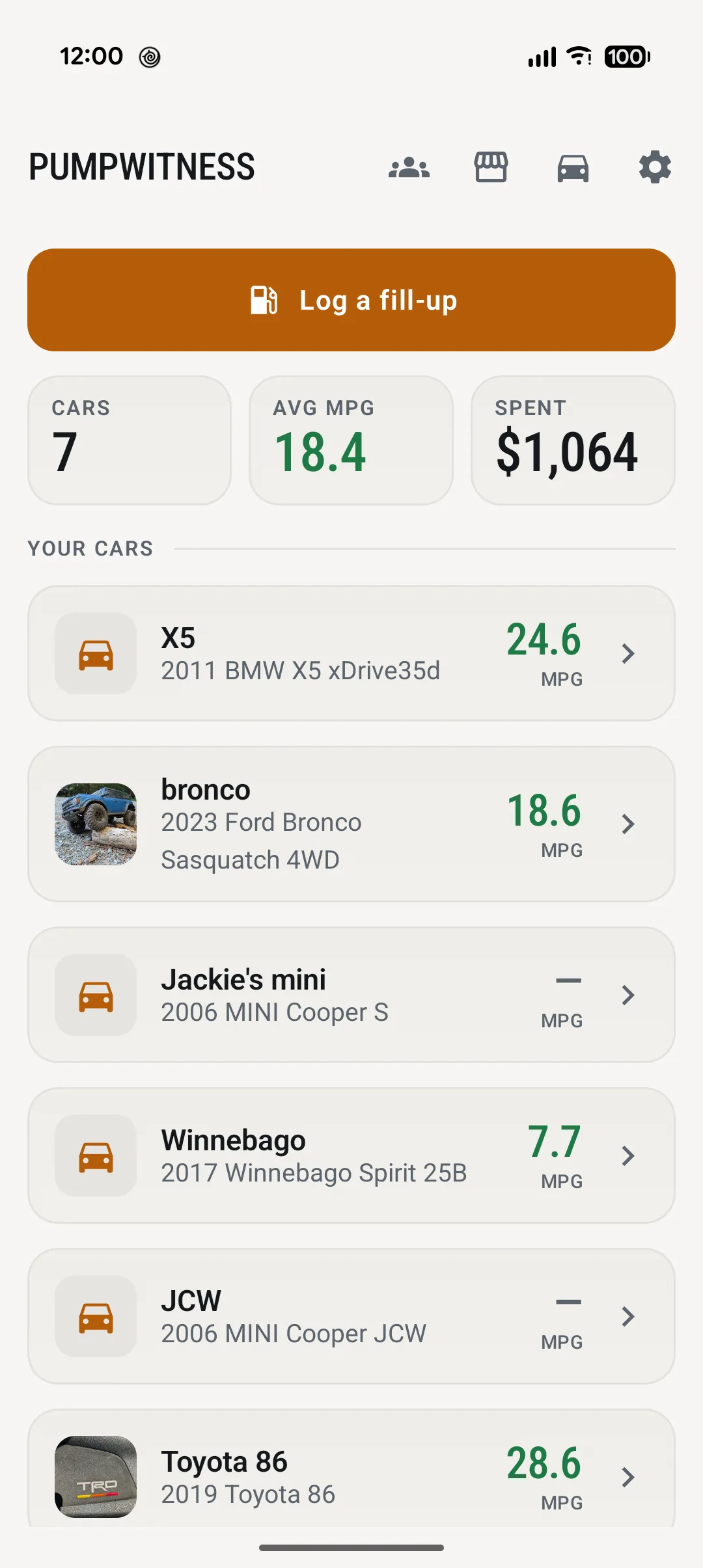
The dashboard is the garage at a glance: how many cars, the average MPG across all of them, and what the fuel has cost. Below it, every car with its own MPG.
"Log a fill-up" is the big button at the top, because that's the thing you open the app for, standing at the pump.
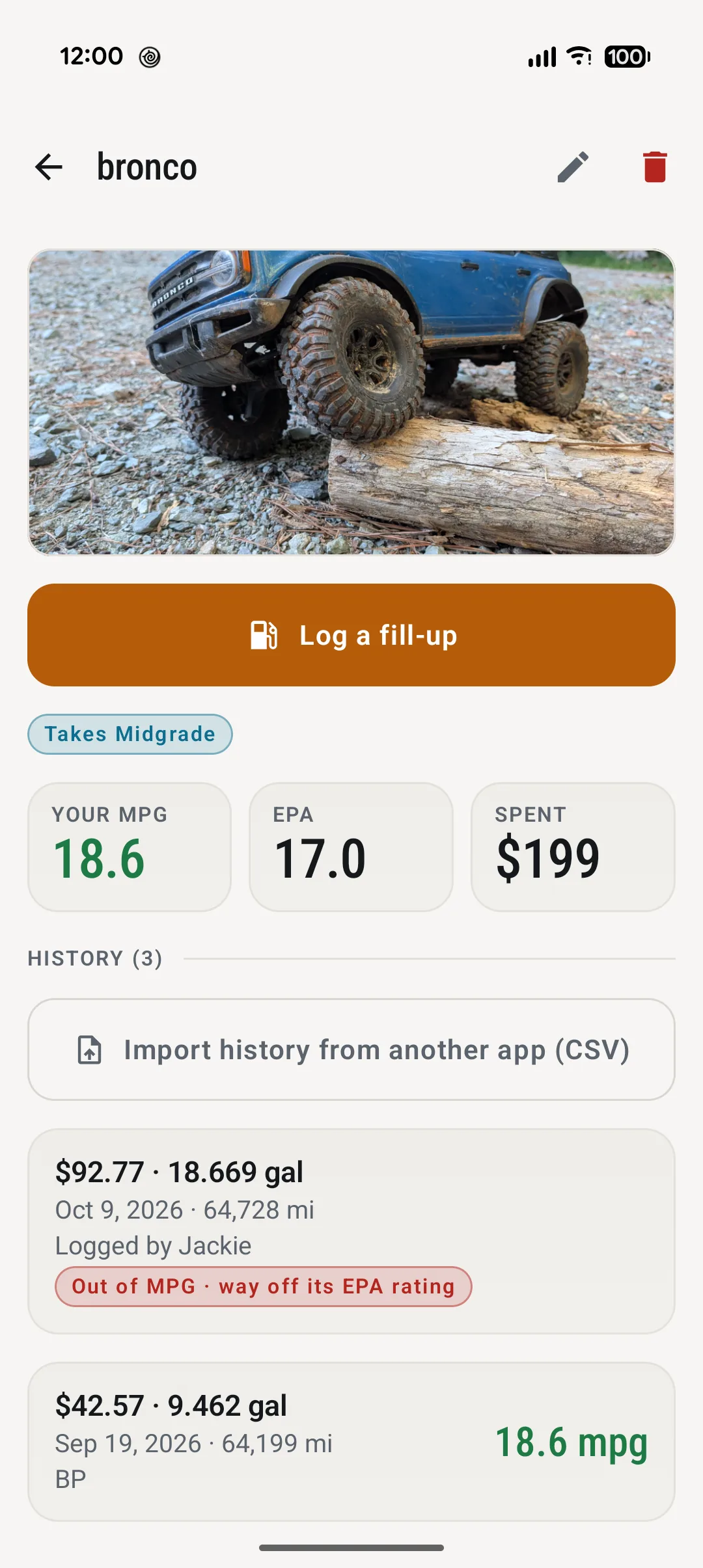
Each car gets a page with its photo, the grade it takes, your MPG next to the EPA's figure, what you've spent and every fill-up. There's an MPG trend chart too, with the EPA rating drawn across it.
Moving from another fuel app? Import history from another app (CSV) takes any log with a date, odometer, gallons and a price or total. Column names are matched loosely, rows it can't use are listed with the reason, and importing the same file twice adds nothing.
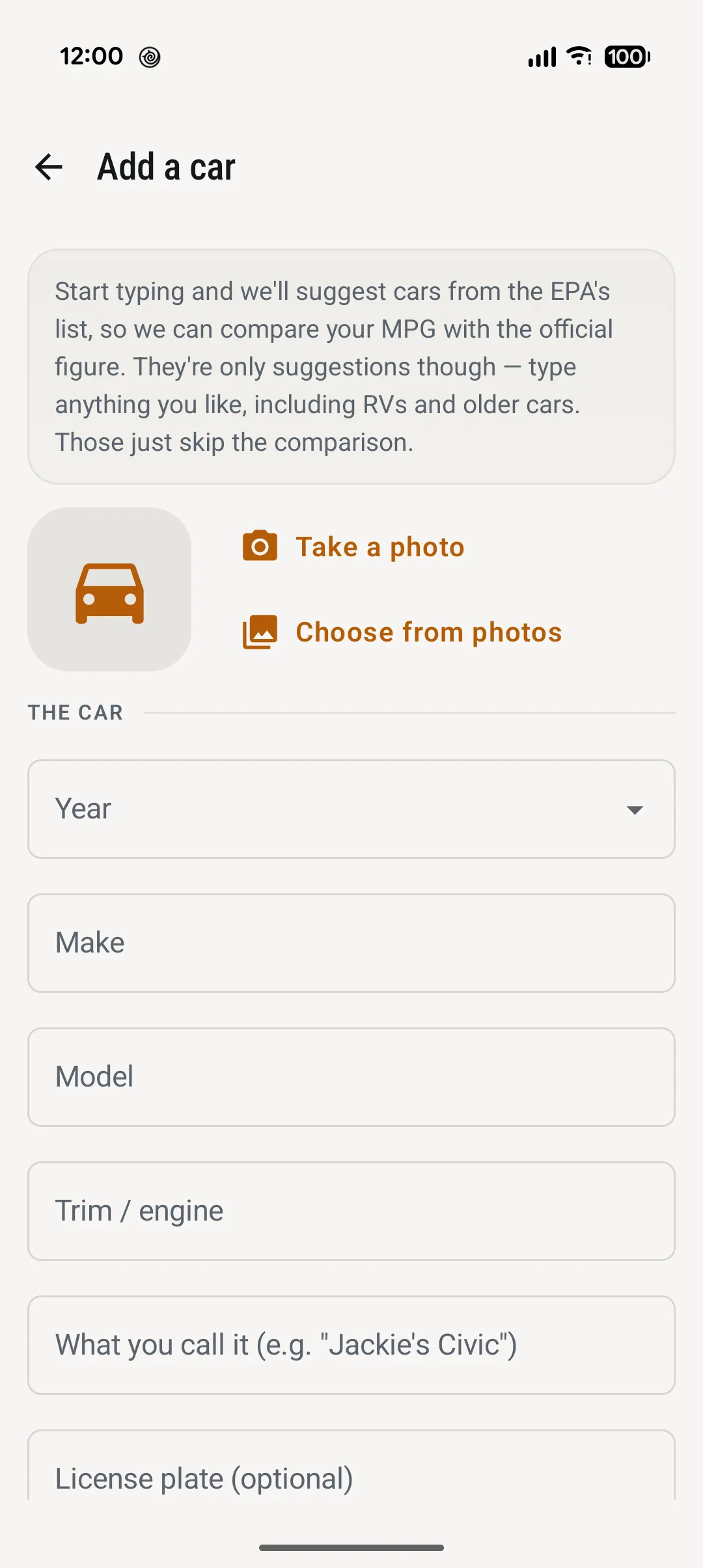
Start typing a year, make and model and it suggests cars from the EPA's own list at fueleconomy.gov, down to the trim and engine. Pick one and the car comes with its official MPG rating.
Anything else works too. Our Winnebago isn't on the EPA's list, so it just skips the comparison.
MPG you can trust
A fuel log is only as good as its worst tank. PumpWitness spots the one that can't be right and keeps it out.
- Measured between full tanks. A partial fill is logged for the price history but never divides anything.
- Averaged by the gallon. Total miles over total gallons, so one odd tank can't pull a car's figure around.
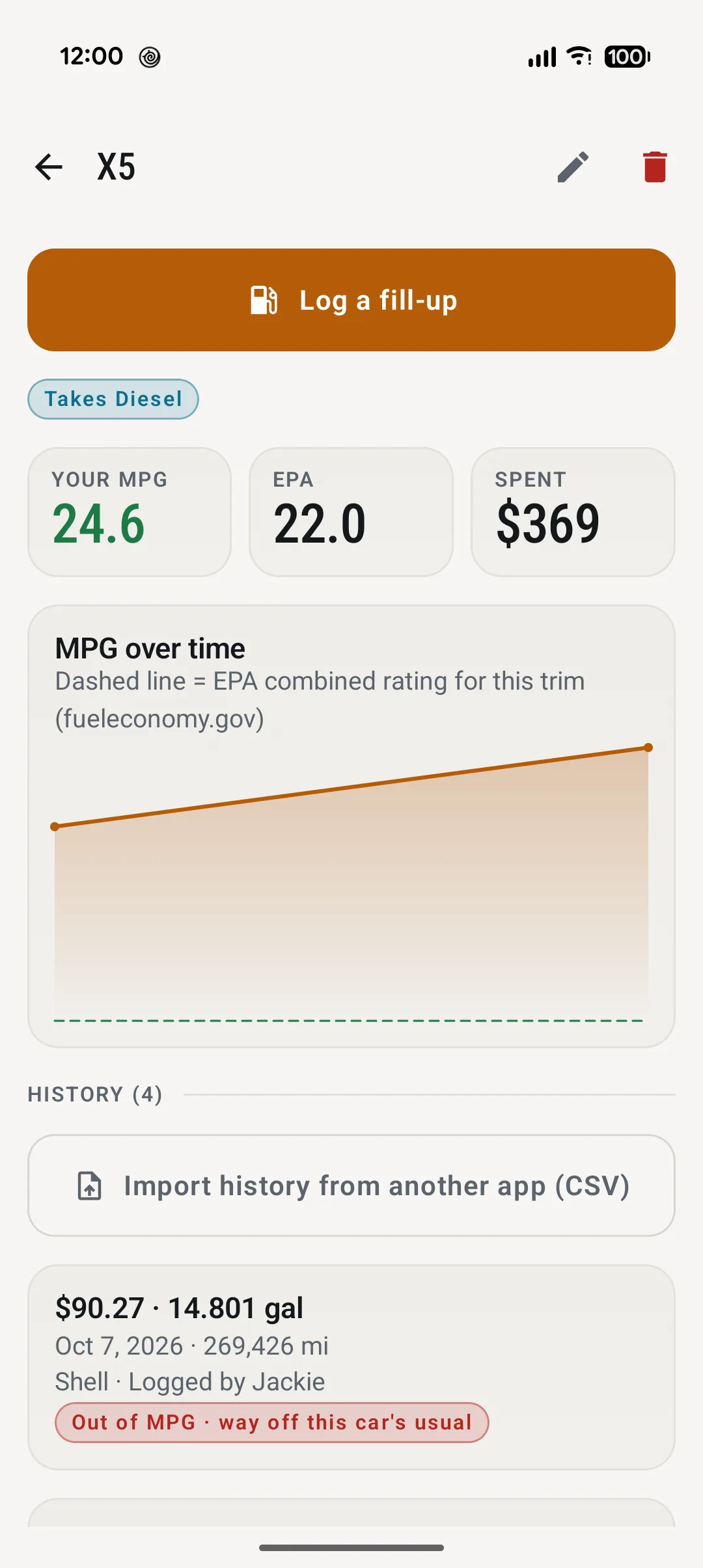
- Against the EPA. Your MPG sits beside the official rating for your exact trim, and the trend chart draws it as a dashed line.
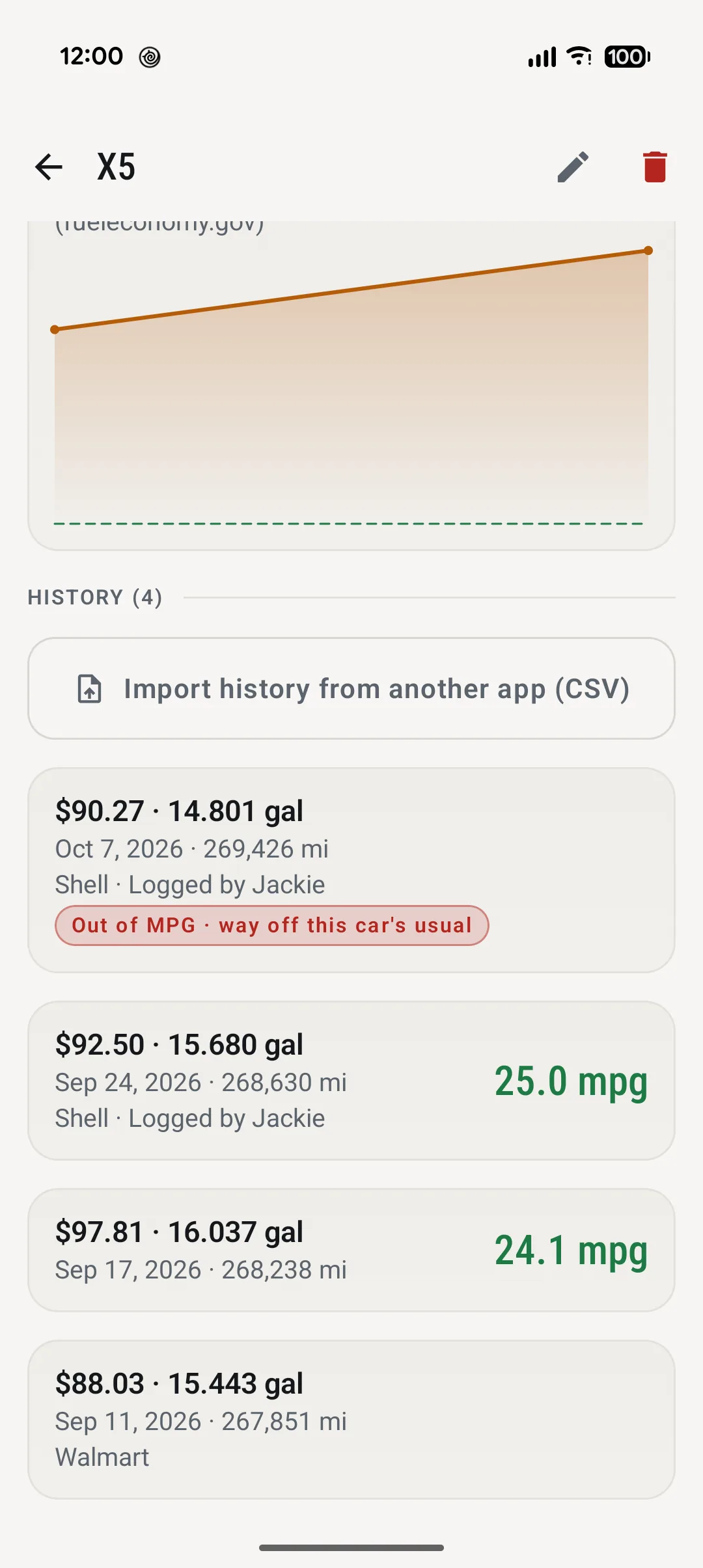
Forget to log one fill-up and the next one covers two tanks' miles on one tank's gallons. The X5's 7 October fill-up came out at 53.8 MPG. Left in, that one number would put the X5 at 33.9 MPG instead of 24.6.
PumpWitness leaves a tank out of the average when it covers more miles than a tank can, or lands far from the car's usual. The usual is the middle of all the car's tanks. A car with fewer than three tanks is checked against its EPA rating instead: the Bronco's 529-mile tank worked out at 28 MPG against an EPA 17, and it's out too.
The fill-up stays in the history with a note saying why, so you know what happened.
Bad gas
Every tank's mileage is charged to the station the fuel came from. When one station keeps coming up short, you hear about it.
A tank's mileage is charged to the station that filled it: the one at the previous full fill-up, whose fuel you were burning.
Each tank is compared with that car's own usual MPG, so a truck and a MINI are each judged against themselves.
When two or more tanks from a station average 10% or more below usual, it's flagged: a card on the dashboard, the Stations list, and a warning when you're standing at that station again.
Your log, on your phone
No account to make, nothing to sign in to.
No sign-in, no advertising, no analytics. Your cars and fill-ups live in the app on your phone.
Used to name the station when you log a fill-up. Turn it off and you type the station in.
With Android backup on, your cars and fill-ups come back on a new phone, and the photos are already in your gallery.
The full privacy policy lists every service the app talks to and why.
The PumpWitness icon: a fuel pump in a camera's viewfinder, recording.