Android · MINI Cooper S R53 · module coding
NCS Expert,
minus the laptop.
R53 Coding reads and writes the settings inside your MINI's modules, the same ones NCS Expert codes, from an Android phone. Seven modules, every setting in plain English, and a backup before anything changes.
On Google Play Oct 18 · out of testing, so anyone can install it from Play. Oct 5 added diagnostics for the body computer, the power steering pump and tire pressure, built from the INPA job files and not run on a car yet. Before that: seven modules, OBDLink CX and MX+, fault codes in English, presets, race seats, speedometer calibration and settings transfer.
modules it codes
settings on one body computer
match NCS Expert on the same car
files to import
01 · What it codes
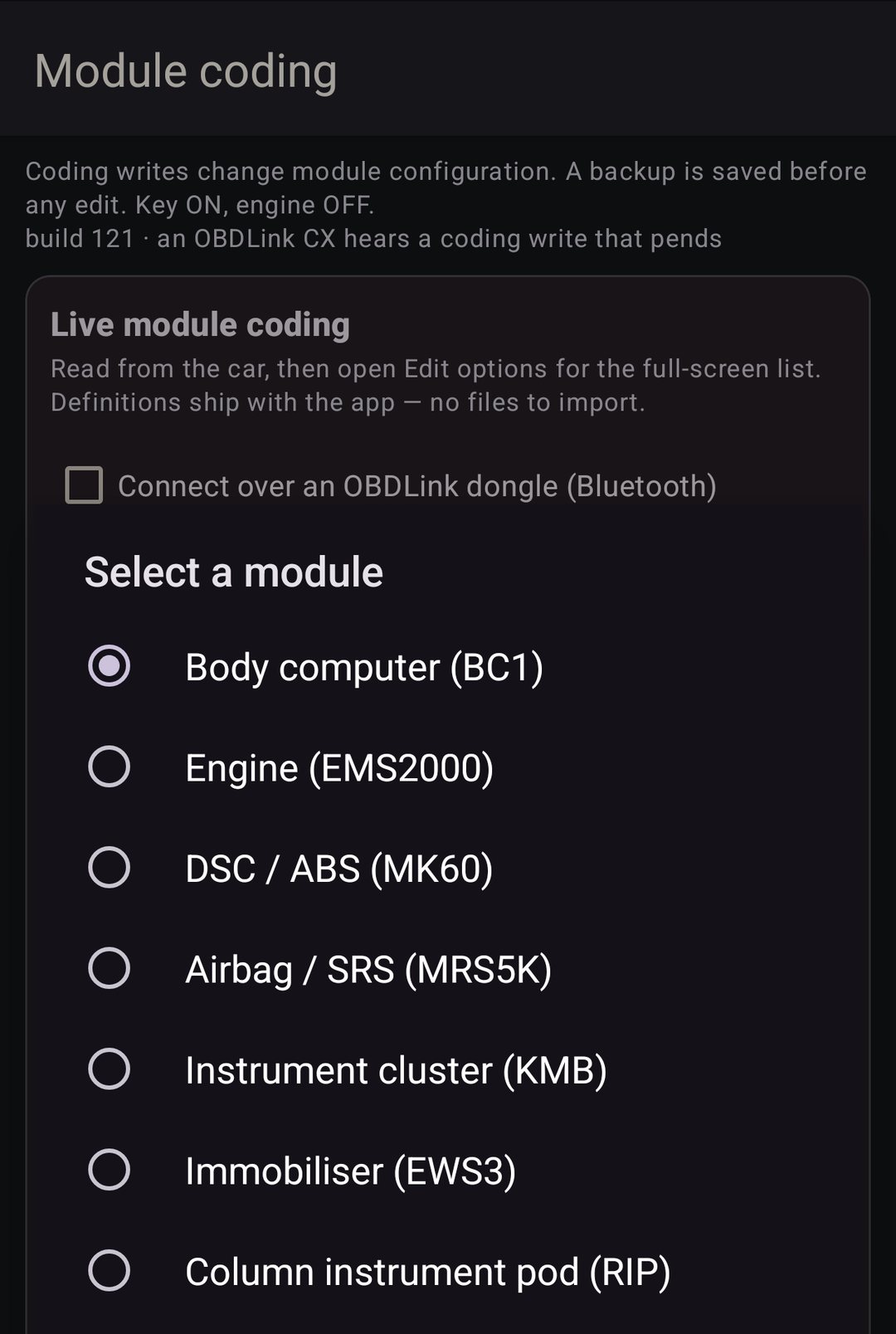
Seven modules.
- BC1
- Body computer. Lights, locking, windows, wipers, alarm and bulb monitoring. 269 settings on a C05.
- EMS2000
- Engine. Market, emissions, cruise, and the A/C cut at full throttle.
- MK60
- DSC / ABS. Sport+, the brake-based limited slip, brake assist.
- Airbag
- MRS5K, and the MRS4 in early cars. Front, side and curtain bags, belts, occupancy.
- KMB
- Instrument cluster. Display, units, gongs, and the speedometer number.
- EWS3
- Immobilizer. Whether the car needs the clutch down to crank.
- RIP
- Column pod. The gauges behind the wheel, and its own copy of the speedometer number.
Each one reads the index the module reports and loads the table made for it. An index I don't ship yet still gets a full backup, and editing waits until I do. Every table was checked against NCS Expert on the same car: 268 of 268 body computer settings, 76 of 76 on the cluster, 24 of 24 on the DSC.
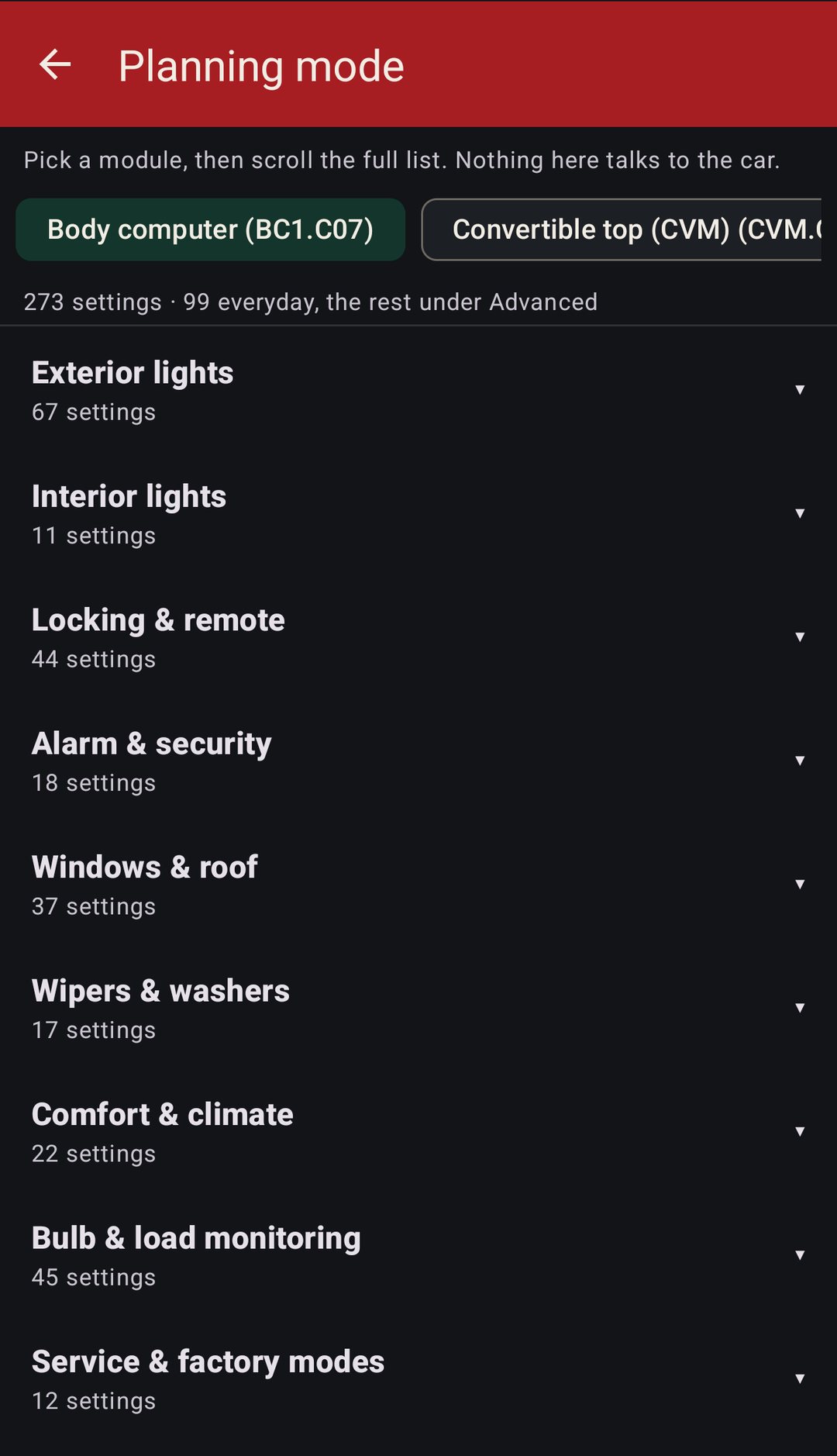
The convertible top (CVM) and the GT are in planning mode only until I capture a coding session on each.
On top of the coding
02 · What it costs
$30, once.
One in-app purchase in Play, no subscription. Everything that only reads is free, so you can see what your car has coded, and back it up, before you pay anything.
Read, back up, planning mode, editing on the phone, the diagnostic reads
Write to the car, restore a backup, and the tests, resets and writes on the diagnostic screens
03 · What you need
What you need.
An Android phone, a K+DCAN cable with the 7/8 switch, and a USB-C OTG adapter. That's the best setup, and every capture behind this app was taken over one.
- K+DCAN cable
- Best. The proven path. The standard BMW/MINI USB interface, the same one you'd use with INPA or NCS, around $25. Get one with the 7/8 switch and set it on. Find one on Amazon.
- USB-C OTG
- Best. USB-C plug to a full-size USB-A socket, so the phone can power and drive the cable. Under $10. Find one on Amazon.
- Phone
- Android 7 or newer with USB-C, or Bluetooth for the OBDLink.
- OBDLink CX / MX+
- Works, no cable. Tick the box on the hub. Same telegrams, same backups. It talks on pin 7 only, so link pins 7 and 8 at the car first.
- OBDLink LX
- Won't work. Its firmware can't set the parity these modules need. The app tells you that instead of timing out.
A K+DCAN cable with no 7/8 switch only reaches the engine until pins 7 and 8 are linked at the car.
04 · What it can and can't do
Coding, not tuning.
It changes the settings inside the modules, the job NCS Expert does. It doesn't touch fuel, spark or boost, and it's still beta.
It can
- Read and write the coding on the body computer, engine, DSC, airbag, cluster, immobilizer and column pod.
- Back up every module before you can edit, and restore it.
- Move your coding to a replacement module, even one on a different index.
- Code race seats, the speedo and presets without hunting through NCS names.
- Read and clear fault codes on seven modules.
- Run INPA-style live data and tests on the body computer, power steering pump and tire pressure.
- Show every option offline in planning mode.
It can't
- Tune the engine. Engine coding here is market, emissions, cruise and the A/C cut, not fuel or spark.
- Code the convertible top or the GT yet. Planning mode only.
- Edit a module index it doesn't ship a table for. It still backs that module up.
- Vouch for the diagnostics on a real car. None of those screens has run on one yet.
- Connect through an OBDLink LX.
- Replace an NCS Expert backup while it's beta. Keep a TRACE of anything you change.
05 · The hub
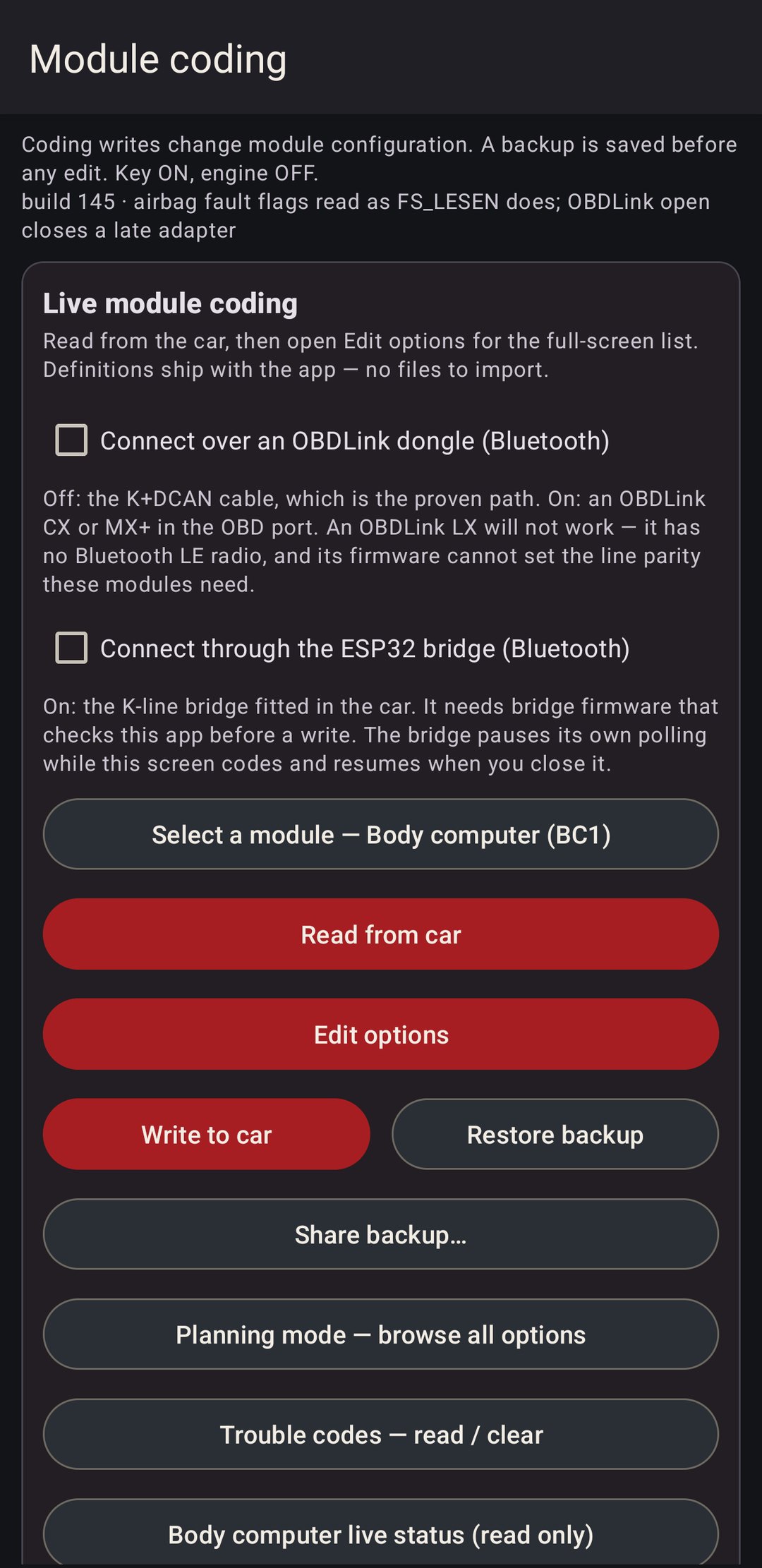
Read. Edit. Write.
- Plug in. A K+DCAN cable on a USB-C OTG adapter, or tick the box and use an OBDLink CX or MX+ over Bluetooth. Key on, engine off. An OBDLink, or a cable with no 7/8 switch, needs OBD pins 7 and 8 linked first.
- Pick a module and tap Read. The app reads the VIN off the cluster, then the module's coding, and saves a backup before you can touch anything. The file name carries the VIN, the module and the time.
- Edit. The full-screen list opens on its own after a good read. Picking a value only changes the working copy.
- Write to car. Only the blocks you changed go out, then the app reads them back to prove they landed.
The comms log at the bottom shows every telegram. If something goes sideways, Share log gets it to me.
06 · Edit options
Plain English.
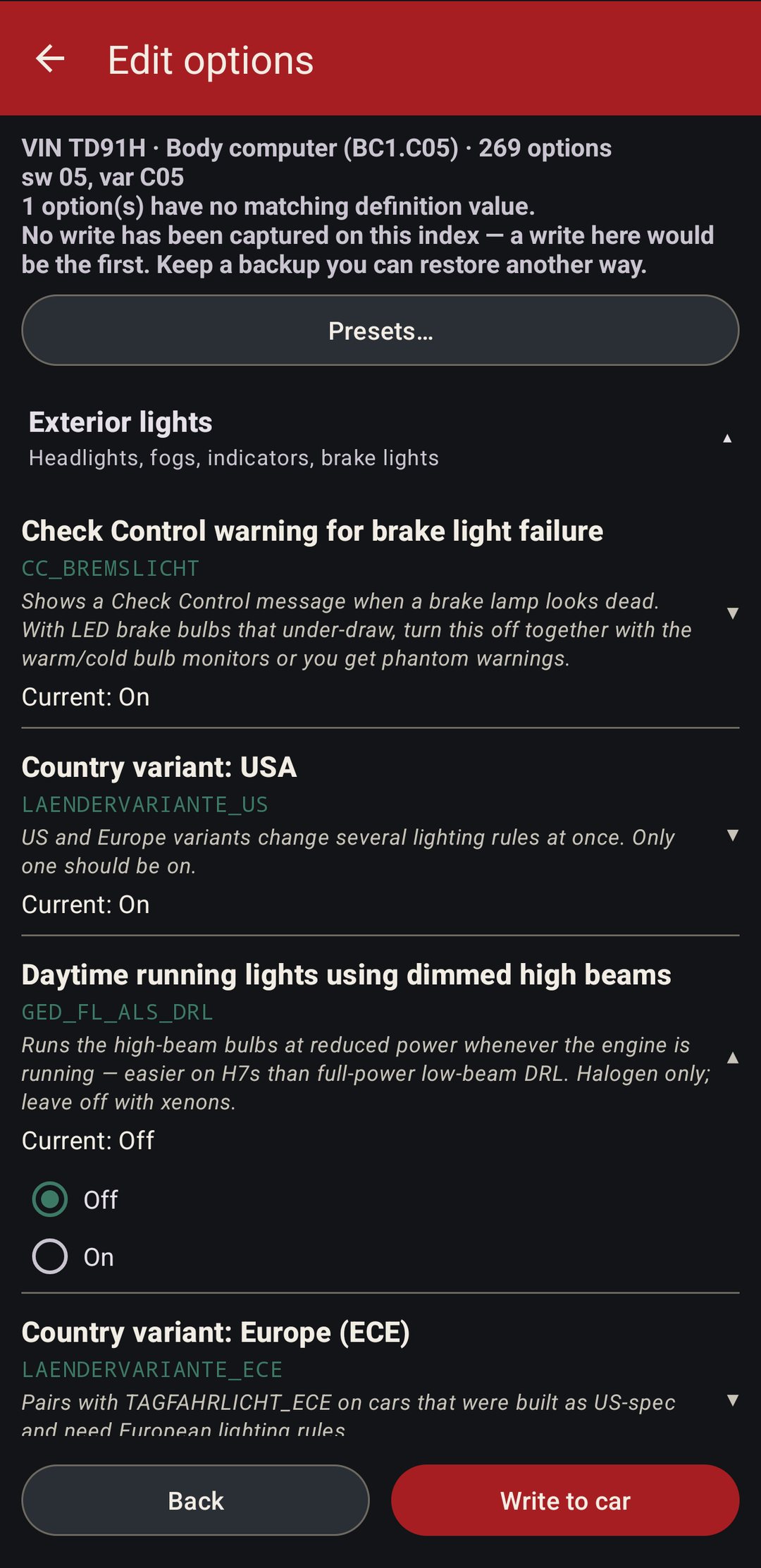
After a read, Edit options shows what the car actually has coded, grouped the way you'd look for it: exterior lights, locking, windows, wipers, comfort. The everyday settings come first and the long tail sits under Advanced. Each row has a plain title, the NCS name, a line on what it does where I've written one, and the current value.
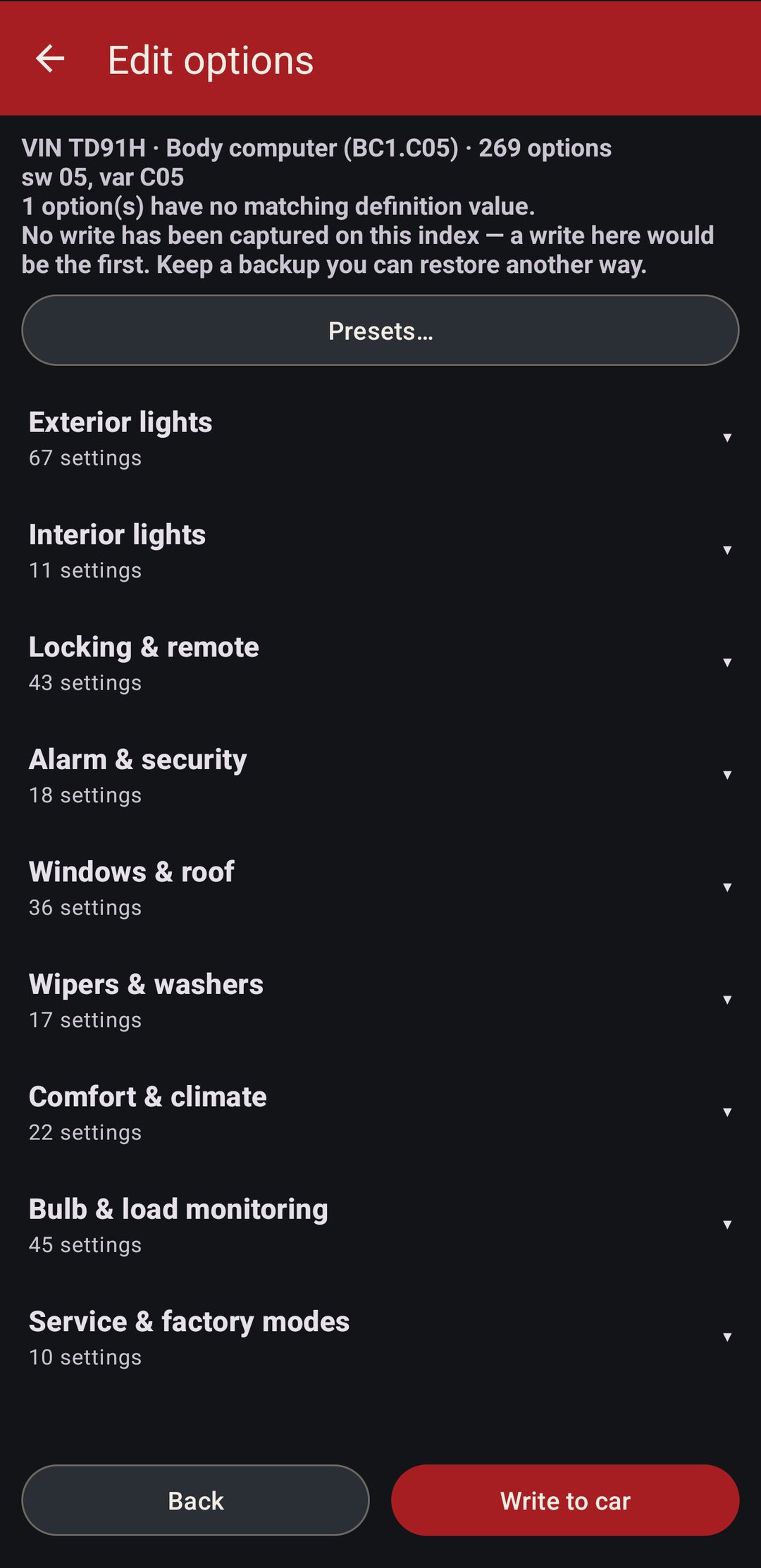
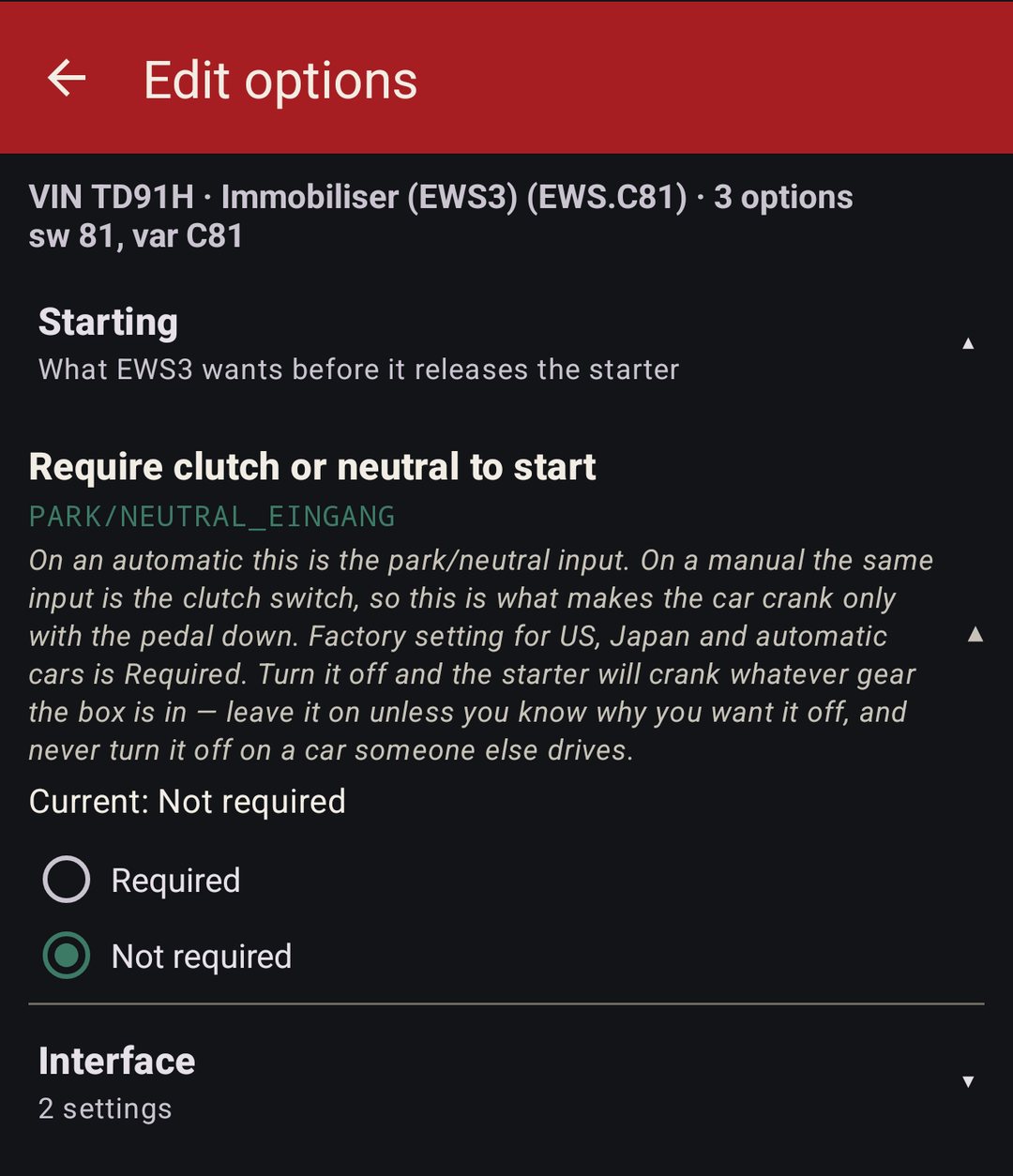
Browsing and editing are free. Writing to the car is the one-time unlock.
07 · Presets
One tap, then check it.
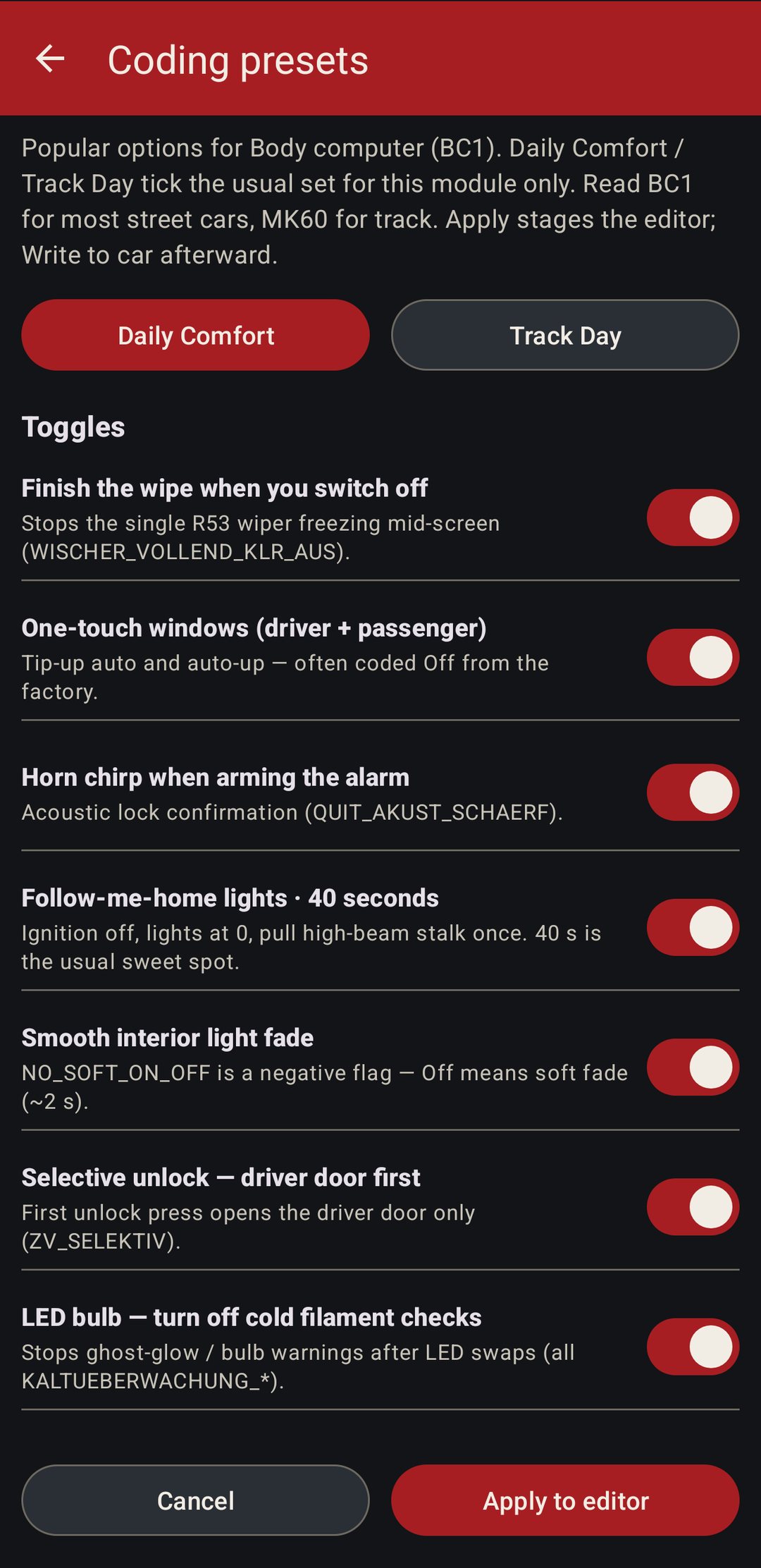
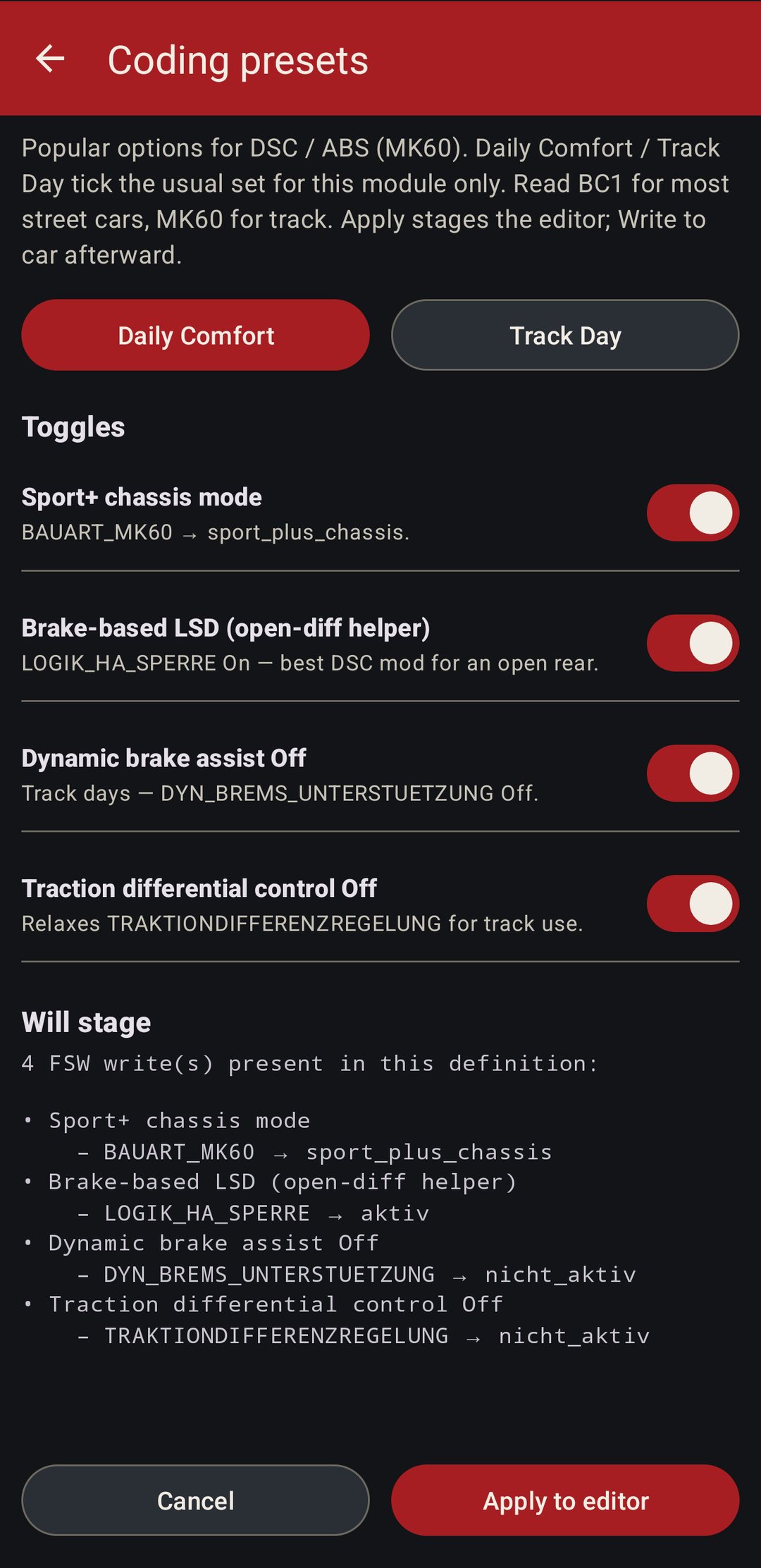
Daily Comfort on the body computer finishes the wipe when you switch off, turns on one-touch windows, the lock chirp, 40 seconds of follow-me-home, the soft interior fade and selective unlock, and stops the cold-filament checks that make LED bulbs glow or warn. Track Day on the DSC sets Sport+, the brake-based limited slip, and turns brake assist and the traction differential control off. Every toggle can be switched off before you apply, and Apply only stages the editor. Nothing reaches the car until you write.
08 · Airbag
Race seats.
Pulling the stock seats and belts leaves an airbag light, and fixing it by hand means finding the right bits for each side in a list of ninety. The race seat screen asks it as questions on one page: which side the driver sits on, one seat or two, harnesses or stock belts, the occupancy mat, the front bags and the curtains. The seat sidebags follow the driver-side answer, and if the module's own left or right setting disagrees, you see that before anything is staged.
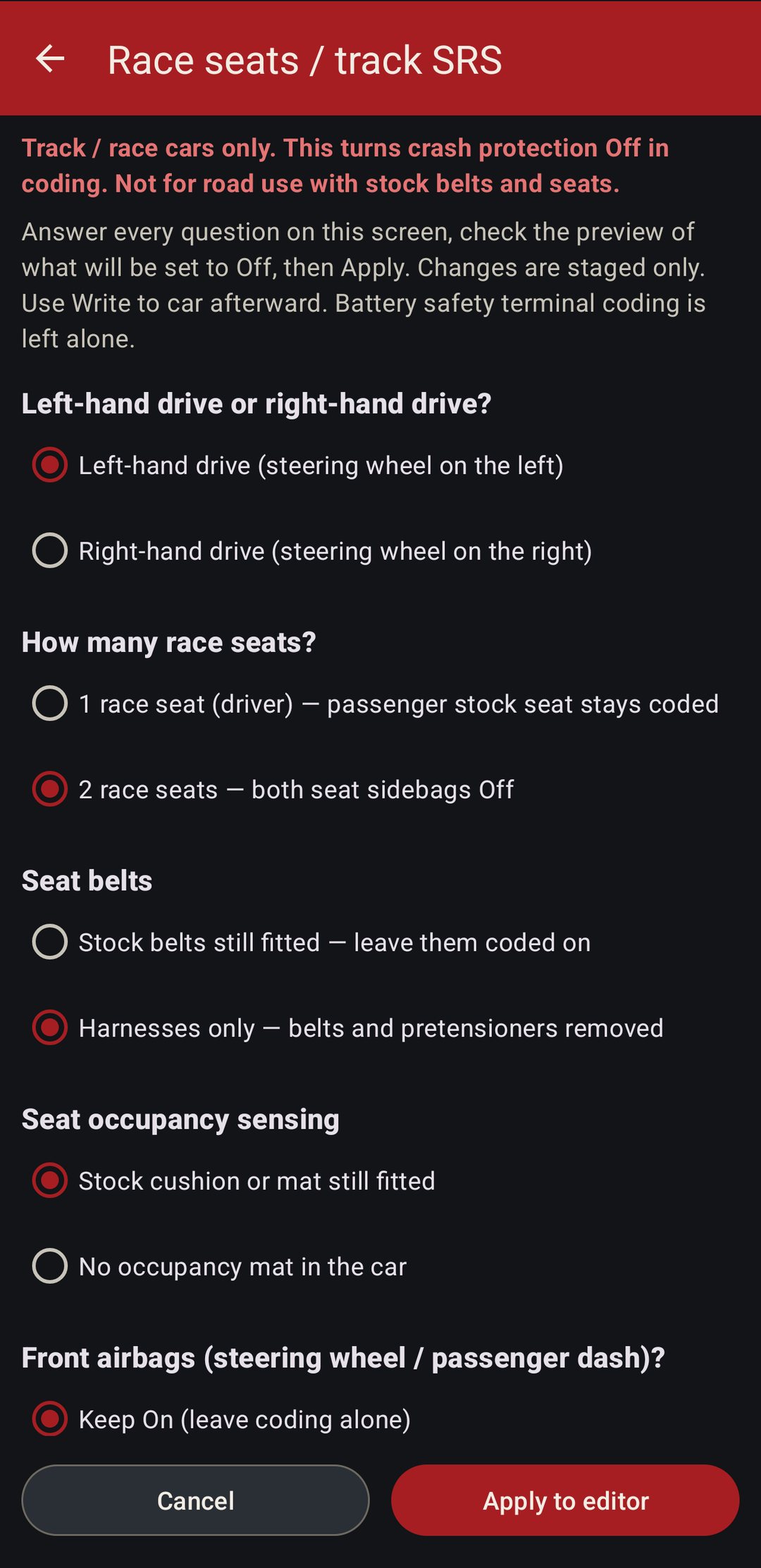
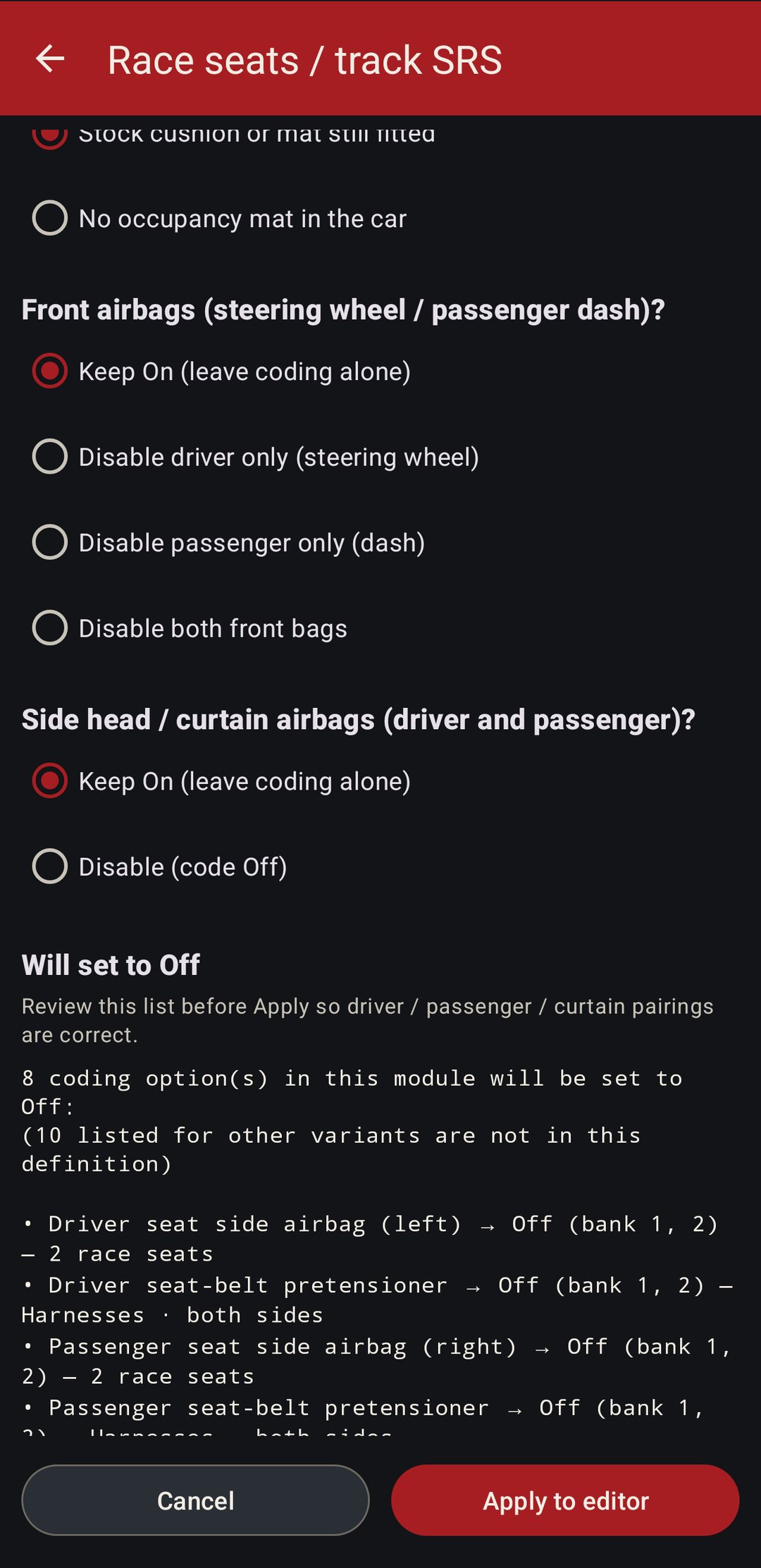
Track cars with harnesses and a cage only. This turns crash protection off in software. The battery safety terminal is left alone on purpose; that aging yellow connector is a common false lead when the light stays on.
09 · Cluster and column pod
Speedo calibration.
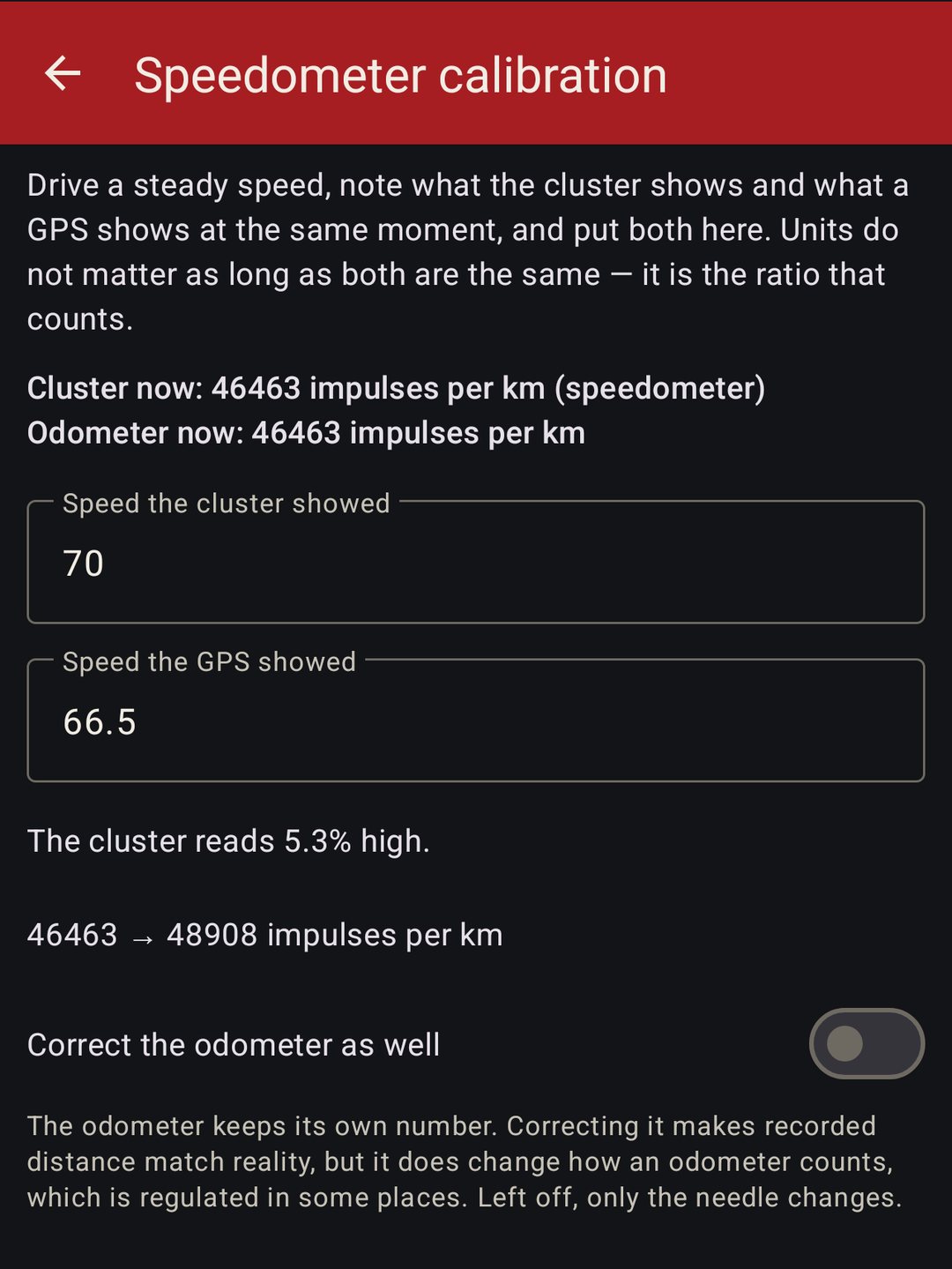
Speedo reading high? Type in what the cluster shows and what a GPS shows at a steady speed, and the app corrects it. The odometer stays as it is unless you tick the box, and the column pod can be set the same way.
10 · Backups and module swaps
Move your coding to another module.
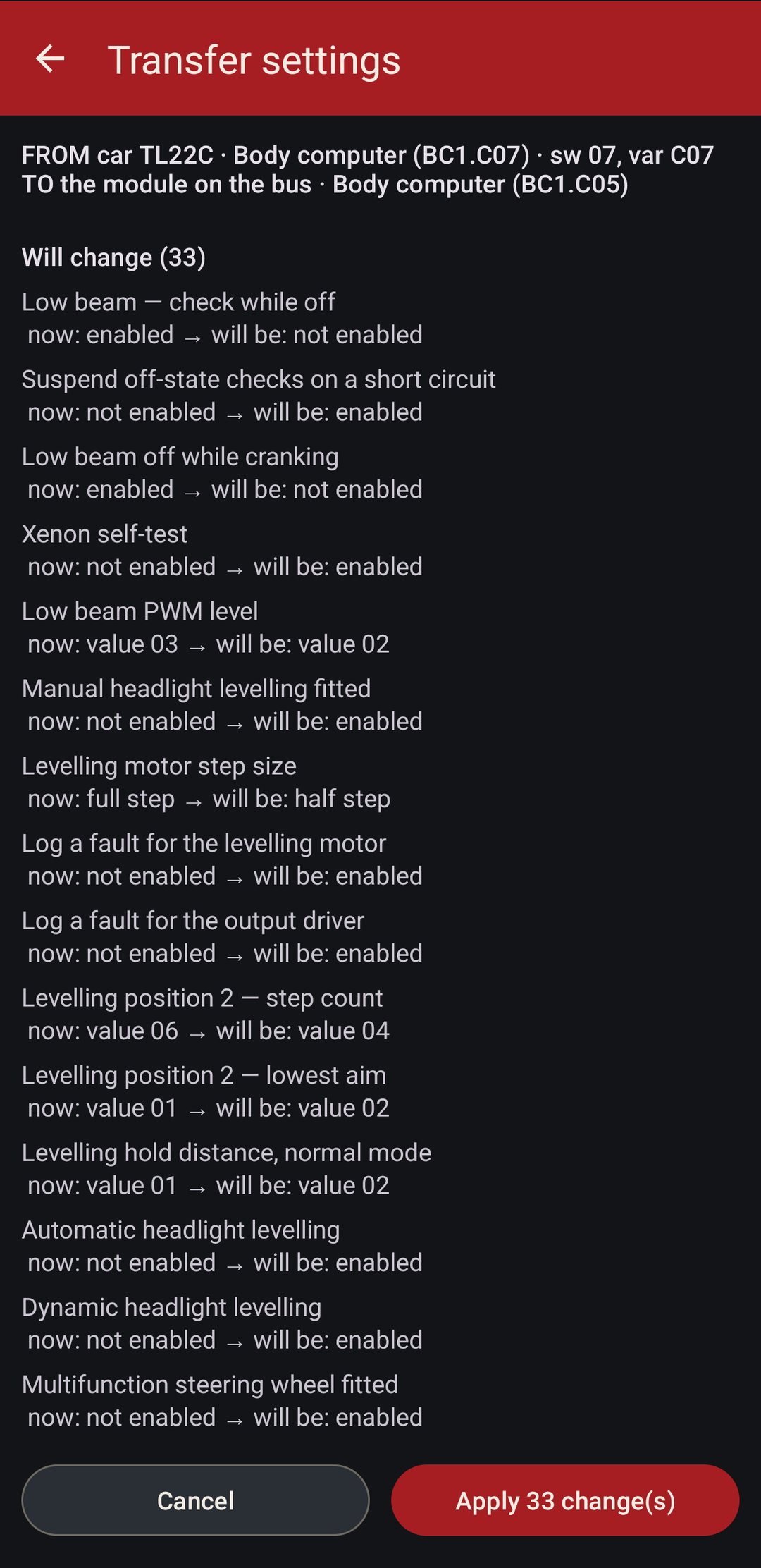
Every backup the phone has kept shows up by car, module and date. Restore bytes puts a module's own backup straight back, and only when the index matches. Transfer settings is for a swap: it reads the old unit through its own table and sets the same named settings on the new one through its table, so a used body computer on a different index still ends up coded like yours. Anything the new unit can't take is listed, never approximated.
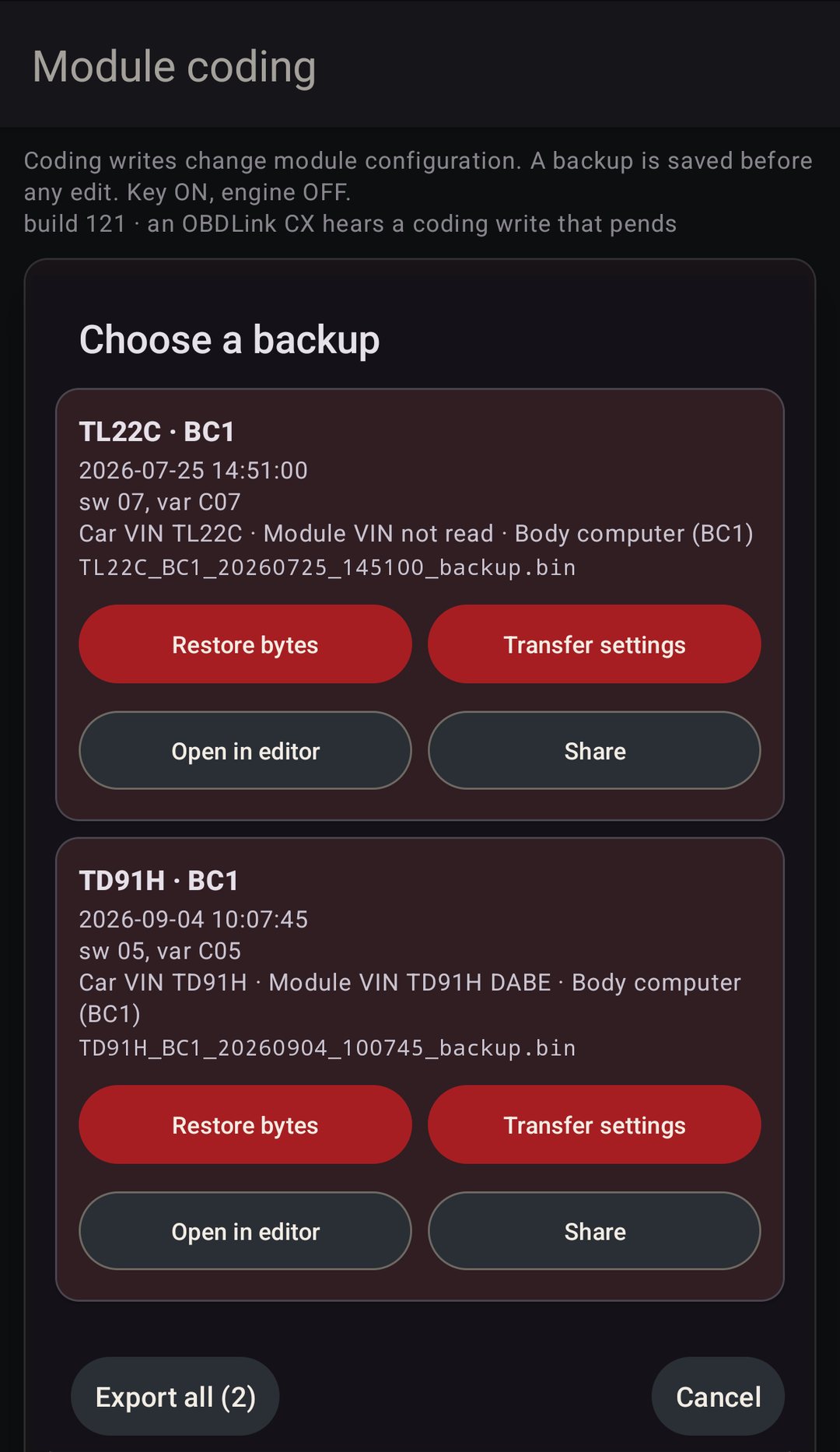
Backups record the car's VIN and the module's own VIN separately. Restoring one car's coding into another asks you to confirm that exact pair. Share sends the backup files anywhere the phone can.
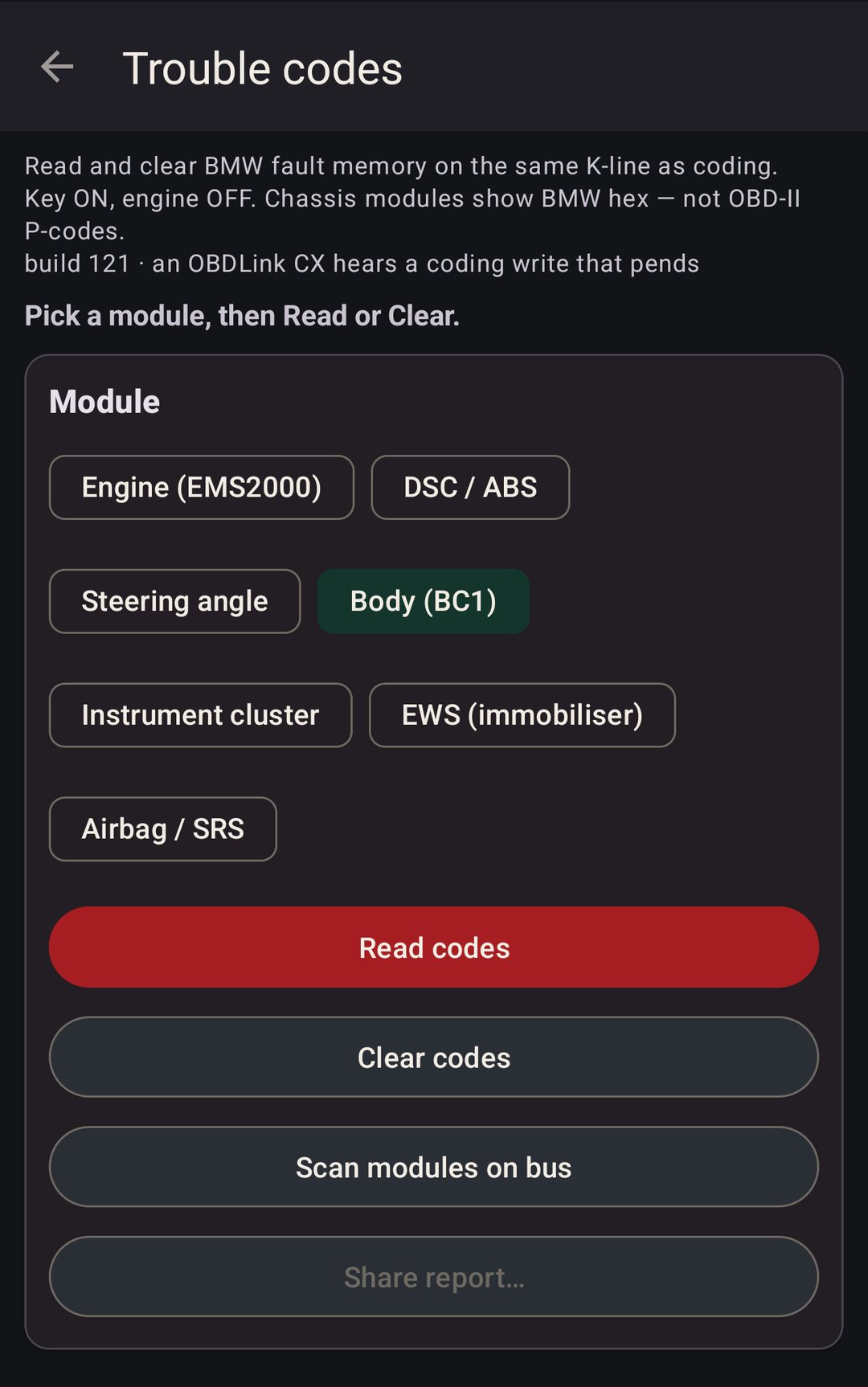
11 · Trouble codes
Read and clear.
Same cable, same session. Engine, DSC, steering angle, body, cluster, immobilizer and airbag each read and clear their fault memory, and the codes come with English names. Chassis modules show BMW's own codes, not made-up OBD-II P-codes. Scan modules on bus shows what answered, and Share report sends the whole read with the telegrams behind it.
Handy after a coding change or a retrofit leaves a light on.
12 · Diagnostics
Past the fault codes.
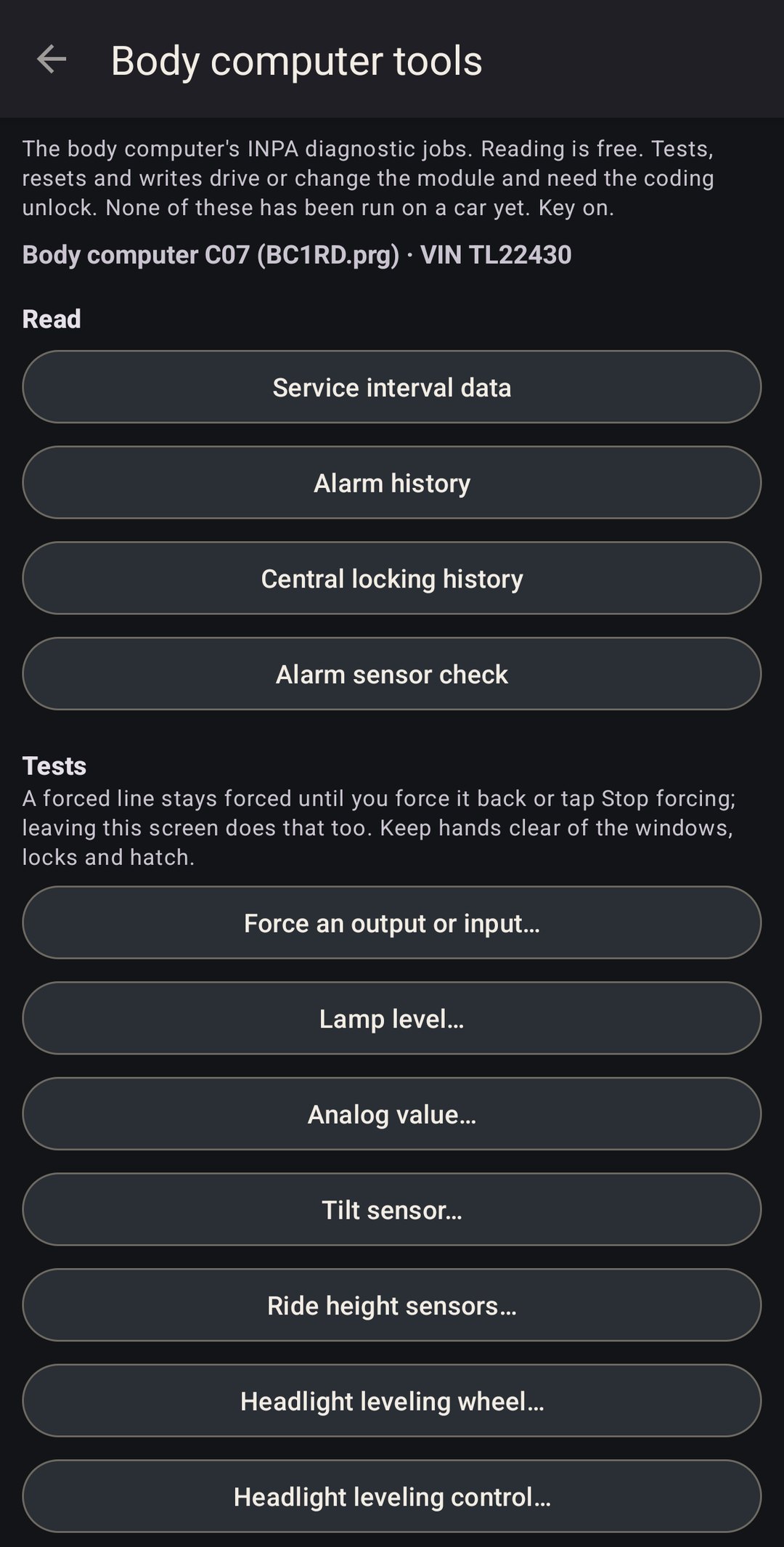
Four new buttons on the hub run the jobs INPA runs, decoded from BMW's own job files: the body computer's live status, its tests and history, the power steering pump, and tire pressure. Reads are free. Anything that drives an output, resets a module or writes to it needs the coding unlock, and leaving a screen hands back whatever it forced on.
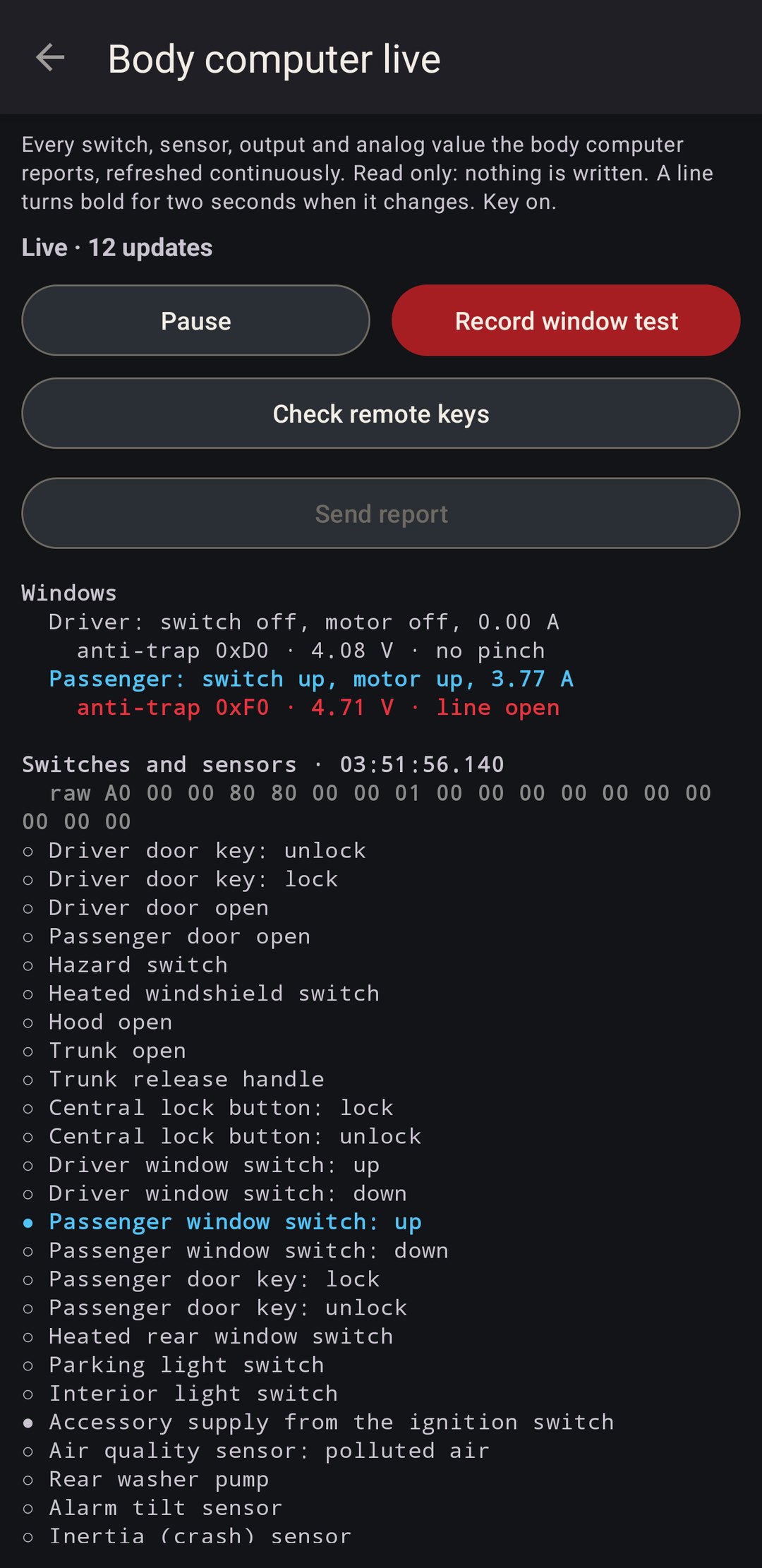
- BC1 live
- Every switch, sensor, output and analog value the body computer reports, refreshed continuously, with a changed line in bold for two seconds. Each window's anti-trap sensor reads as pinch, no pinch or line open. On a C02 or C03, Record window test runs both windows through a close and a full down and up, then says whether it's the motor sensor or wiring, or just needs teaching. Check remote keys tells you if the last press was the right remote, out of sync, the wrong one or a flat battery, and on C05 to C07 which remote slots hold a code. Never the codes themselves.
- BC1 tests
- The body computer's INPA jobs. Service interval data, alarm and central locking history, the alarm sensor check. Then force any output or input, lamp levels, the tilt and ride height sensors, headlight leveling and energy-saving mode. C02 and C03 run BC1.prg, C05 to C07 run BC1RD.prg, and the screen only offers what that file actually has.
- EHPS
- The electro-hydraulic power steering pump. Ident, its seven fault codes, and a live view of battery and motor voltage, motor current and speed, PWM and temperature. Force the pump PWM and hand it back. Run the engine for the pump to work.
- Tire pressure
- Works out which system the car has: the flat tire monitor inside the DSC, the DWS module, or RDC with a sensor in each wheel. Status, faults, and the reset after setting the pressures or changing a tire. On RDC, a live table per wheel and the sensor IDs.
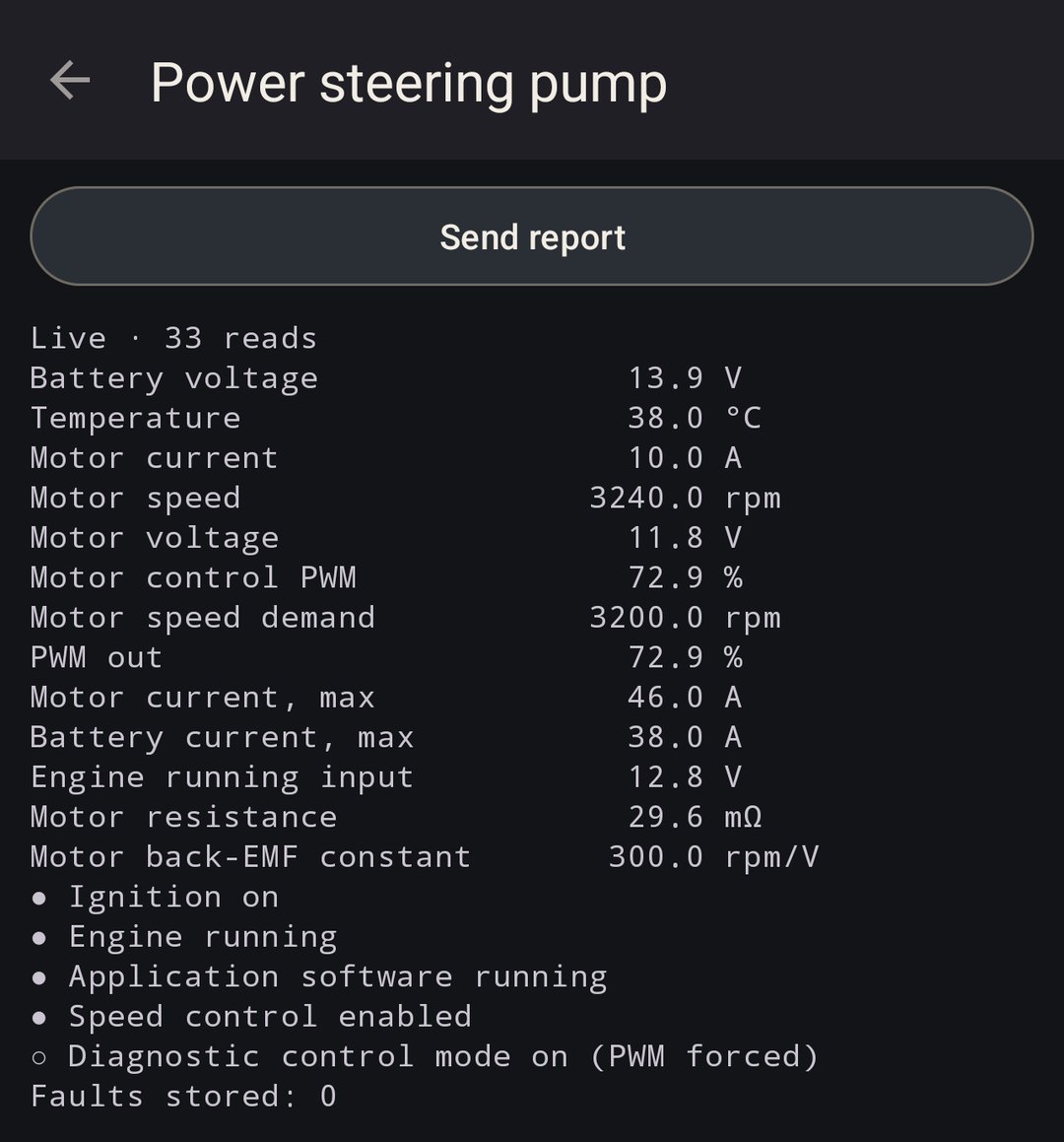
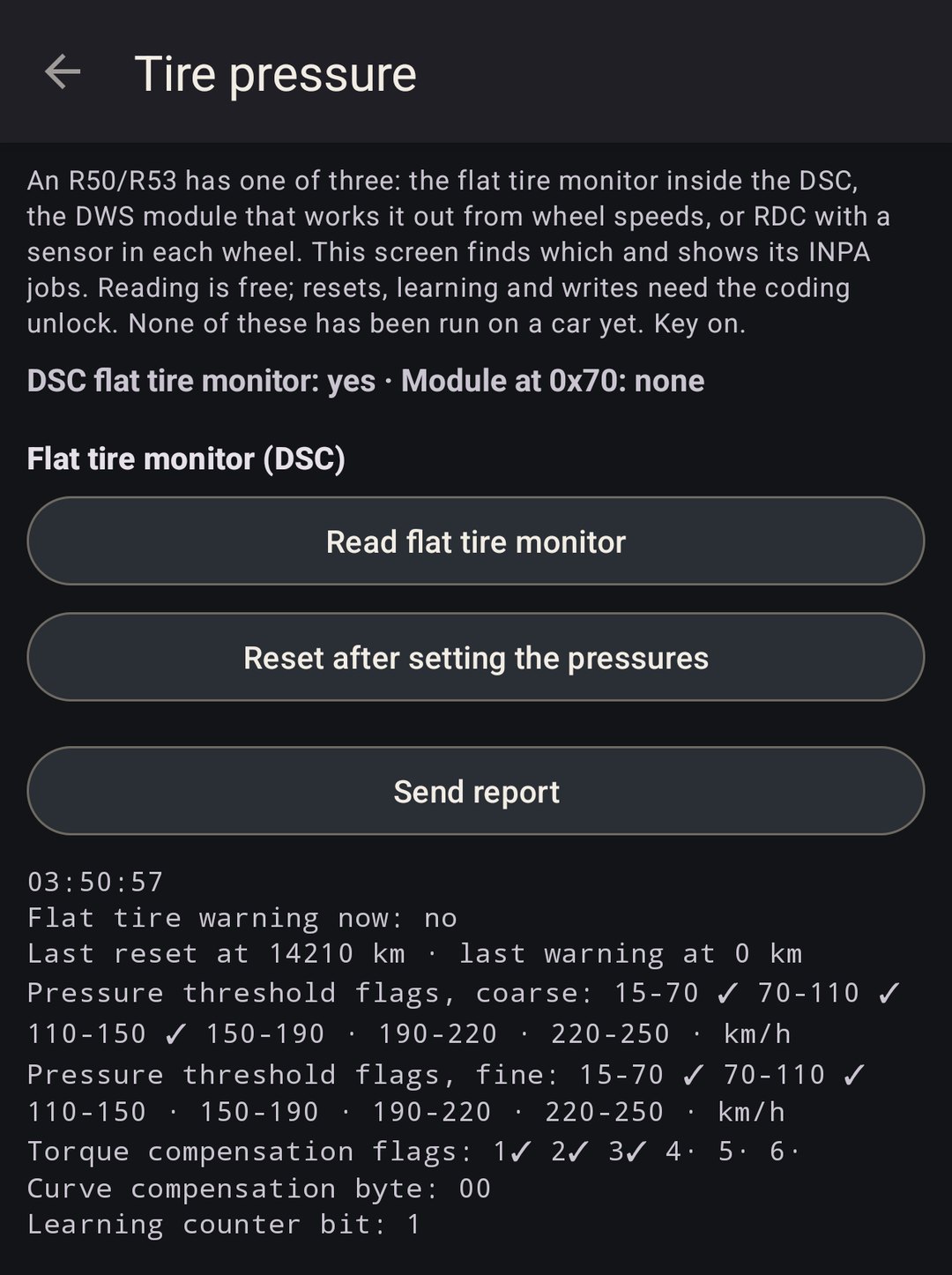
None of this has run on a car yet. It's built from the job files and pinned by unit tests, and each screen says so at the top. These screenshots come from an emulator answering with made-up replies, not from a car. If you try one on yours, Send report gets me the read and the telegrams behind it.
13 · No car needed
Planning mode.
Every option list opens offline, with no car and no cable, so you can work out what you want before you're sitting in the car. It's free and it can't write anything. It also covers the modules I haven't captured a coding session on yet. What it can't show is your car's current value; that takes a read.
14 · OBDLink or a cable with no switch
Link pins 7 and 8.
The R53 brings the engine out on OBD pin 7 and every other module (cluster, body computer, DSC, airbag, immobilizer, the column pod) on pin 8. A K+DCAN cable with its 7/8 switch on links the two inside the plug. An OBDLink CX or MX+ talks on pin 7 only, and so does a K+DCAN cable with no switch, so with either of those only the engine answers. One short wire across the back of the car's OBD socket fixes it for good.
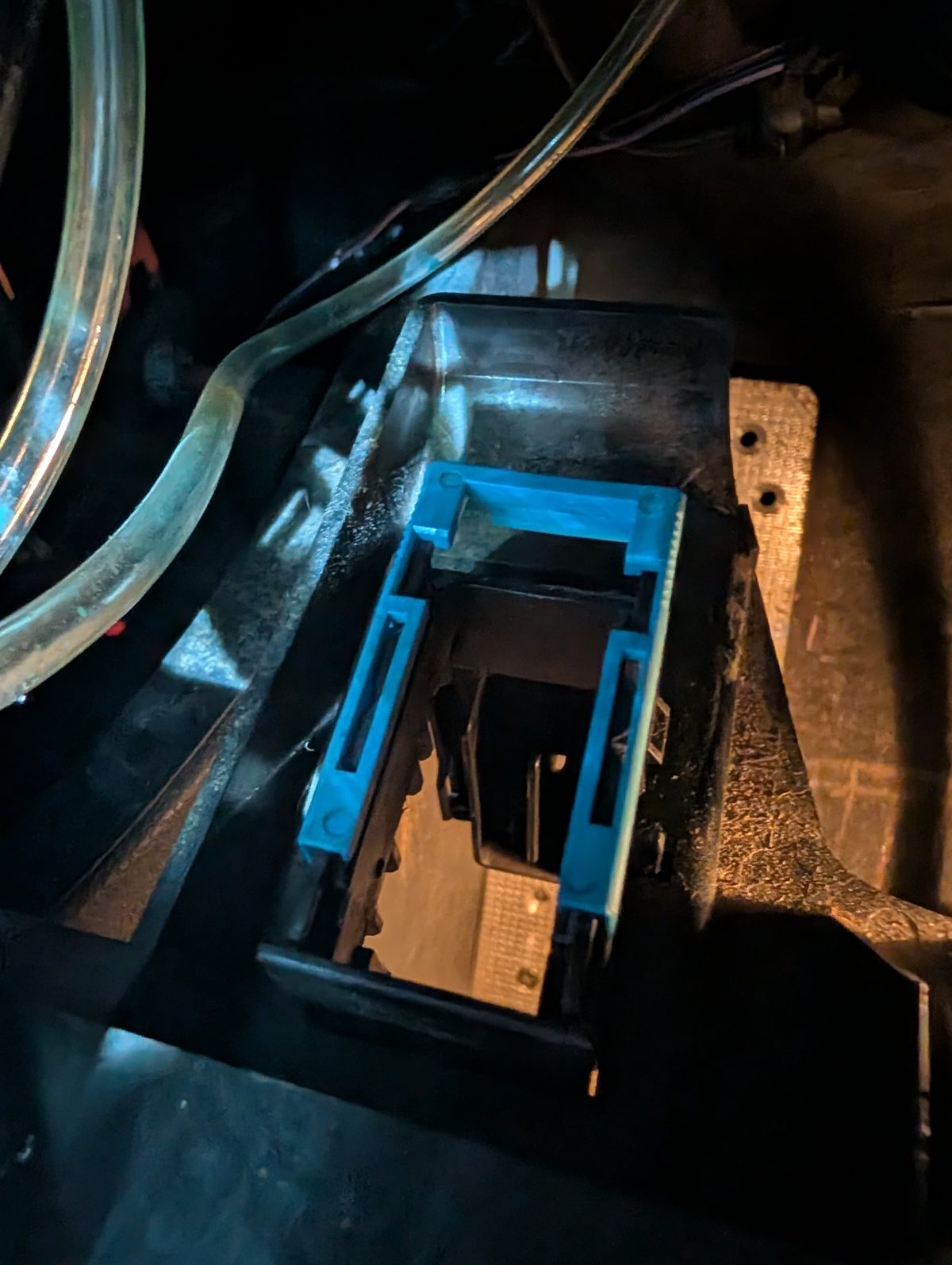
- Get to the back of the socket. Unclip the OBD socket from its mount under the dash and pull it out far enough to see where the wires go in.
- Make a jumper. An inch or so of thin wire, both ends stripped and the bare copper bent over into a small hook so it stays put.
- Fit it across pins 7 and 8. Push one end into the back of pin 7 and the other into pin 8, alongside the wires already there. Pin 16 is the red wire, permanent battery. Pin 8 is directly across from it in the other row, and pin 7 is next to pin 8. Keep bare wire away from pin 16: it's live all the time and not fused.
- Check it. Clip the socket back in, connect, key on, and read a module that isn't the engine. The cluster is a quick one.
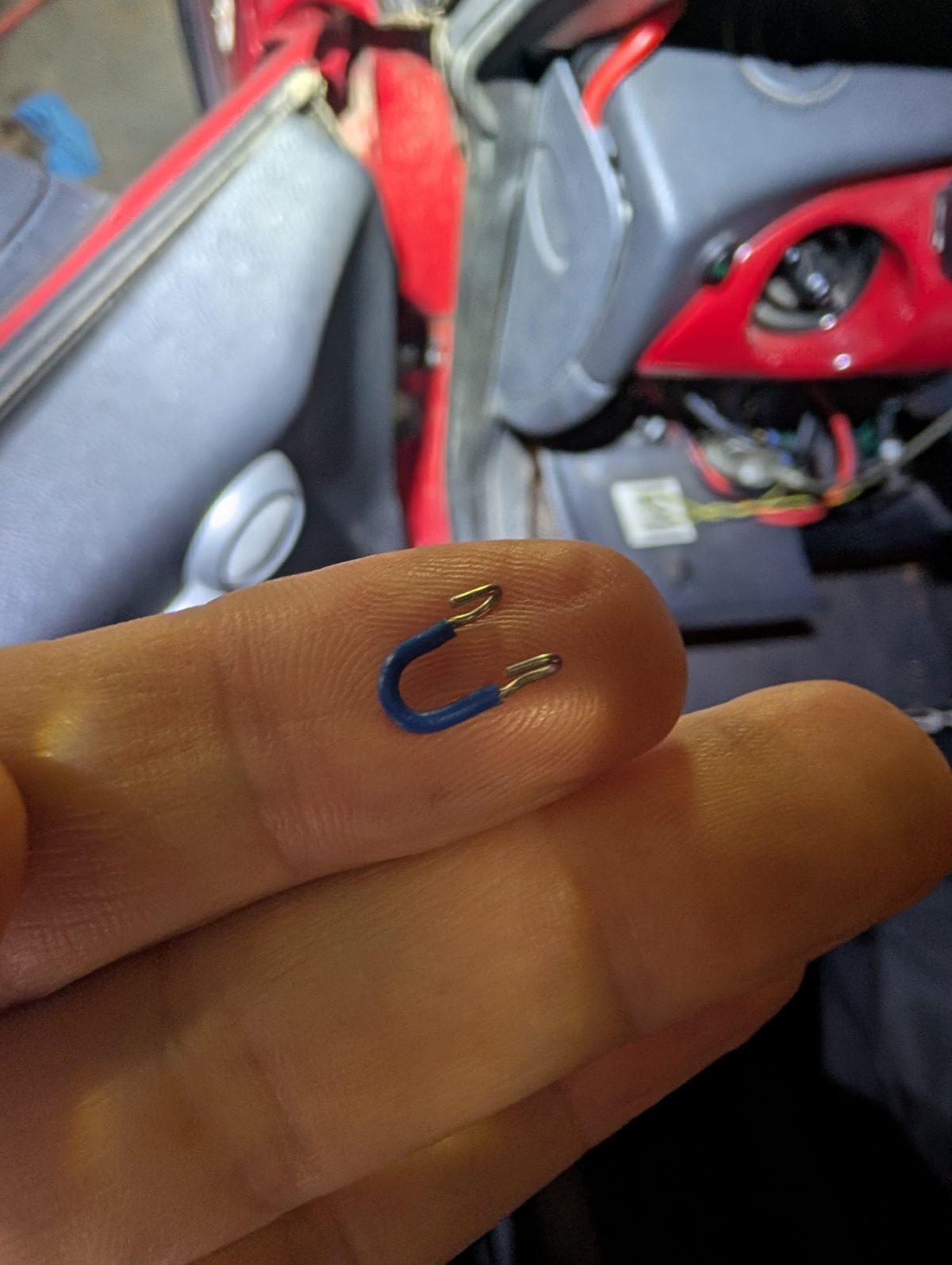
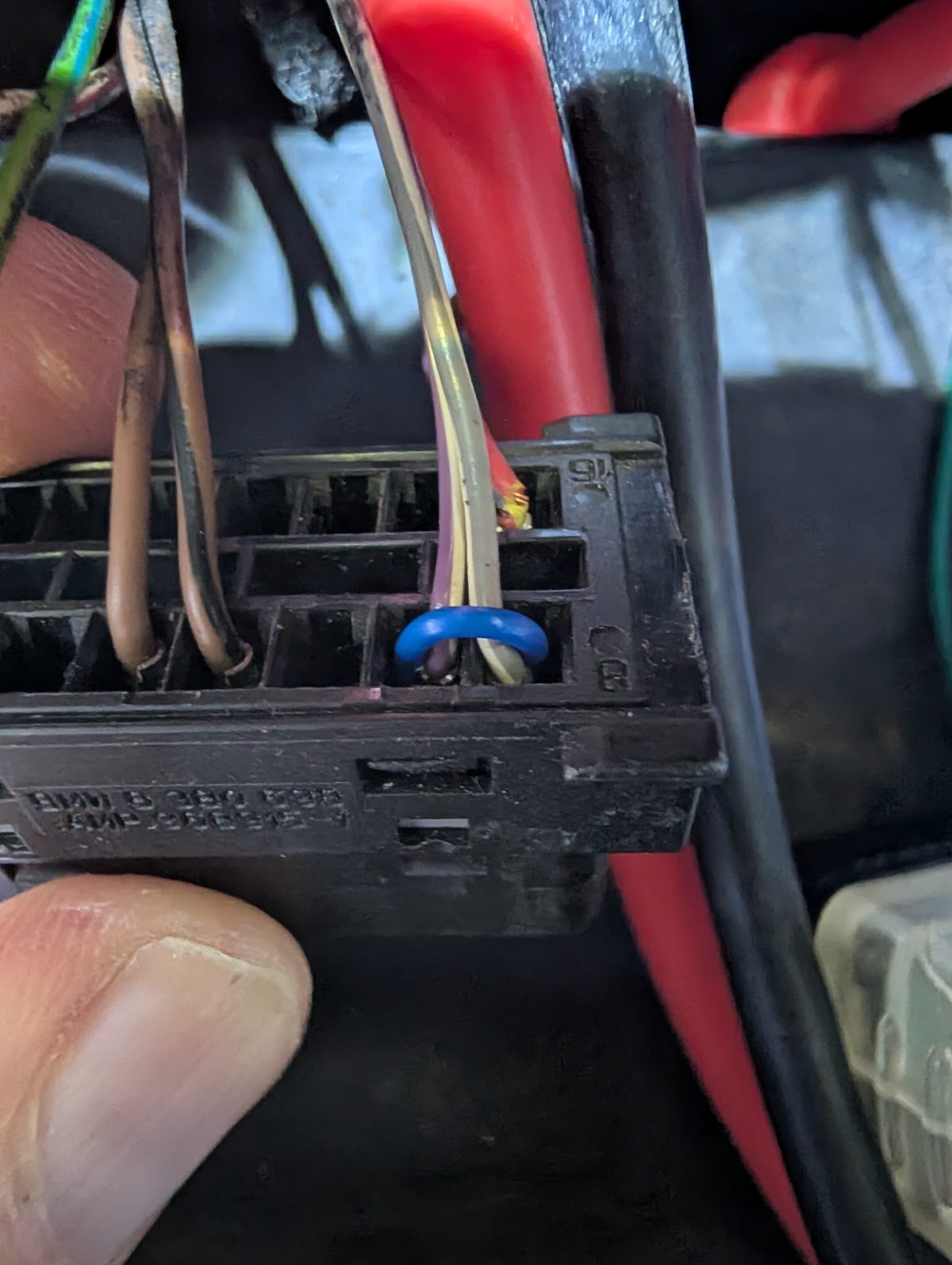
It's the same link the switch on a K+DCAN cable makes, so it can stay in. To undo it, pull the wire back out.
15 · Before you write
Beta, and backups.
Keep an NCS Expert backup of anything you touch
R53 Coding is still beta. I've been testing it on my two cars, and the editor tells you when you're about to write to an index nobody has written with it before. Its own backups are good, but while it's beta keep a desktop TRACE of every module you plan to change.
- R53 is chassis R50 in NCS Expert. Read with
CODIERDATEN_LESEN, then copyFSW_PSW.TRCout ofC:\NCSEXPER\WORK\right away. NCS overwrites that file on the next read. - Rename it with the VIN, module and date, like
TL22C_BC1_20260726.TRC, and keep it off the PC. - How-tos on NAM: NCS Expert for beginners, the R53 add-in and more R53 detail. BMW people: the Dummies Guide flow is the same, pick R50.
If you already know NCS Expert and have an older R53, I especially want to hear how the app's read compares with yours.
16 · Get it
On Google Play.
For any Android phone or tablet. Tap below on your phone, or search Play for R53 Coding.
Reading, backups, planning mode, editing and the diagnostic reads are free. Writing to the car, and the tests, resets and writes on the diagnostic screens, are a one-time $30 unlock in Play. Install from Play rather than a sideloaded APK so the unlock works. Stuck? matt@geekopolis.com or @mattryan6729.
17 · Fine print
- Track and DIY use. You're writing module configuration on a twenty-year-old car.
- Key on, engine off, for every read and write. Keep a battery charger on for long sessions.
- Race seat coding turns airbags off. Not for road use with stock seats and belts.
- Backups first: NCS Expert TRACE files, then the app's own.
R53 Coding is its own app with its own unlock. Logging and ECU flashing are a different app, the R53 Logger - Flasher. The shift light and the K-line + CAN bridge are at ryansdesigns.geekopolis.com/shiftlight. Coding screenshots from build 121 with REDcar's backups loaded; the hub and the diagnostics screens from build 145, on made-up replies.