R53 Logger - Flasher
Log the car, see exactly where the tune misses, and flash the fix from the same phone. Or skip all of that and flash MINI's own Stage 1.
Stage 1 flash
Years ago MINI was nice enough to give S owners a Stage 1 flash from the factory. It shipped as the JCW kit. The app puts it on your car.
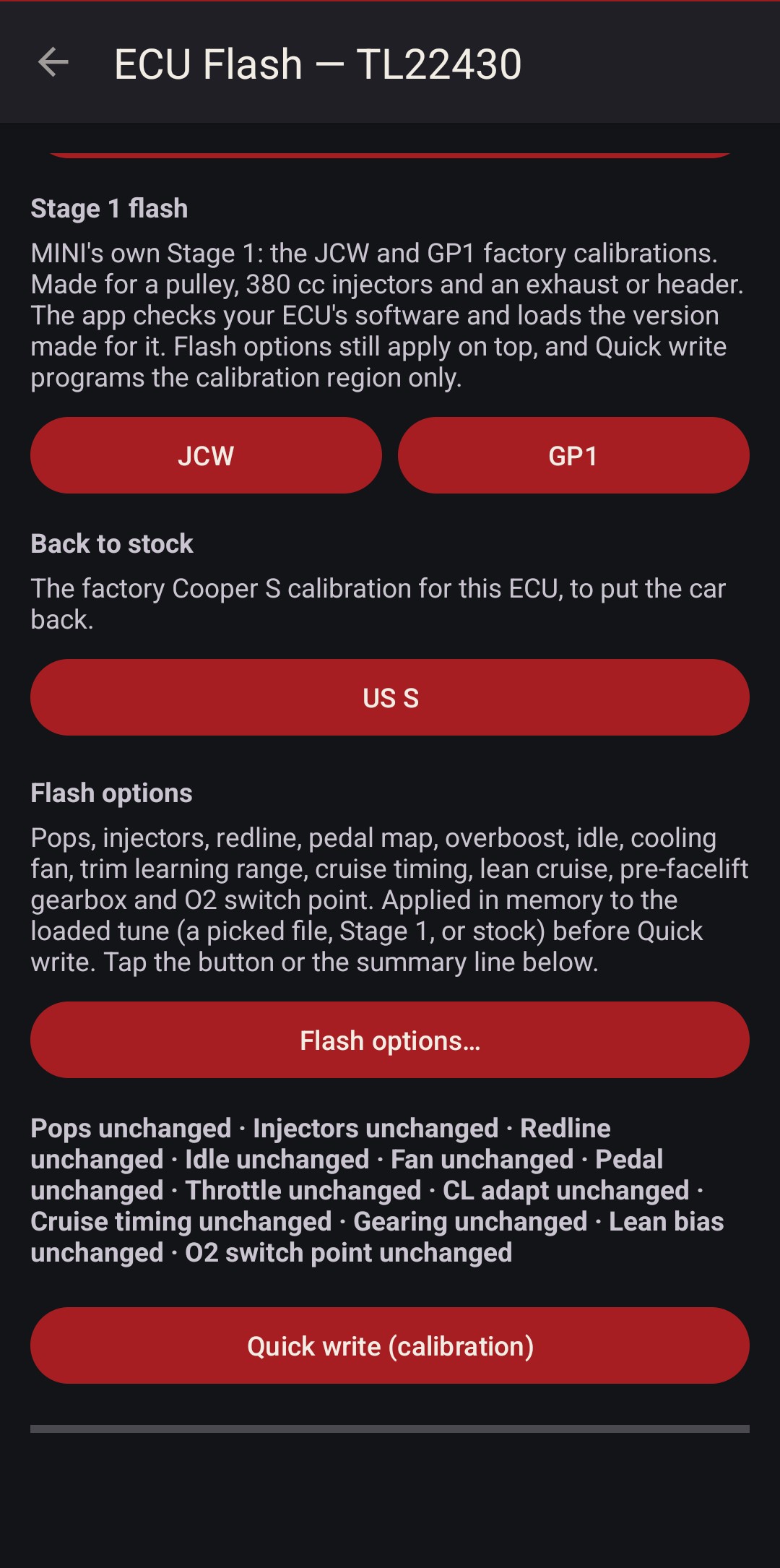
The JCW and GP1 calibrations are MINI's own tunes for an R53 with a smaller pulley, 380 cc injectors and a freer exhaust. That's how most of these cars end up by the time anyone wants a tune.
If your car has a pulley, 380 cc injectors and an exhaust or header, it'll flow close enough to pair well. You don't really need the JCW head. A header and exhaust, or a mild cam, make up for it.
Stage 1 works on early and late cars. The app reads your ECU's software version and loads the calibration made for it: the facelift 740P10, the early 740J10, and EU S and JCW images for EU cars.
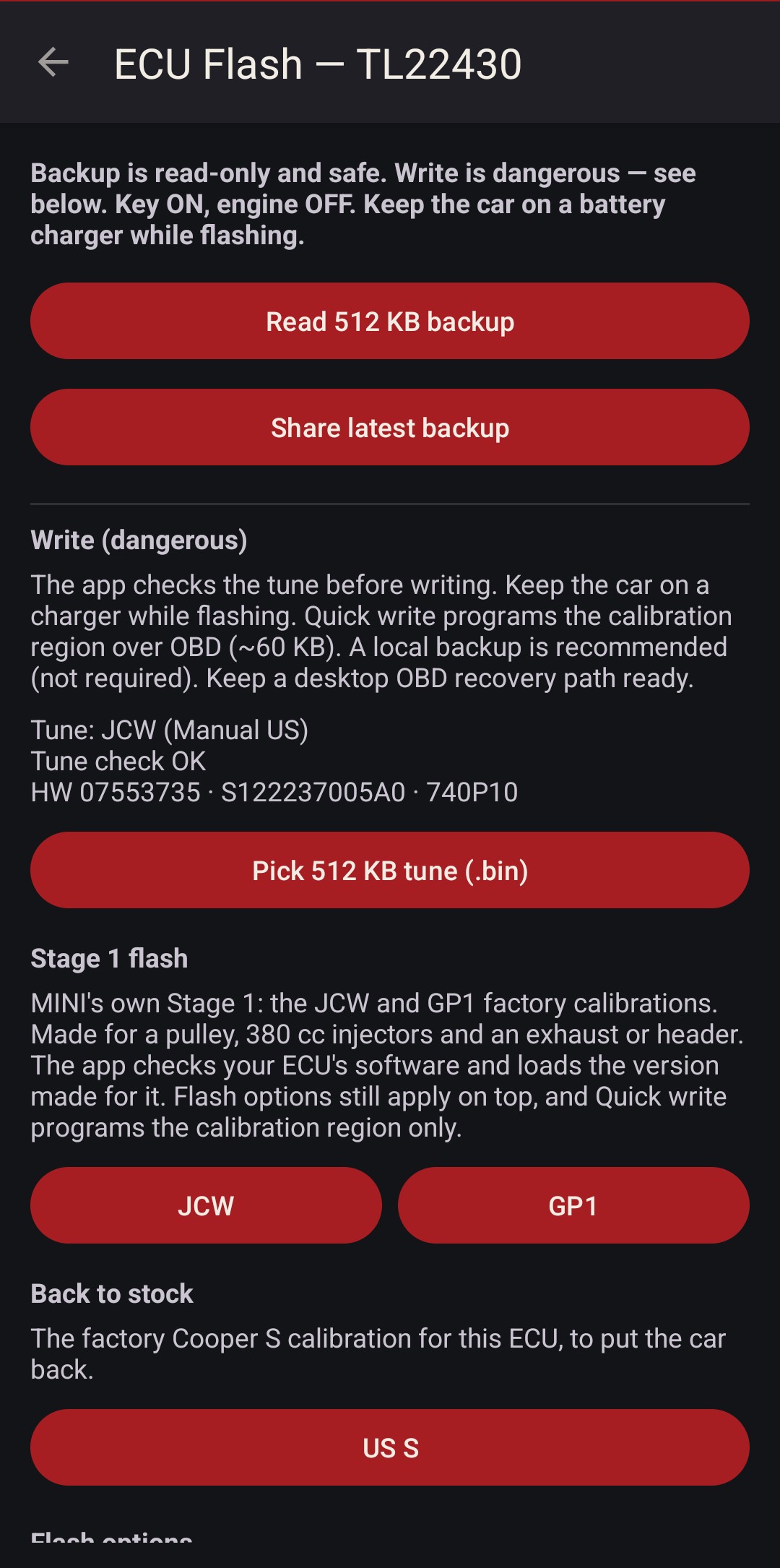
If your ECU version isn't mapped yet, the app says so and offers a Send button. That sends me your backup and the flash log, and I work on porting the JCW and GP1 tables to your ECU version.
Where it sits. For the vast majority of lightly modded R53s this works well enough. A custom tune makes more power, with raised torque and air tables and more ignition advance. This is factory calibration, and it's well proven.
- OEM software. MINI's calibration as the factory wrote it, not a third-party map.
- Needs the 380 cc JCW / GP injectors. Stock 330s can't supply the fuel it asks for. Bigger than 380? Set the injector option to match.
- Flash options still apply on top: pops, redline, pedal map, fans and the rest.
Log it
Plug in, connect, and the car streams fast enough to catch what happens mid-pull, time-aligned so RPM, load and knock line up.
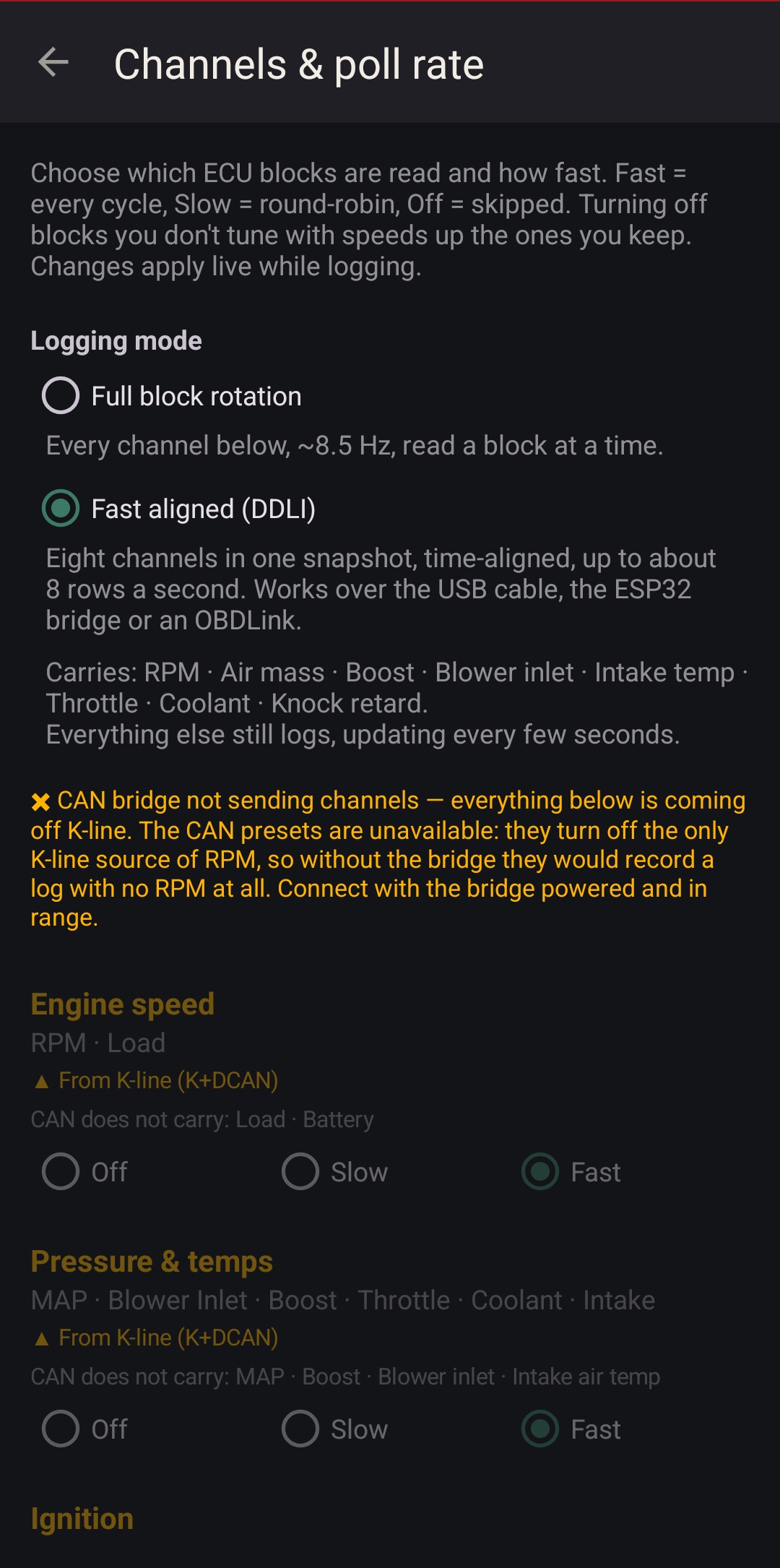
Fast aligned mode is the default. The ECU hands over RPM, air mass, boost, blower inlet, intake temp, throttle, coolant and knock retard in one snapshot, up to about eight rows a second. Every channel in a row comes from the same instant, so a knock reading sits on the RPM and load it happened at.
Everything else still logs: spark per cylinder, knock level and energy, trims, injector time and duty. Set each block Fast, Slow or Off and spend the K-line on what you're tuning.
A wideband joins over the ESP32 bridge and lands in the same CSV. Logs share as plain CSV or straight to Datazap.
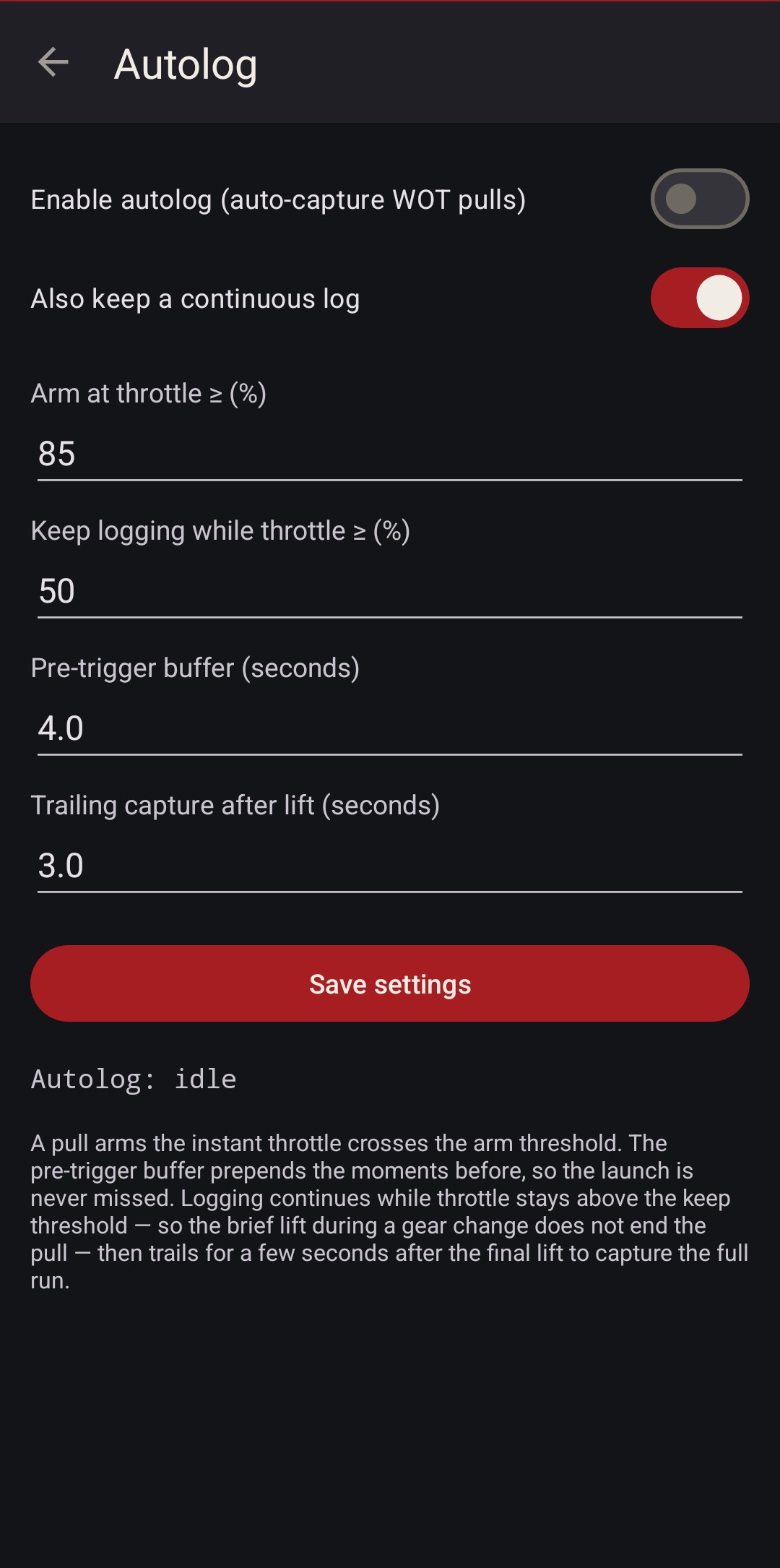
Autolog records the pulls for you. It arms when throttle crosses your threshold, and a pre-trigger buffer keeps the seconds before it, so the launch is never clipped.
A lift between gears doesn't end the run. It trails a few seconds after the last lift, then saves the pull as its own file. Drive the car, and every pull is waiting when you stop.
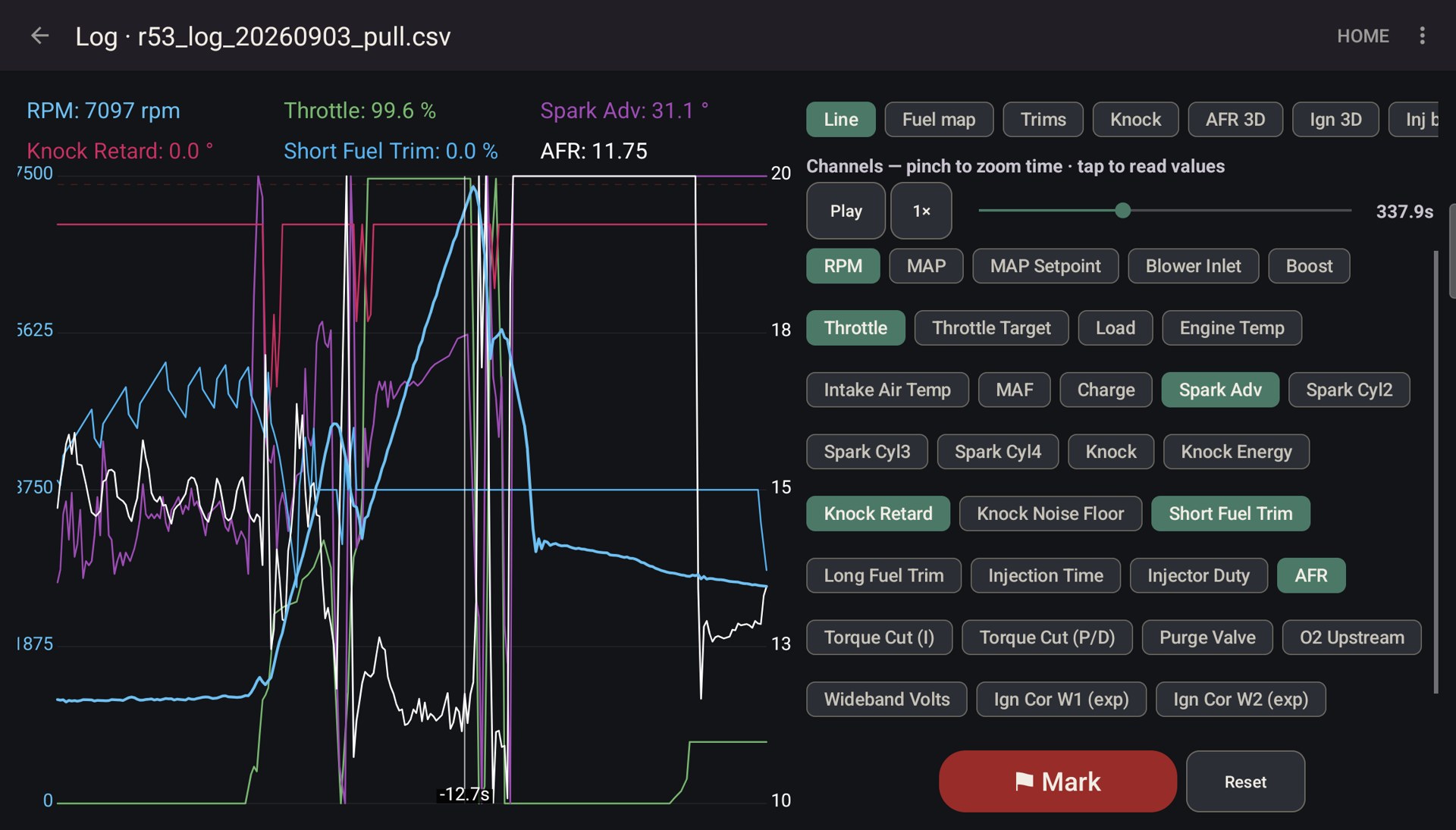
The graph is a playback deck. Replay any log at 1× to 4×, pinch to zoom time, tap to read every value at that instant, drop marks, and toggle channels. It works live too, with a stale-data banner the moment the ECU stops answering.
On a tablet in landscape it goes two columns, chart on the left and controls on the right.
Dashboards
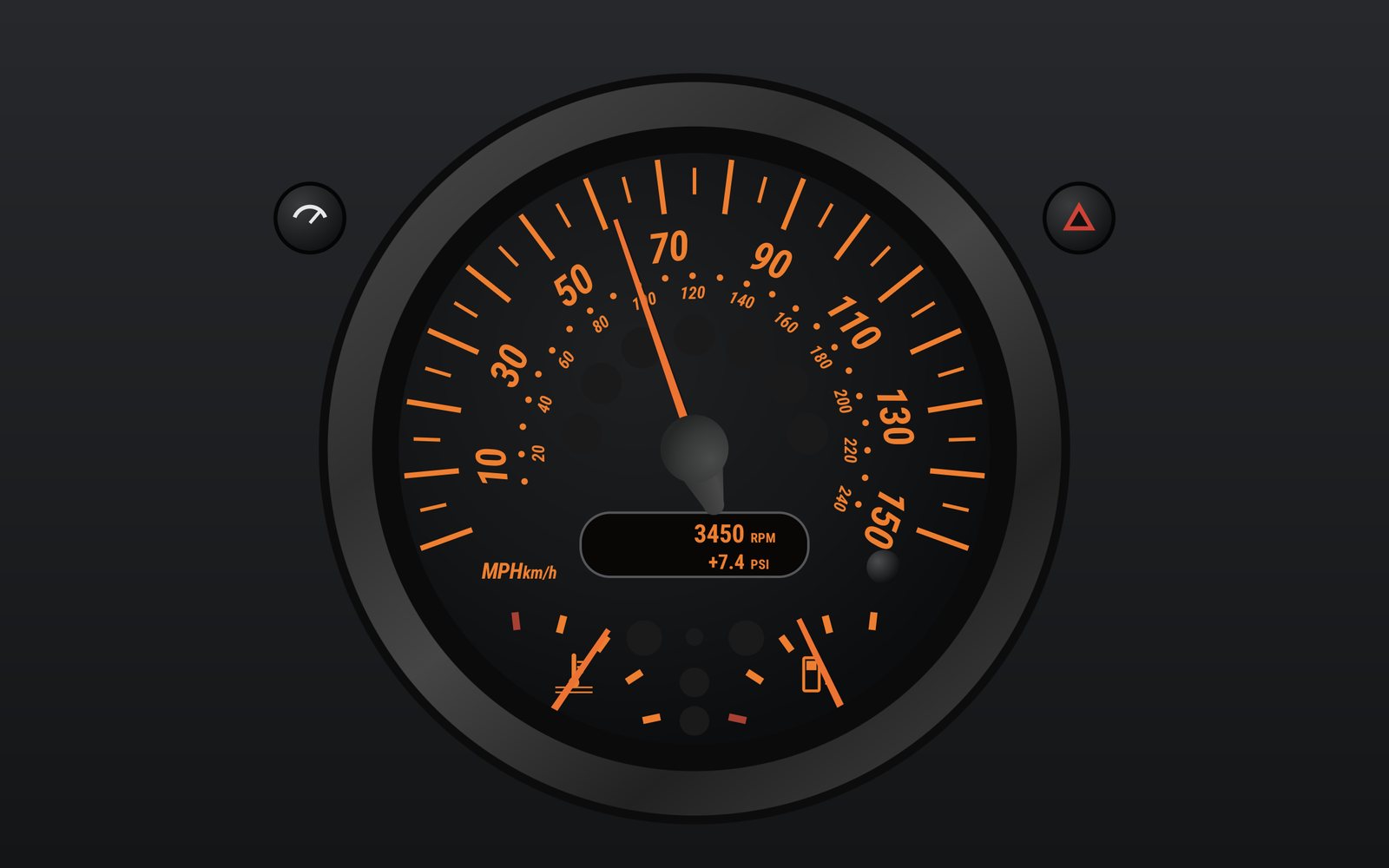
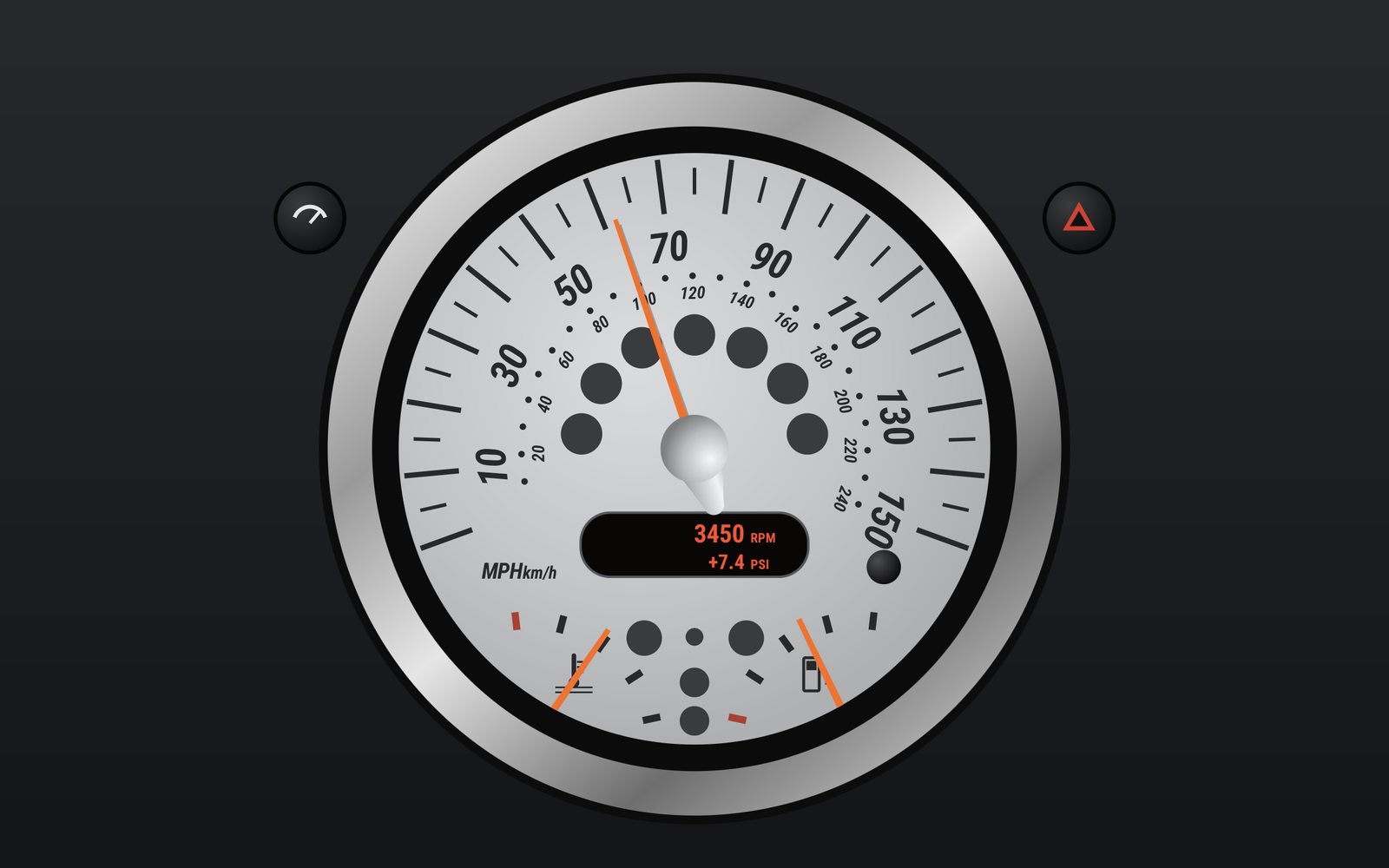
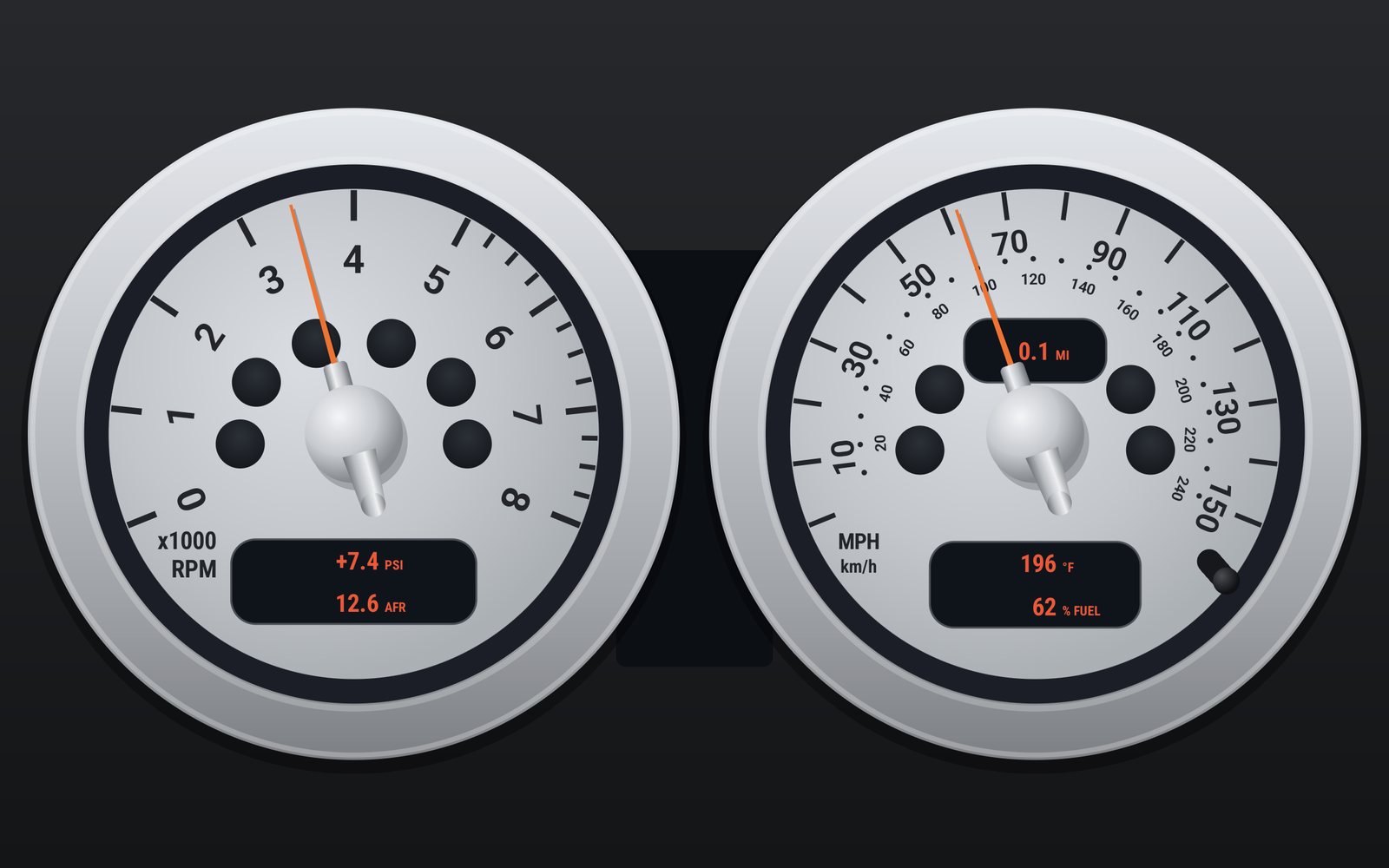
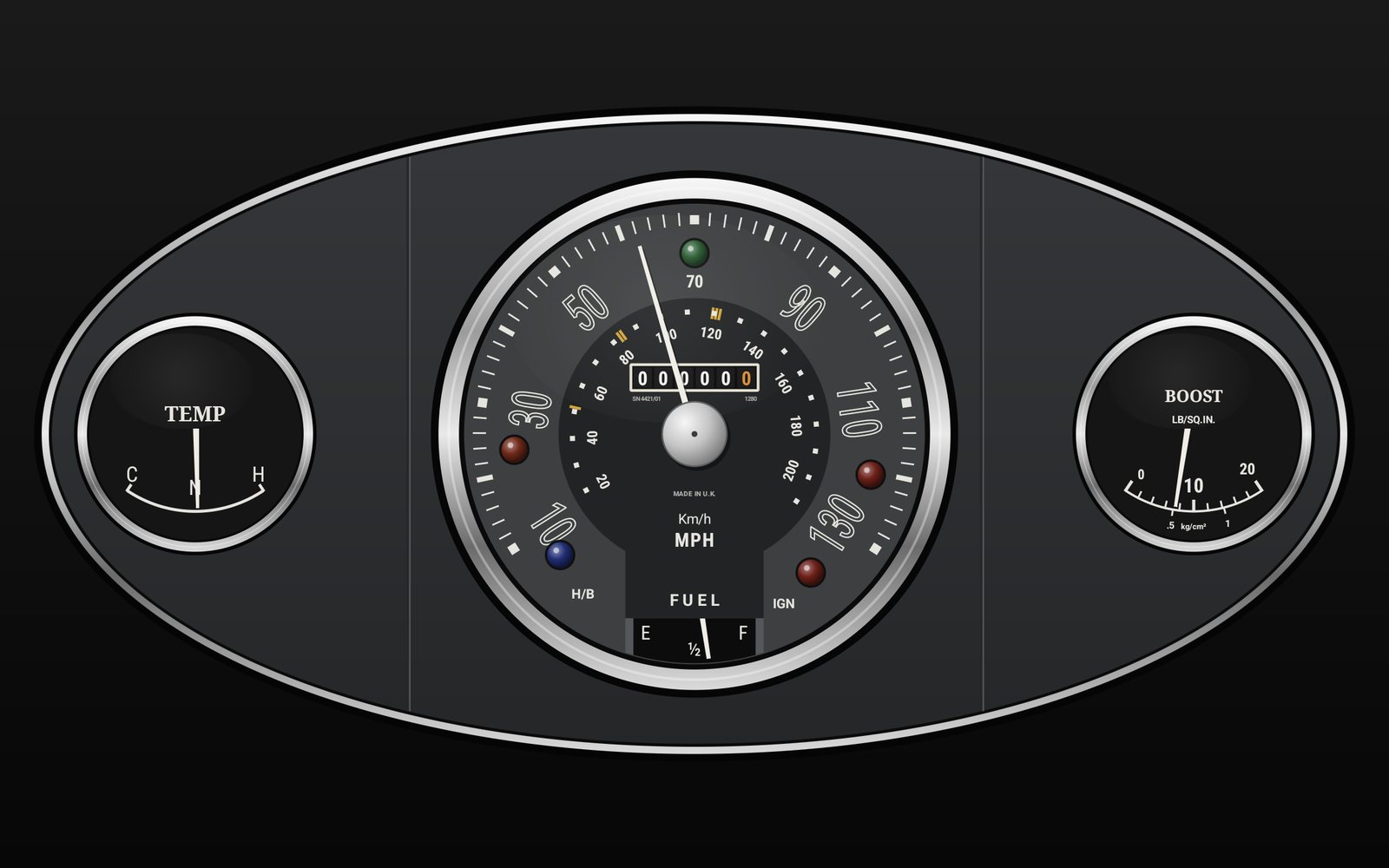
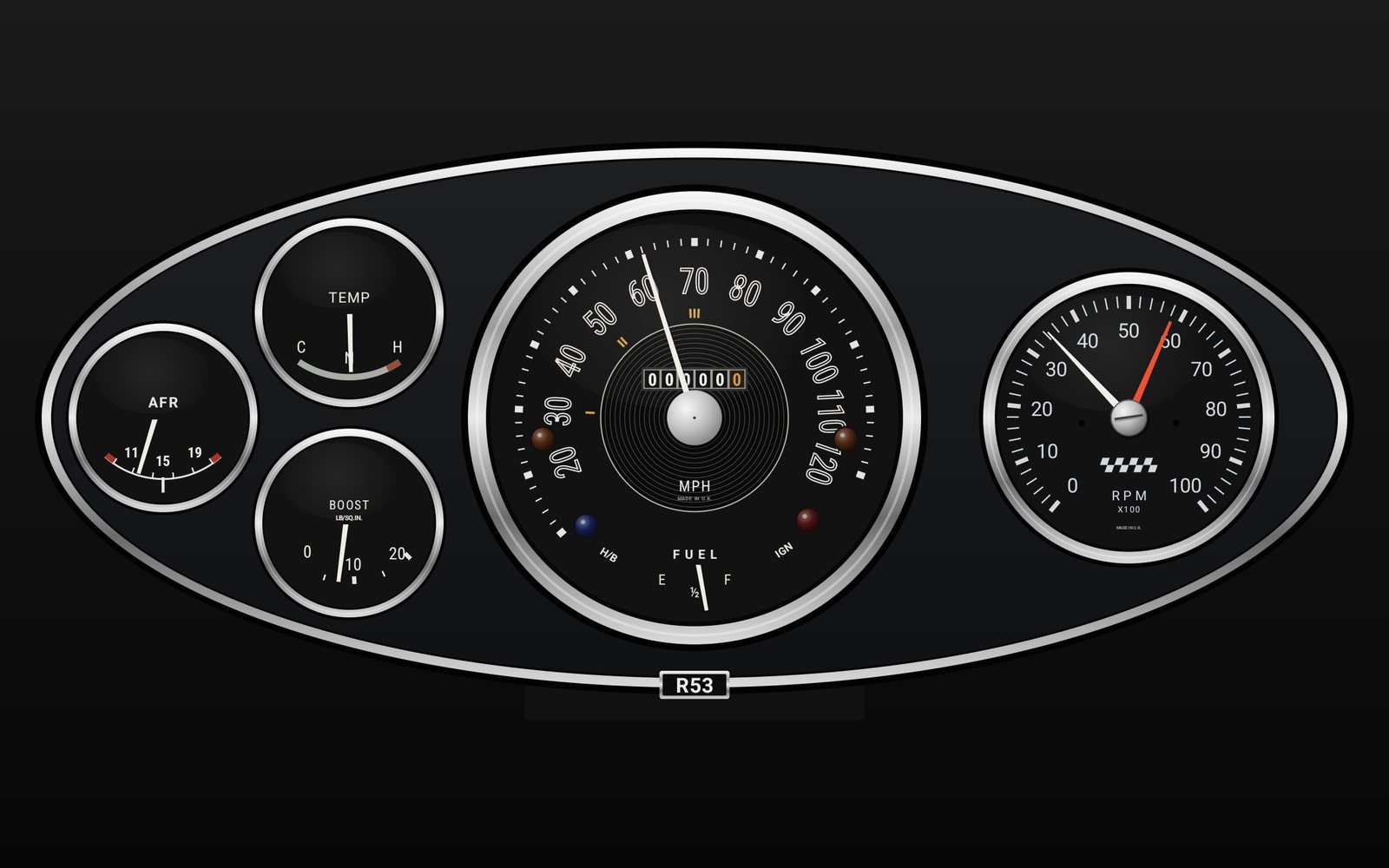
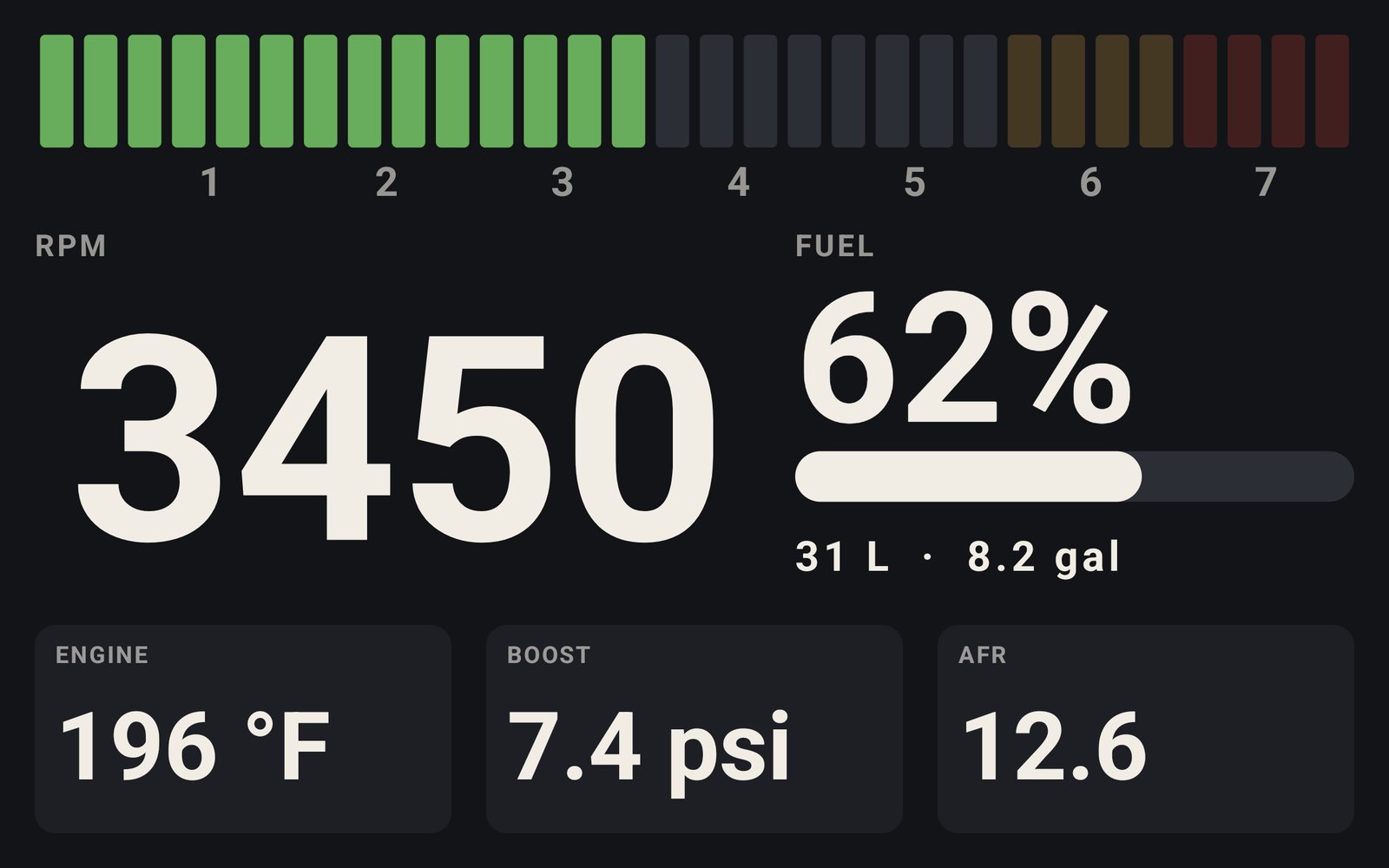
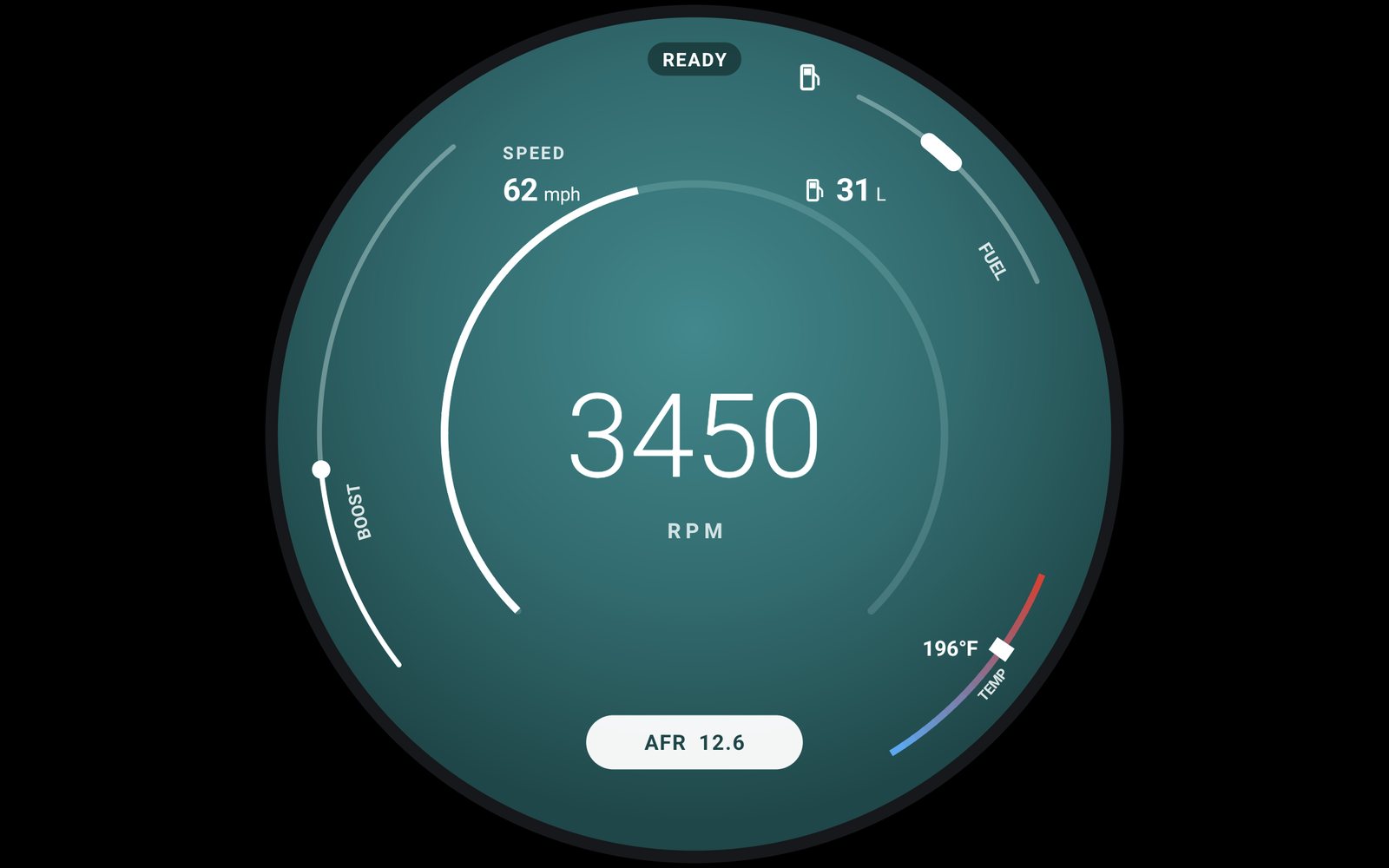
Put a tablet on the dash and the same live data drives six full-screen dashboards. Tap to change the face. Hold for the lights.
Lights
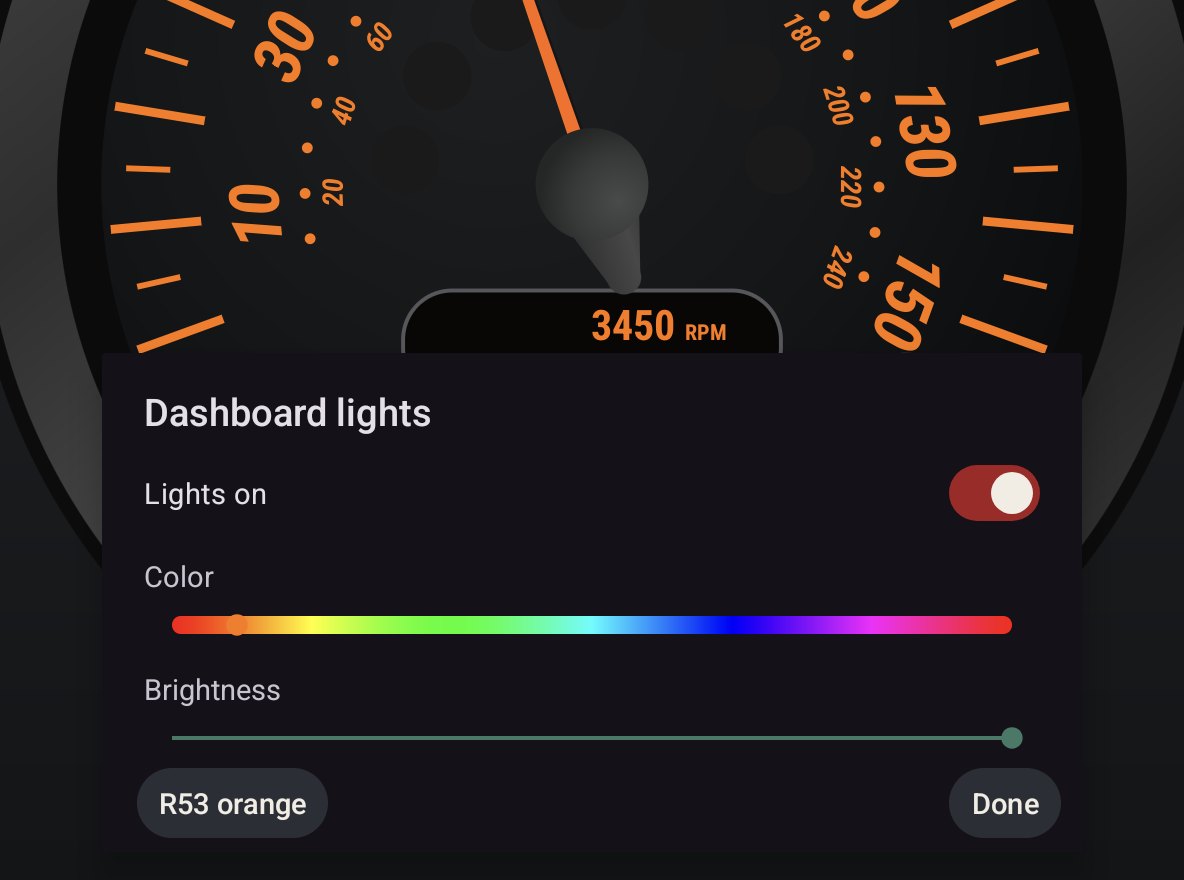
Hold the dashboard and a panel comes up over it: lights on or off, any color along the slider, and brightness down to 10%. It starts on R53 orange, and the face behind the panel changes as you drag.
R53 and Chrono are drawn as the silver day dials. With the lights on they go dark and the print glows, like the car's own at night. Chrome and silver dim, and the needles stay orange.
The other four keep their dials and take the color on their print. Brightness dims the whole face, needles and lamps included, the way the car's dimmer does.
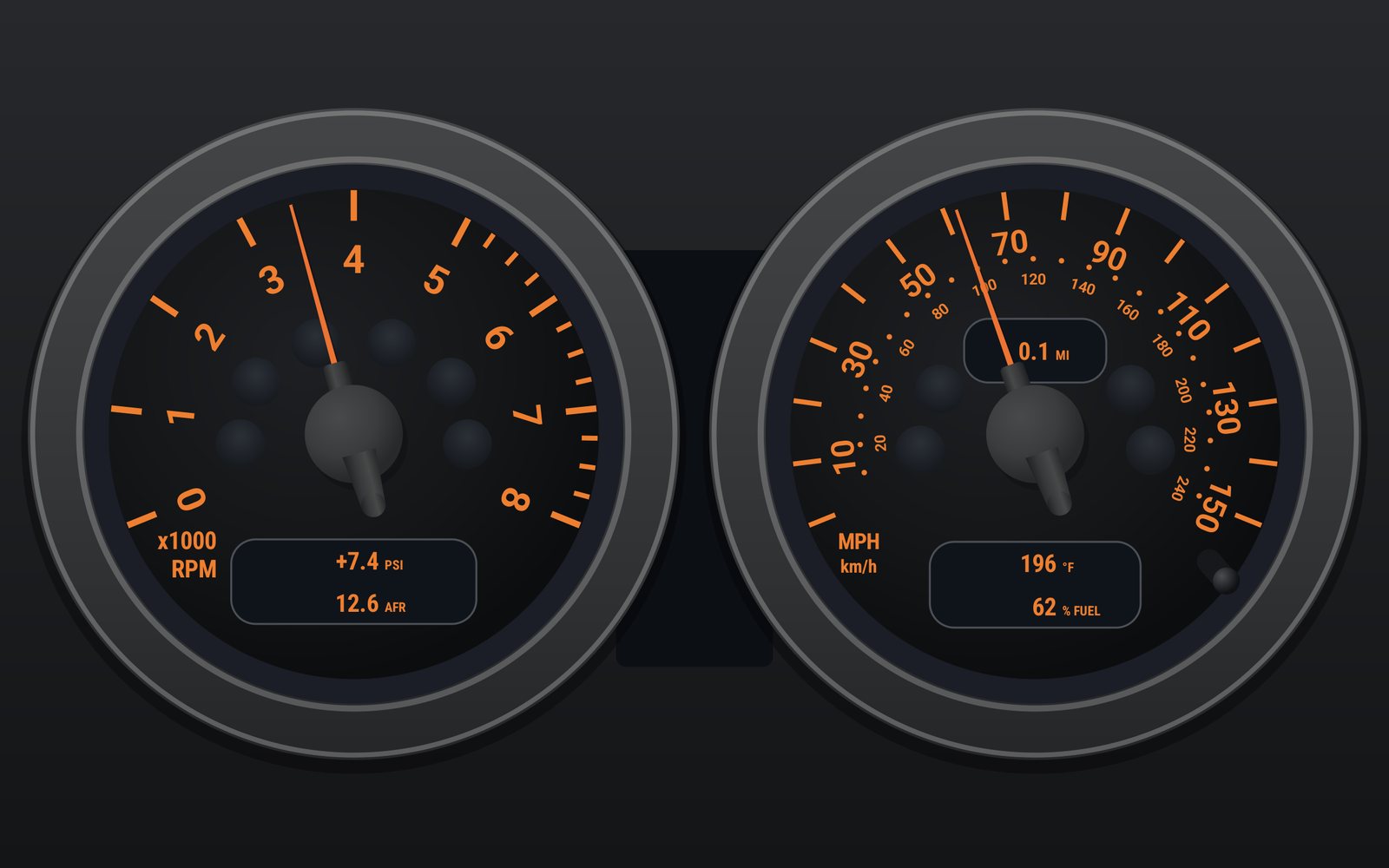
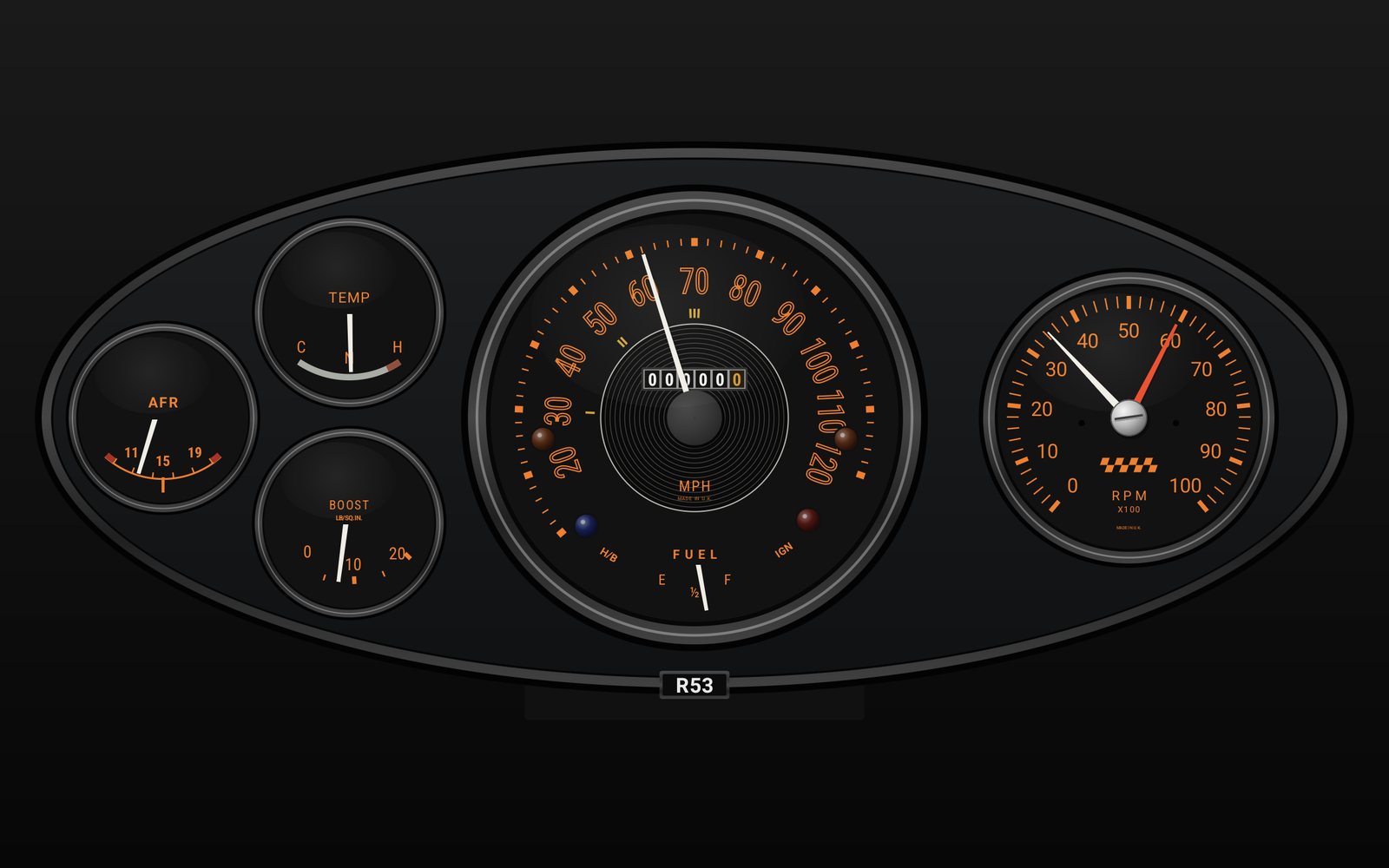
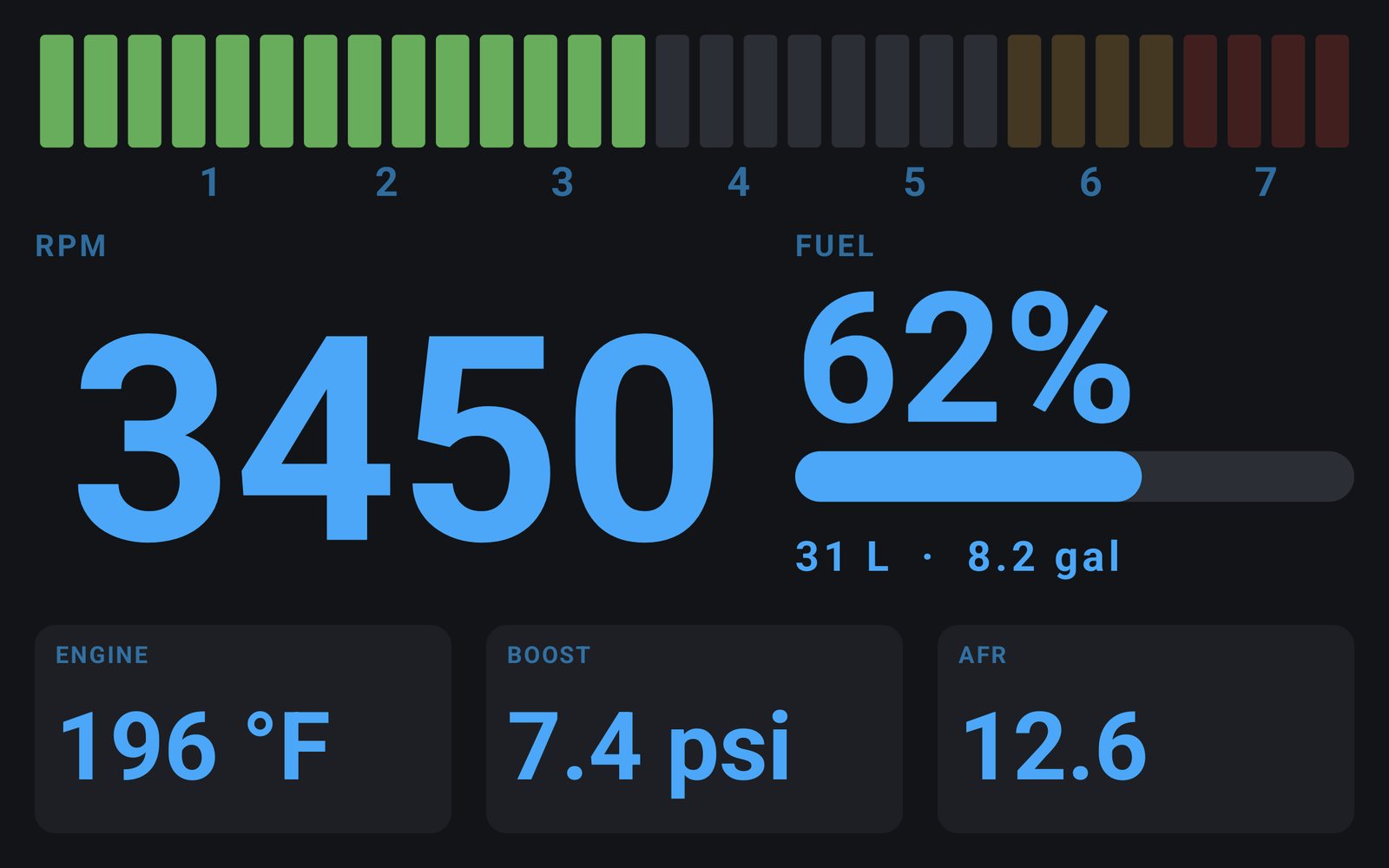
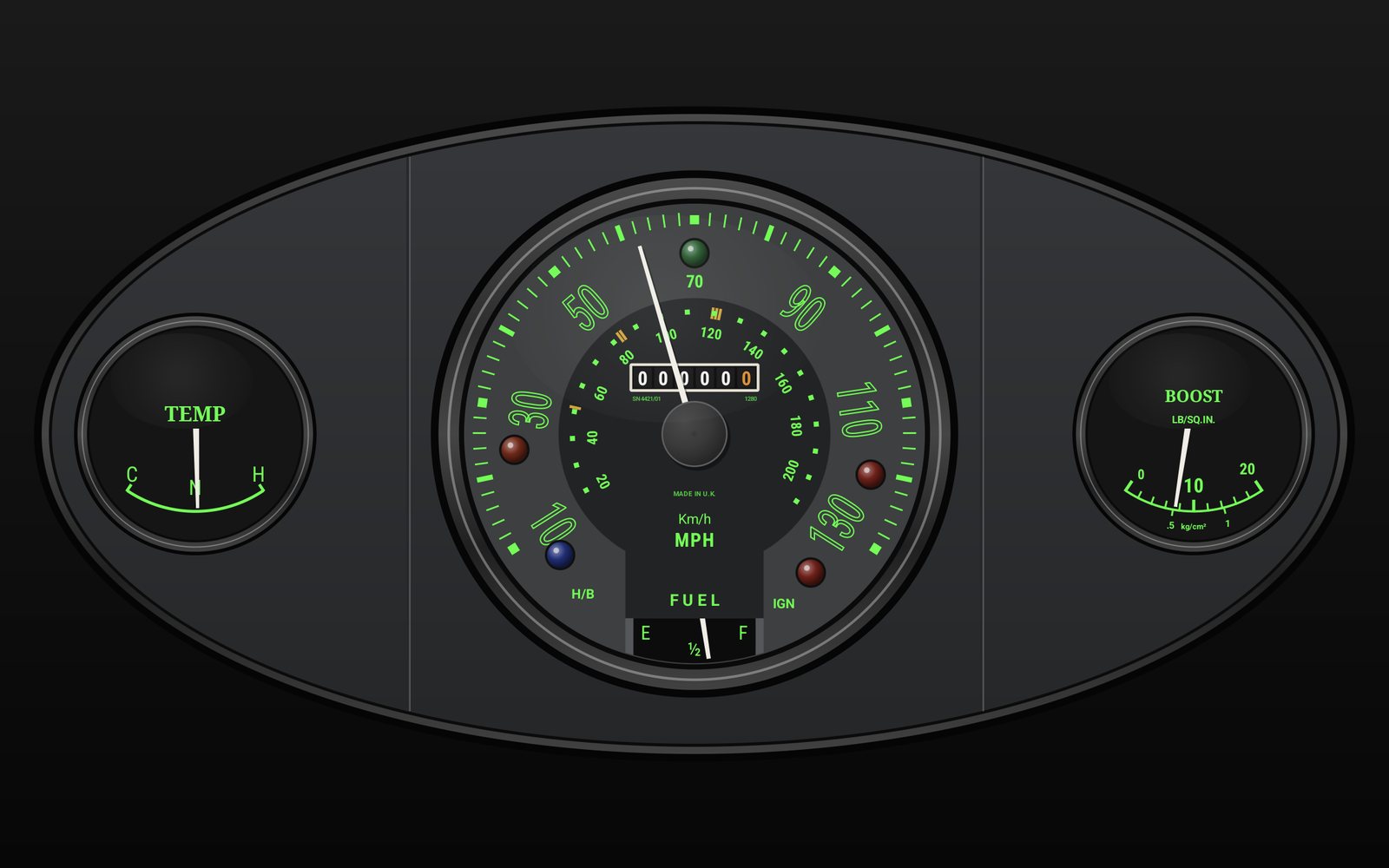
Fuel level comes off the CAN bus, so it needs the bridge. Everything else comes from the K-line or the bridge. Screenshots from a Galaxy Tab S10 FE, with demo readings.
See the tune
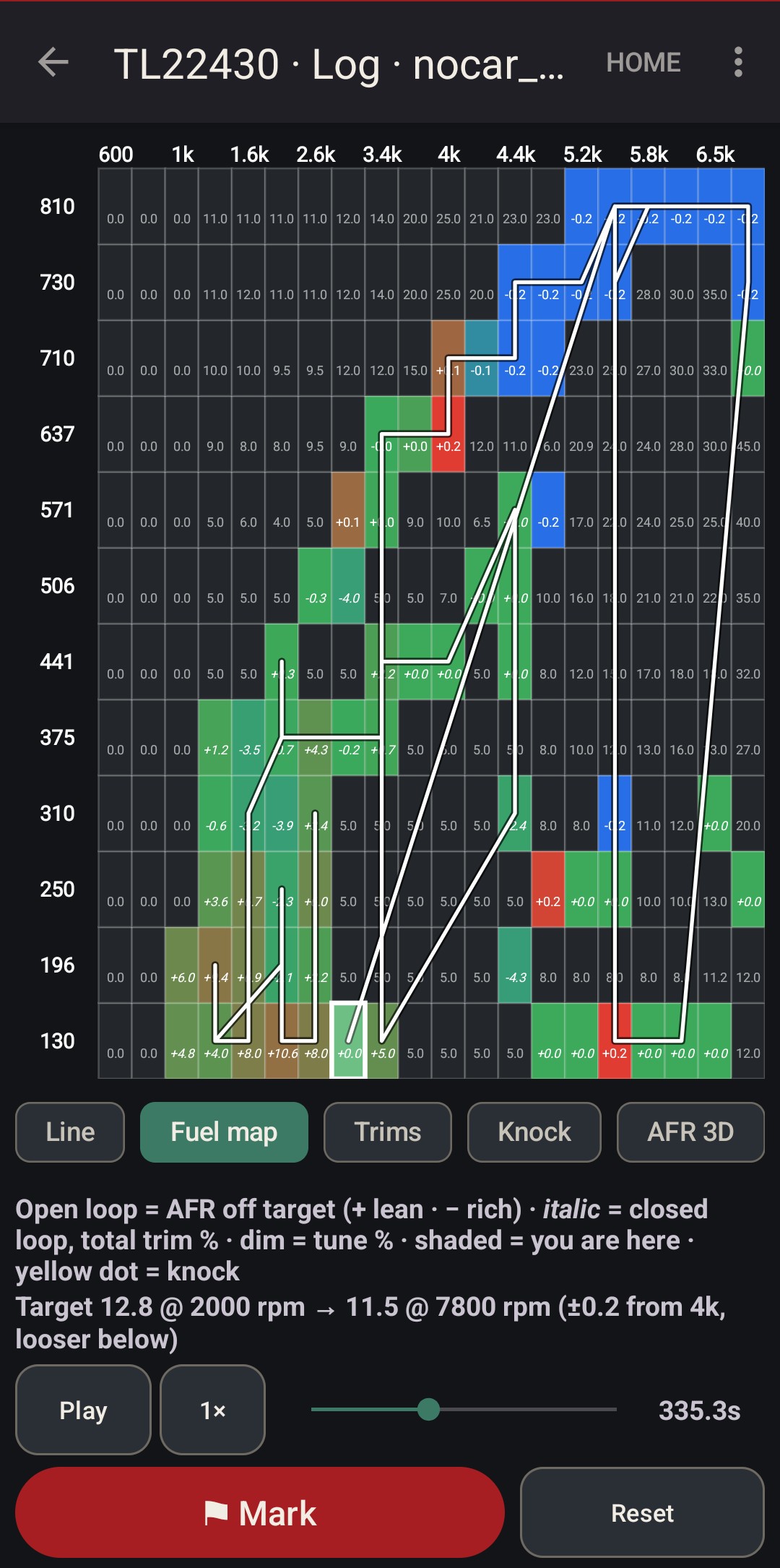
The same log plays back as a 3D surface and as flat maps over RPM and load, so you see where the tune misses, not just when.
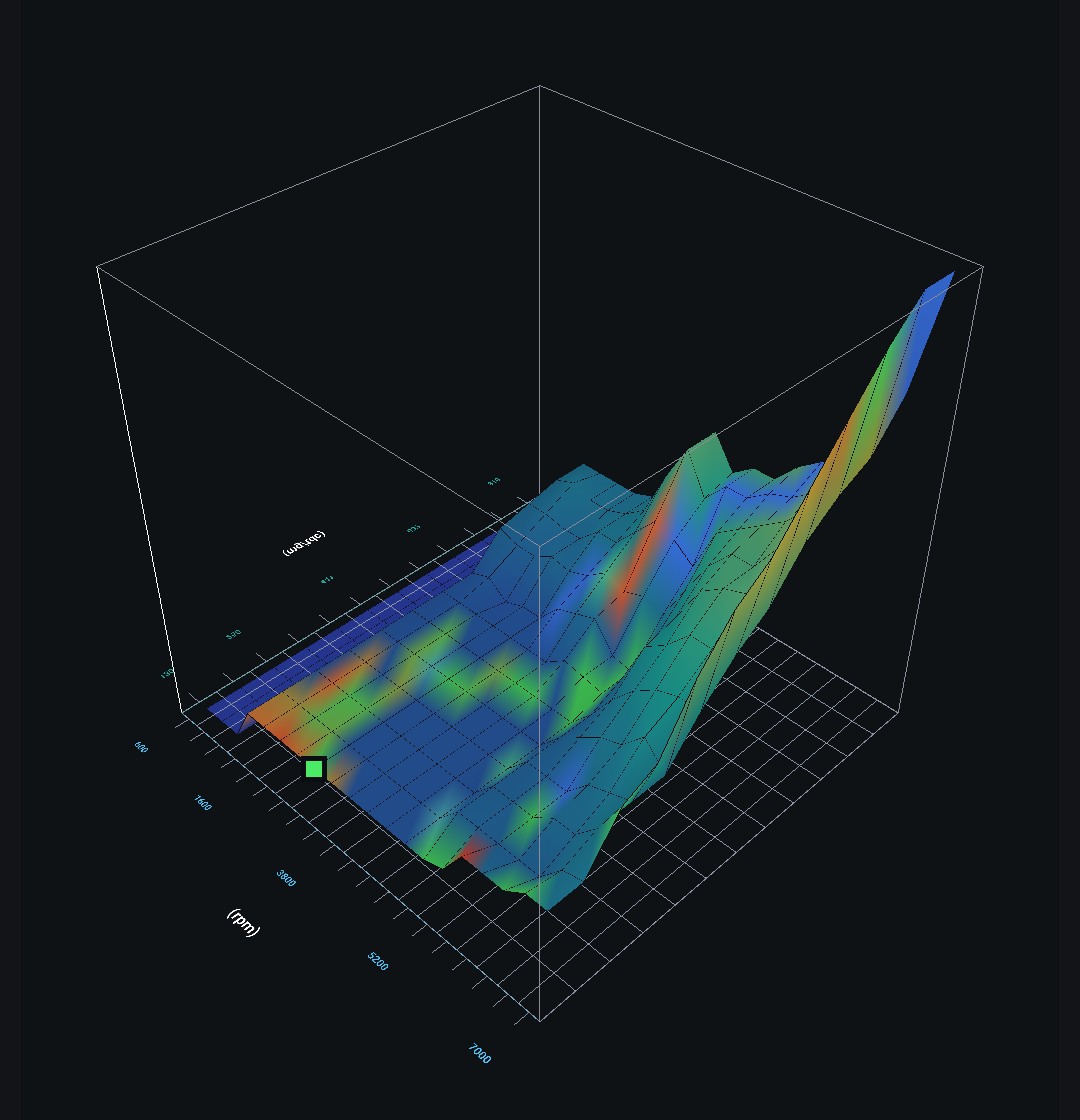
AFR 3D plots measured AFR against the target curve you set, over every cell the engine visited. Open loop shows AFR error, closed loop shows total trim. DFCO and tip-out leans are ignored, so you're reading combustion, not decel noise.
The target is two points with a straight line between them, for example 12.8 at 2,000 rpm down to 11.5 at 7,800. A wideband lag setting shifts the AFR trace so each reading lands on the cell that fuelled it.
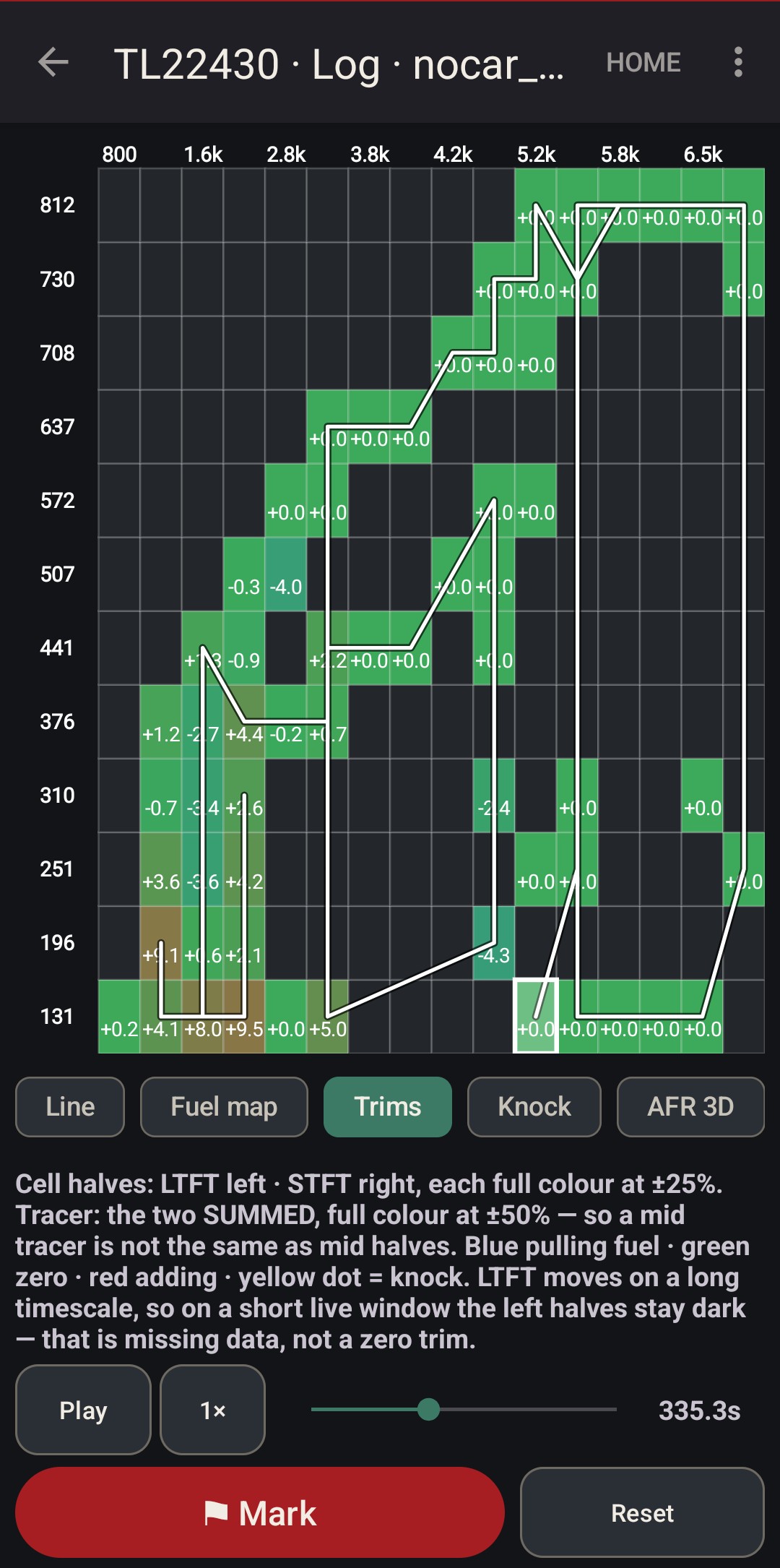
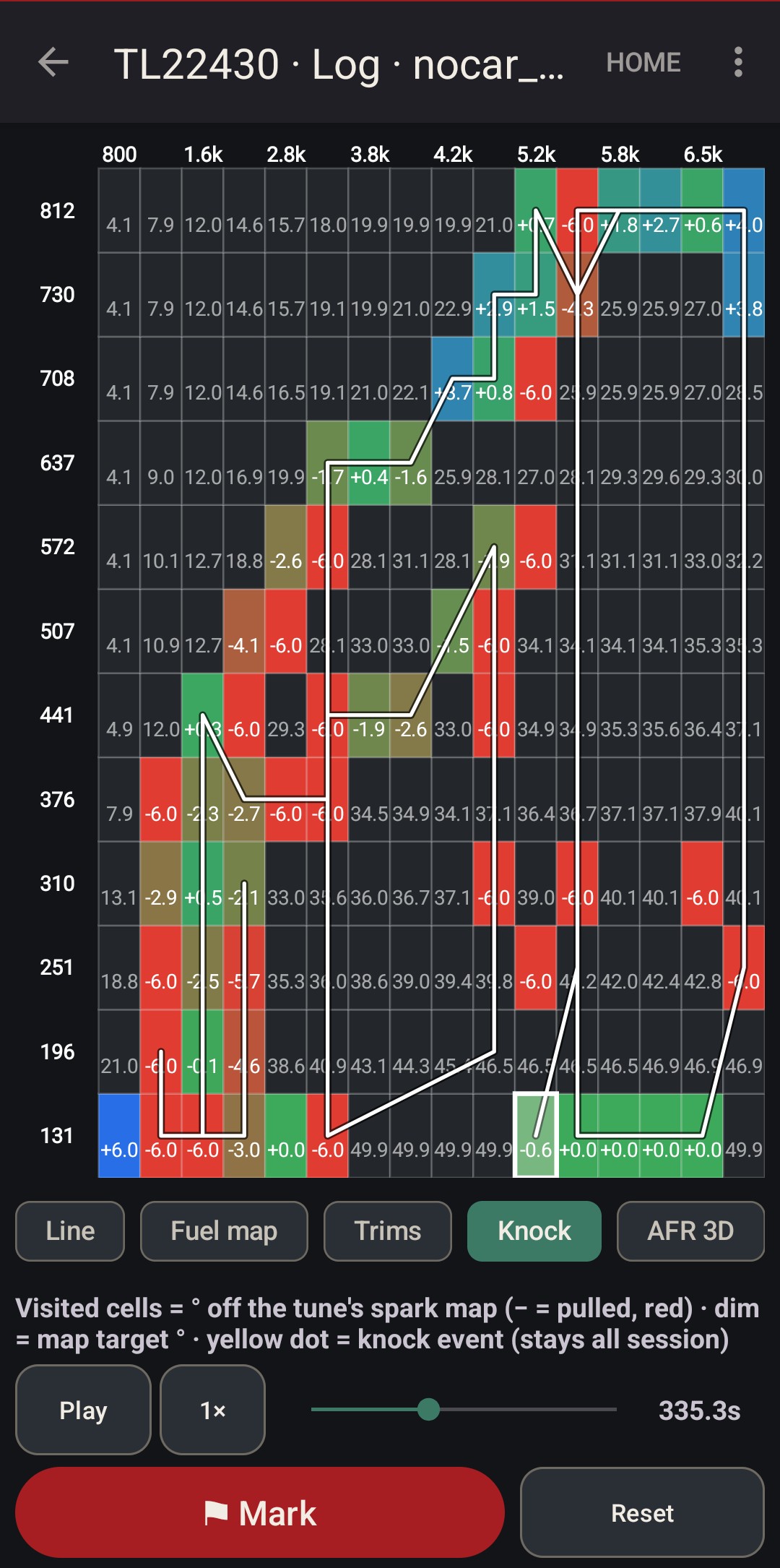
Knock, pinned to the cell that pinged. The spark map reads each visited cell in degrees off the tune's own table, and turns red where the ECU pulled timing. Every view drops a yellow dot where a knock event fired, and the dots stay all session.
A per-cylinder tally sits in the corner, so one cylinder doing all the complaining is obvious. Red cells stacked with knock dots are the corner of the map that needs work.
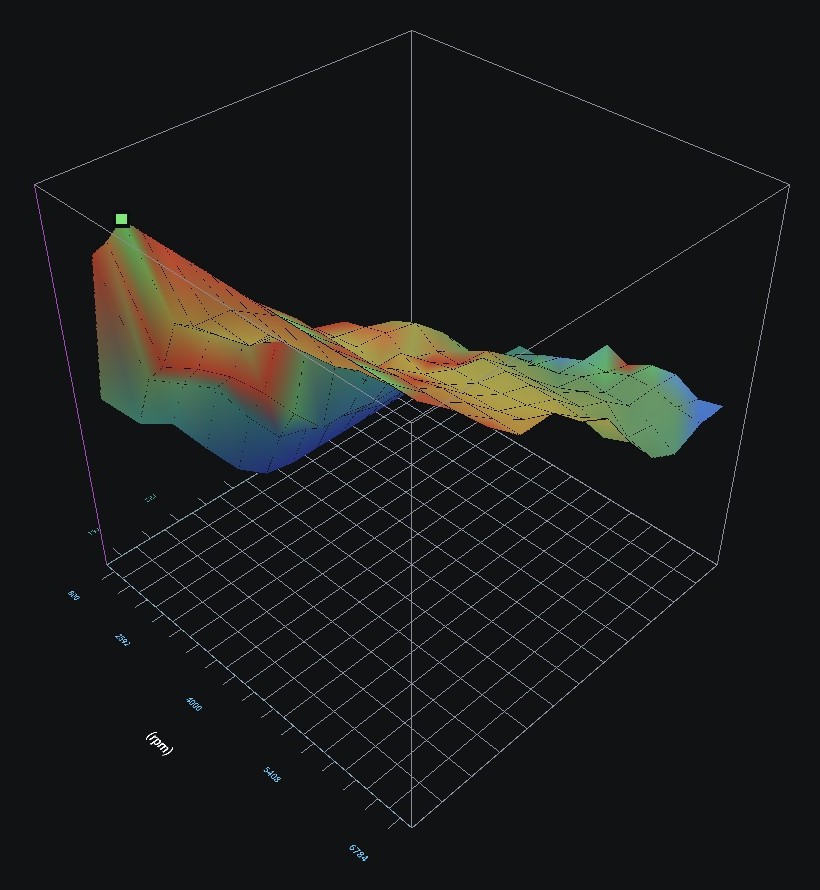
Ign 3D draws the tune's spark map as a surface and colours it by the spark the engine really got. Blue ran behind the map, green on it, red ahead. Drag to orbit.
Where the surface goes blue under load, the ECU was pulling timing there. Cross-check it against the knock dots on the flat maps.
Close the loop
Log a pull, let the app turn it into cell changes, check them against the log, flash, log again. All from the phone.
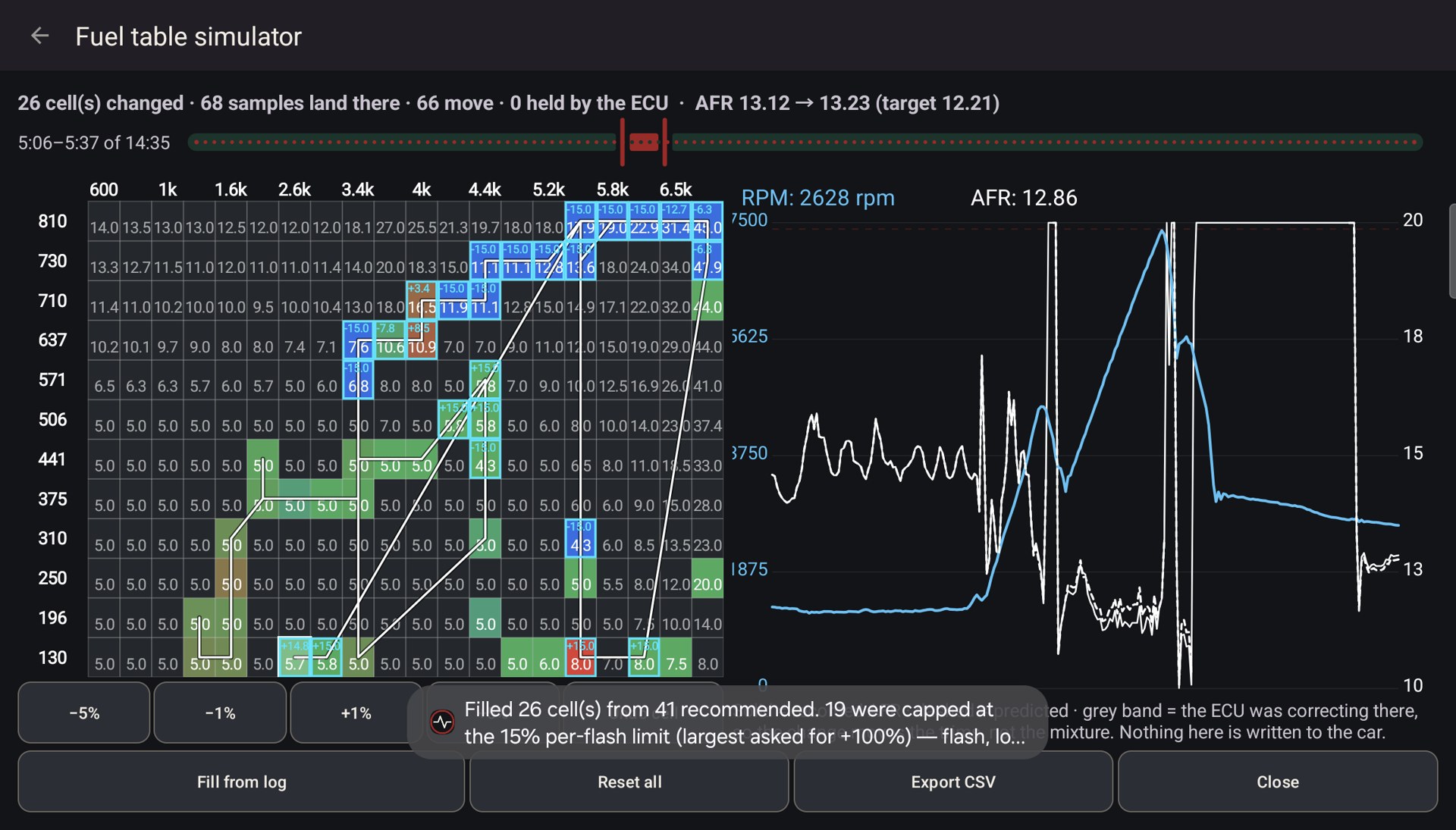
Fuel recommendation turns the window you're looking at into a per-cell table of proposed changes. Open loop is judged by the wideband against your target. Closed loop is judged by short plus long trim, because there the ECU has already corrected the mixture and the wideband reads stoich no matter how wrong the table is. The two are never mixed.
A cell needs several agreeing samples before it gets a number, and shows its count. Wild corrections are clamped and flagged.
On this ECU a percent in the full-load table isn't a percent of fuel. The table is geared down inside the injection maths, so the app converts measured error into the cell change that delivers it, using your own tune.
The simulator puts the proposed table under your fingers. Tap or drag cells, nudge them ±1% or ±5%, undo, or fill from the log. It redraws the log's AFR as if the table had carried your edits, and scores the window: samples moved, samples held by the ECU's trims, AFR before and after.
Edits cap at ±15% per flash. Bigger moves are repeated flashes with a log in between. Export sends the proposal as CSV to your tuner. The simulator never writes the bin itself.
Flash options
MINI's Stage 1, and common changes applied to whatever tune is loaded, in memory, before the write. No hex editor, no second tool.
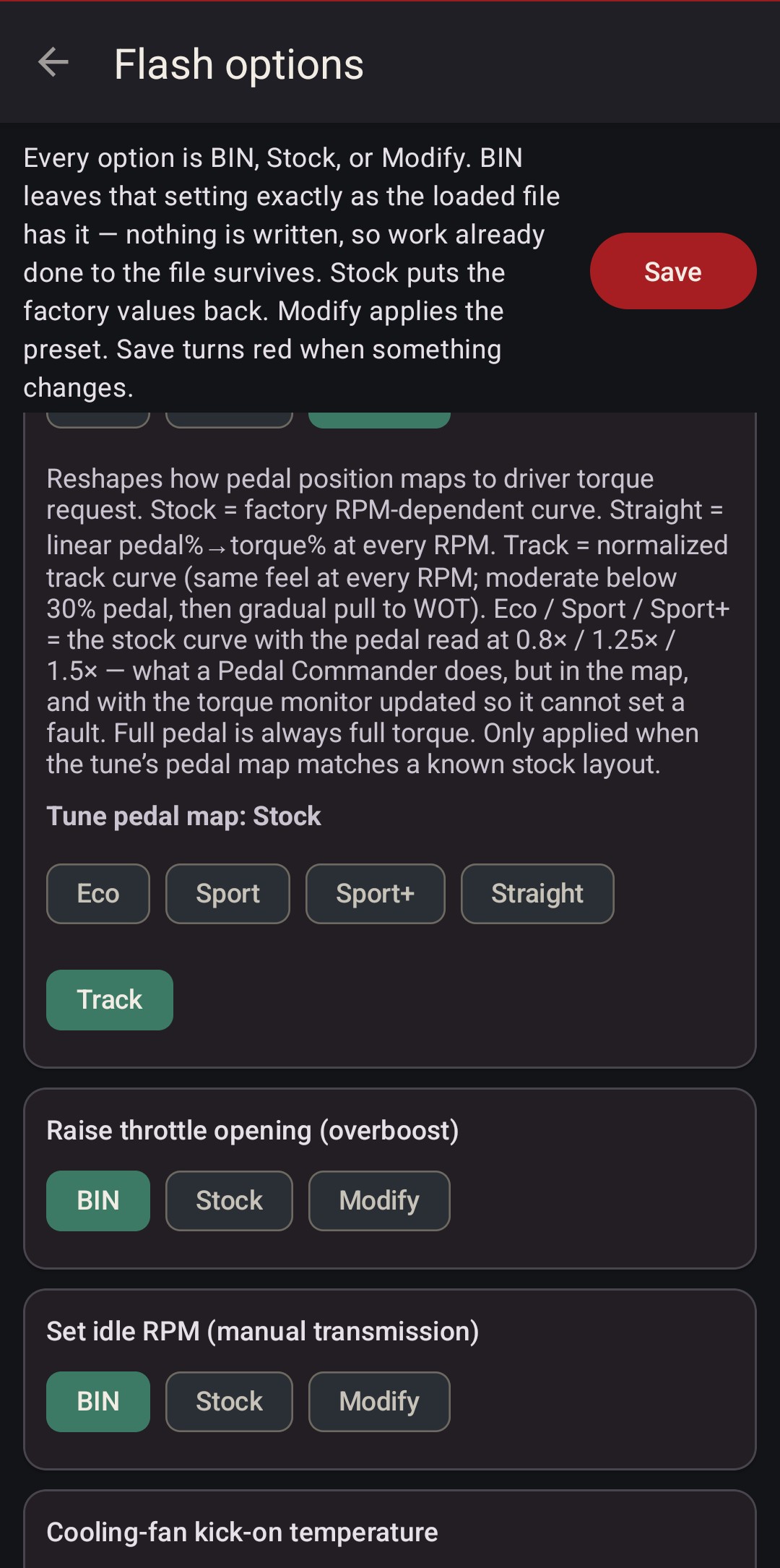
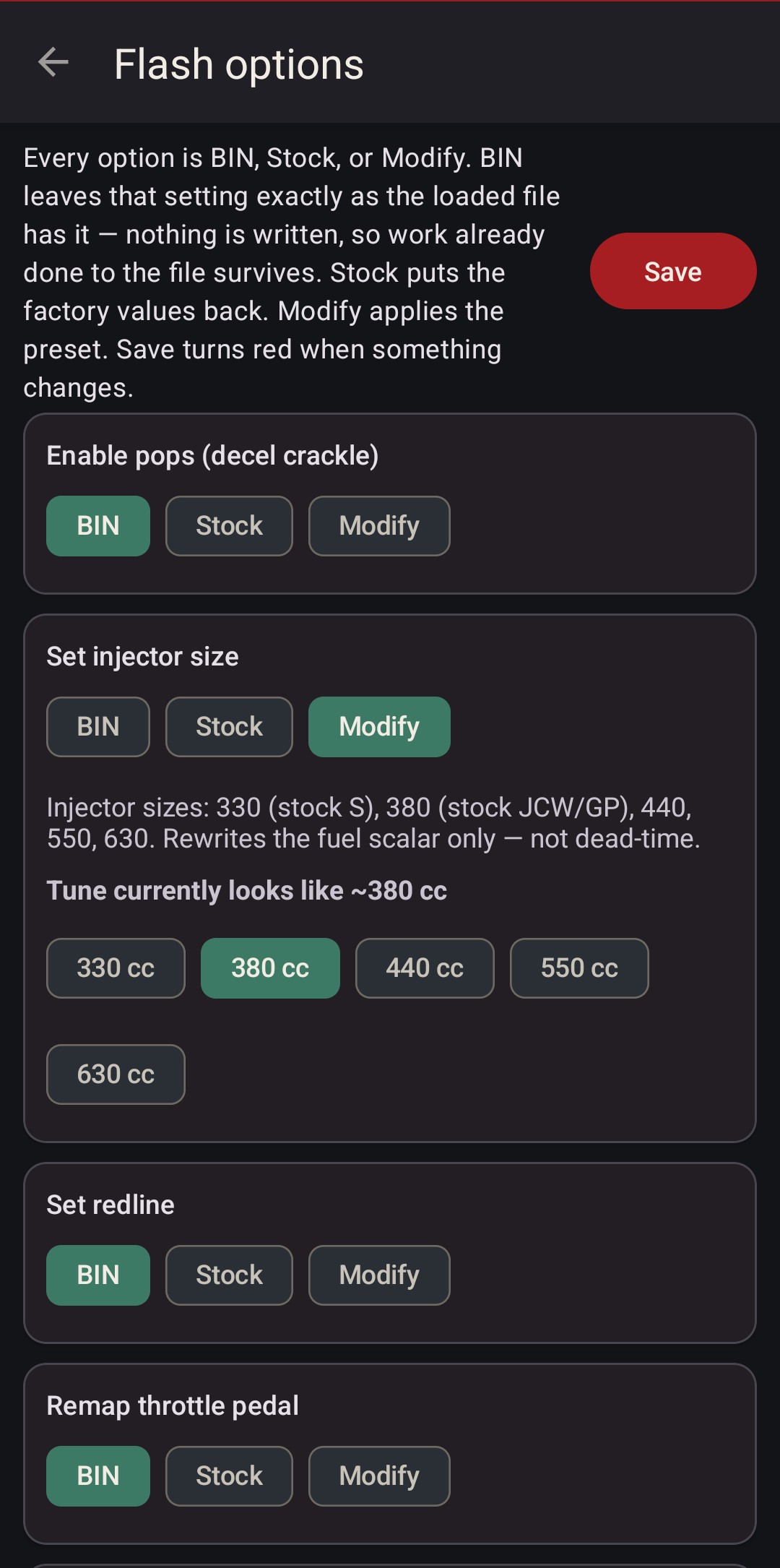
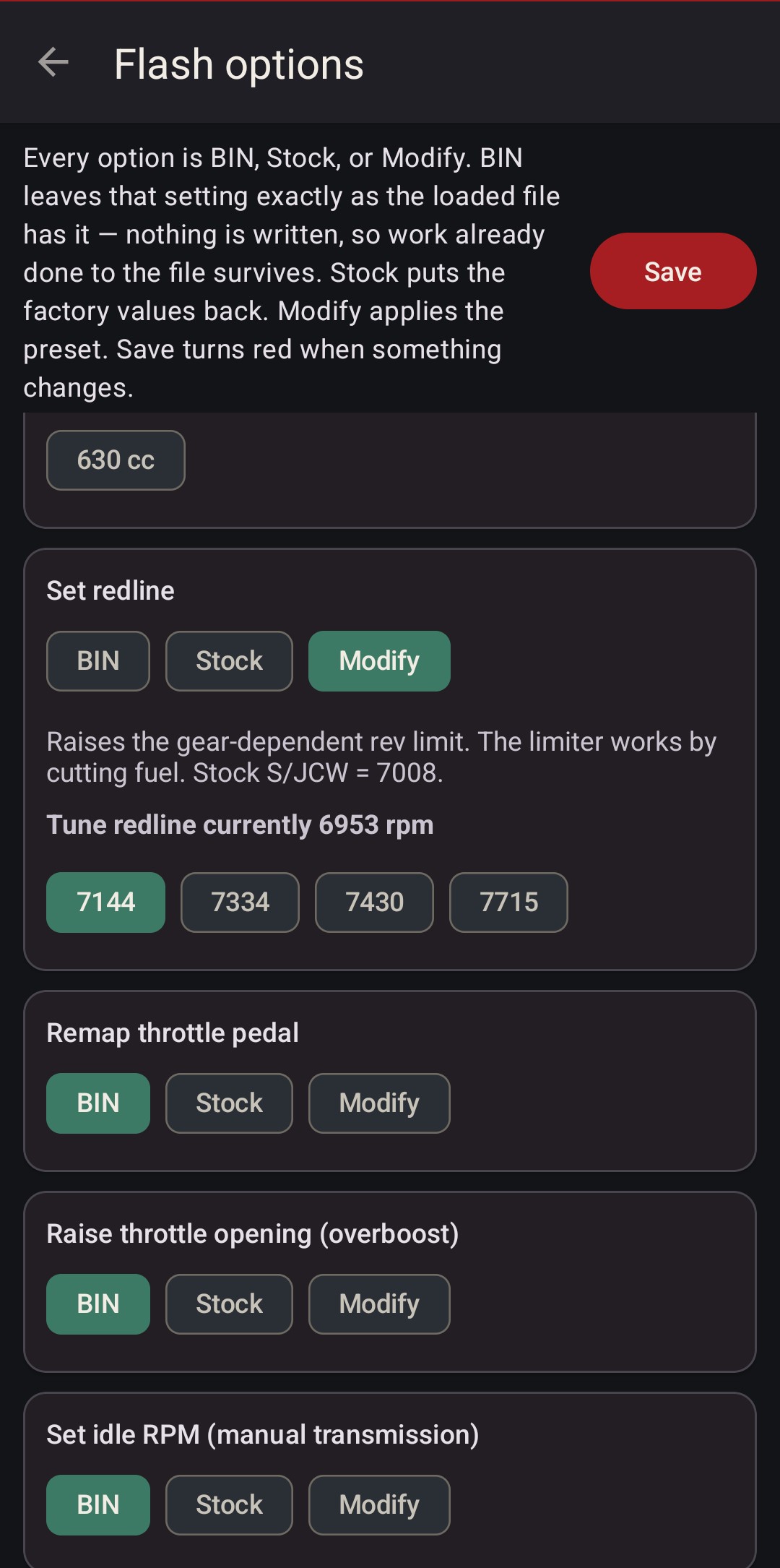
Every option is BIN (leave the file alone), Stock (factory values back) or Modify (apply the preset). Each card reads the loaded tune first: the injector card says the JCW image looks like 380 cc, the redline card shows the limit it's about to move.
If an option can't find its table in your bin, it refuses rather than guess.
MINI's calibration for the JCW kit: pulley, 380 cc injectors, freer exhaust. More.
The 2006 GP's calibration for the same parts. Revs higher and runs more aggressive than JCW.
The factory Cooper S calibration, to go back to stock.
Decel crackle, stock to max.
330, 380, 440, 550, 630 cc. Rescales the fuel scalar.
Raises the per-gear limit. The limiter cuts fuel, not throttle.
Eco, Sport, Sport+, a true 1:1 Straight, or Track.
Raised throttle opening.
Manual cars, cold and warm together.
Kick on earlier: 216/230 °F or 200/220 °F.
Learn fuel trims further up the revs.
About 2° more advance at light-throttle cruise, for economy.
A facelift ECU in front of the early gearbox, so it works out the right gear.
Moves the front O2 switch voltage, so cruise settles slightly lean.
Leans steady cruise. Watch AFRs and back it out if you don't like it.
Six full-screen faces: R53, Chrono Pack, 1971 Cooper S, rally oval, digital and current. See them.
Why it's safe to flash
It reads before it writes, it checks everything it can, and when it isn't sure it stops.
A full 512 KB read of your own ECU, kept per car in the Garage.
Checksums and layout verified before every write, auto-fixed where it can be.
A file for other ECU software is refused outright, with no override.
Only the calibration region, about 60 KB, over OBD.
The write runs in the background and nothing else can take the cable.
If a write stops, one tap sends me the log that says where and why.
It's still beta software writing a twenty-year-old ECU. Keep the car on a battery charger, key on and engine off, and keep a desktop OBD recovery path ready.
Garage
One phone, several Minis. Every backup, flash, fault read and log files under the car it came from.
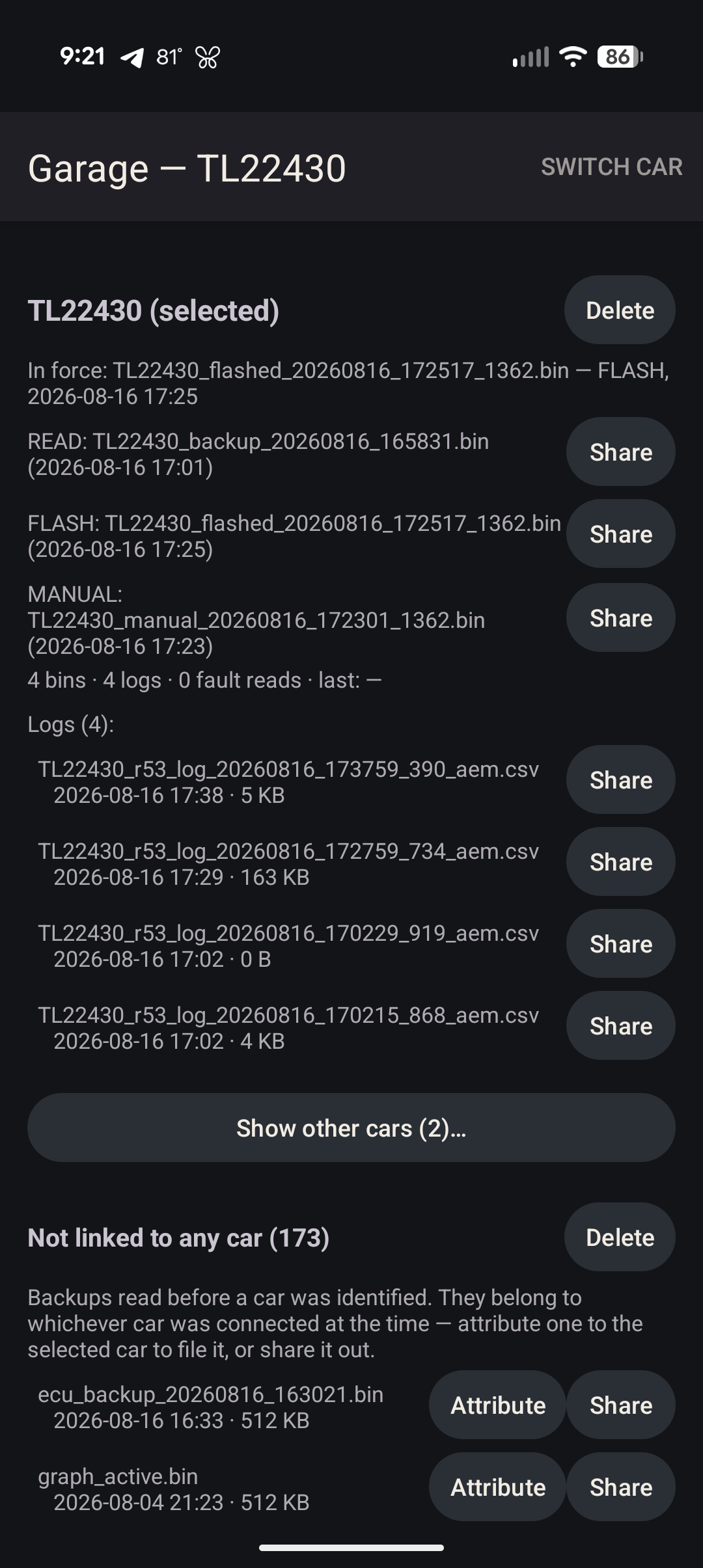
The app reads the VIN from the cluster at connect and files everything under that car. When it can't tell which car a file belongs to, it asks instead of guessing, because a flash on the wrong car writes one car's tune into another car's ECU.
Each car shows what's in force on the ECU right now. The whole Garage exports to a zip and imports on another phone without overwriting anything.
Diagnostics
Fault codes from every module in plain English, with the likely cause and the fix.
Engine, body (BC1), immobiliser (EWS), cluster, ABS/DSC and airbag codes, each translated with R53-specific notes. A lean code says check boost and vacuum leaks first, and a P0116 points at the thermostat. Codes clear where the clear command is known, reports share from the phone, and every fault read files into the car's history. Adaptation resets are there too, for after hardware changes.
What you need
An Android phone or tablet and one of three ways onto the K-line.
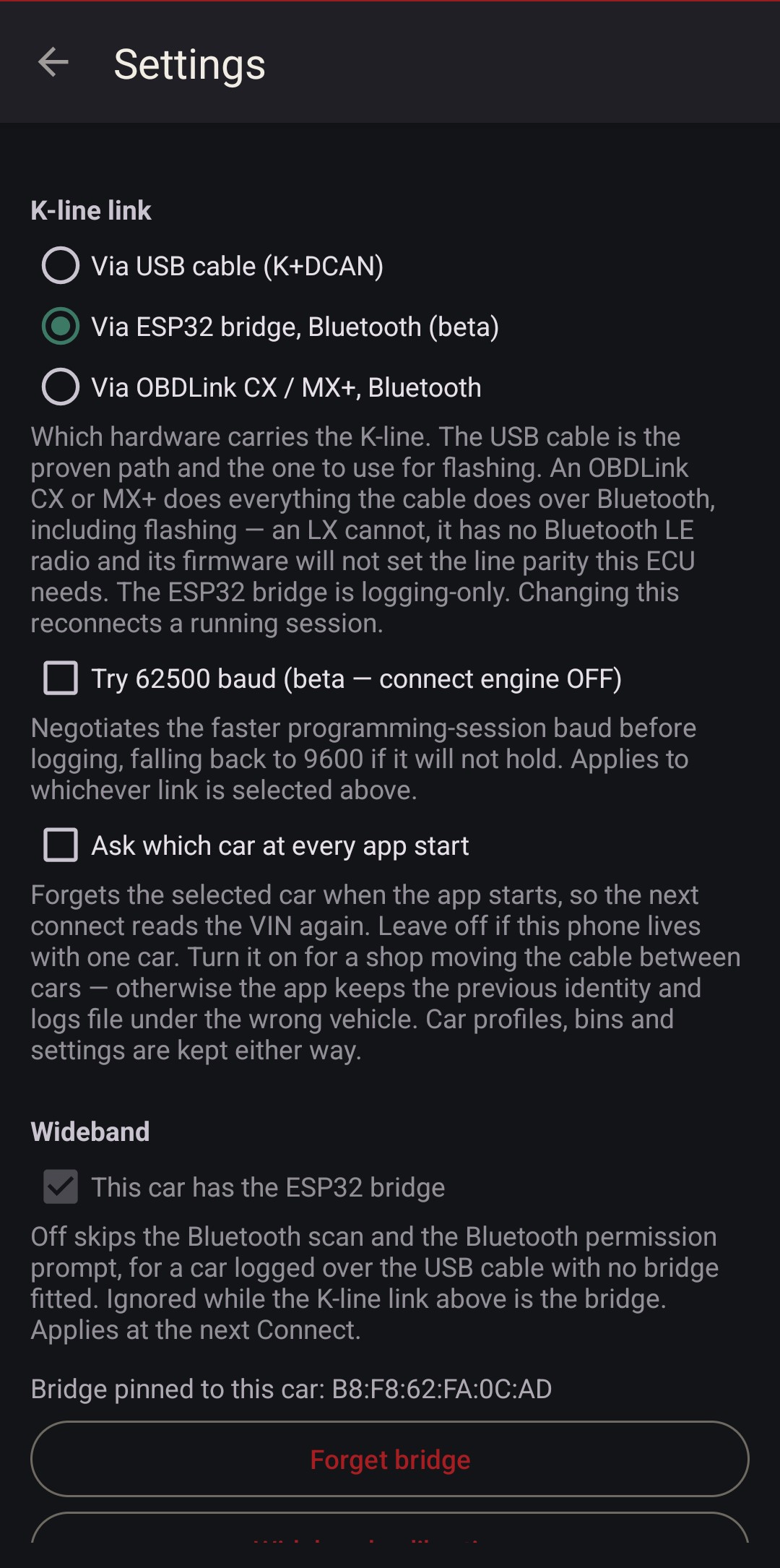
- K+DCAN USB cable. The cheap cable every BMW owner already has. The proven path for flashing.
- OBDLink CX or MX+ over Bluetooth. Logging, diagnostics and flashing, no cable. An LX won't work: it has no Bluetooth LE and can't set the parity this ECU needs.
- ESP32 bridge (optional). Adds CAN channels and an AEM wideband over AEMnet, and can carry the K-line for logging.
Facelift, silver cover. Stage 1 available.
Early ECU and pre-facelift conversions. Stage 1 available.
Write and most options. Stage 1 not mapped yet: tap Send.
Logging, live data, diagnostics and backup work on any R53 EMS2000, silver cover or black.
What it costs
One-off in-app purchases. No subscription.
App unlock. Logging, graphs, 3D and maps, fuel recommendation and simulator, wideband, diagnostics, backup.
Flash unlock. Write to the ECU, with the flash options.
Stage 1 flash. MINI's JCW and GP1 calibrations, plus stock S to go back.
Prepared facelift ECU, $275. VIN-swapped to your car with the immobiliser deleted, ready to drop in. Shipping at cost. Email matt@geekopolis.com with your year, model and VIN.
Get it
It's in Google Play testing, so it won't show up in a search. Three steps, all with the Google account on your phone.
If Play says the app isn't found, you're signed in with a different Google account than the one that joined, or Play hasn't caught up yet. Give it a few minutes. Install from Play rather than sideloading, or purchases won't work. Module coding (BC1, EWS, airbag and the rest) is a separate app: R53 Coding.