A dash screen for the R53 bridge
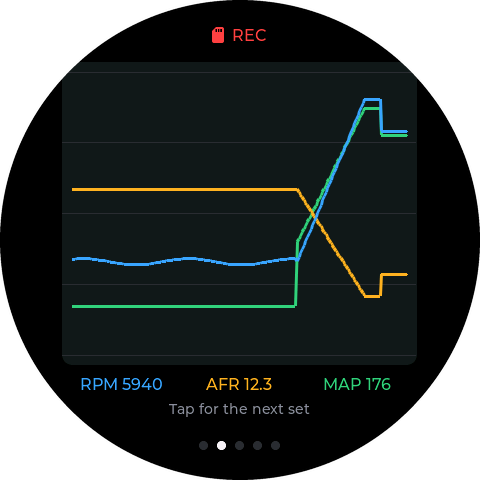
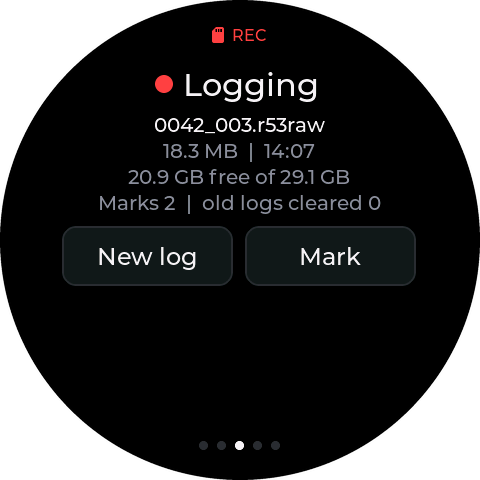
The K-line and CAN bridge now drives a touchscreen off its own USB-C, the way the methanol controller drives its round screen: live gauges, a 20-second graph, the SD log with a New log and a Mark button, and presets for what it reads off the DME. Under it, the bridge now logs everything it hears to the SD card, all the time.
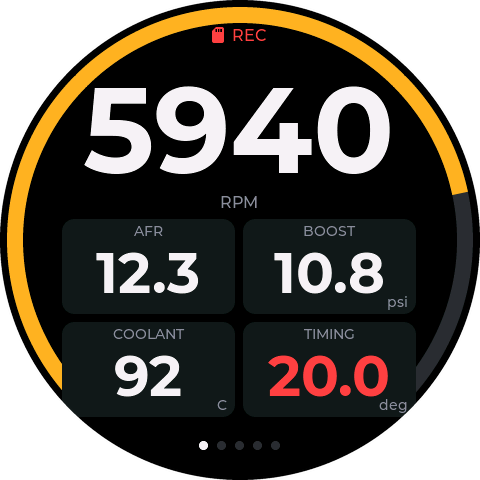
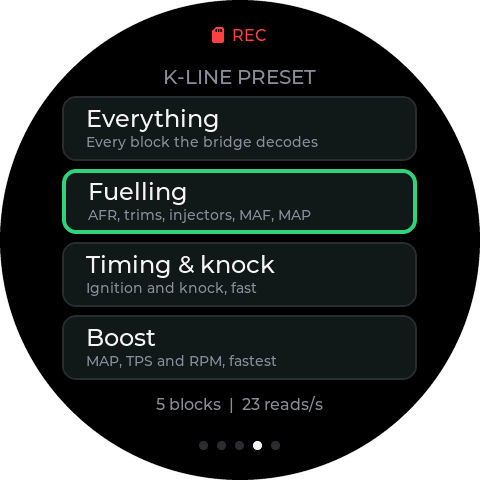
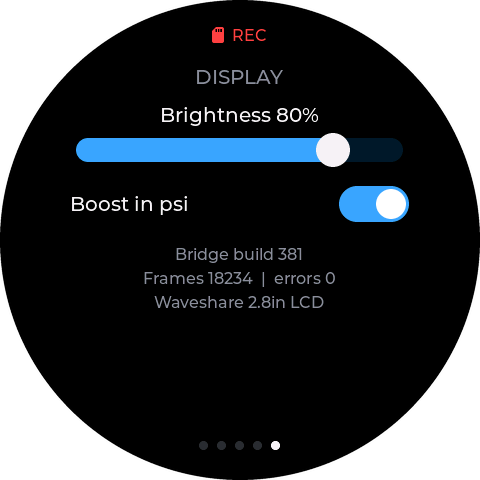
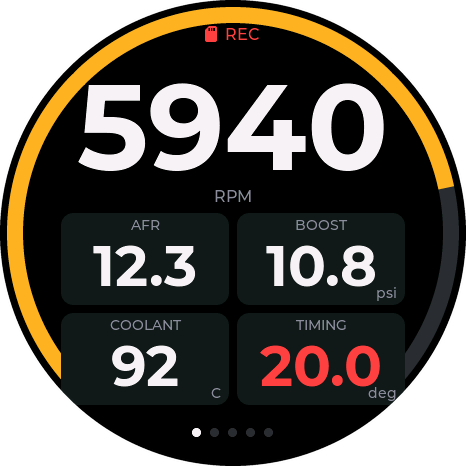
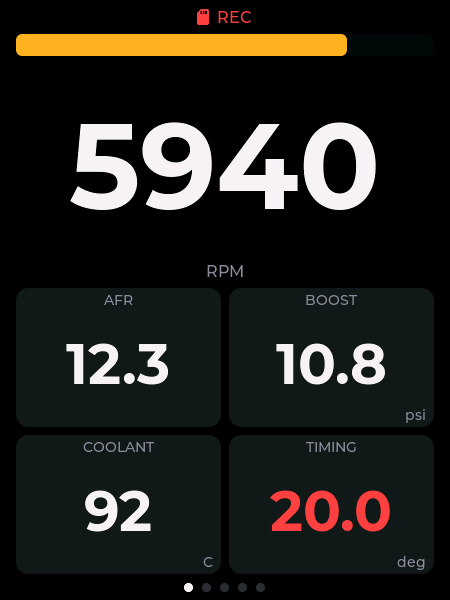
Every screen image on this page is rendered from the screen firmware's own page code with simulated data, a third-gear pull at 5,940 rpm and 10.8 psi. They are not photos of the hardware: the new screens haven't arrived yet.
The pages
Swipe left and right. The line at the top says whether the bridge is there and whether the card is recording; the dots at the bottom say which page you're on. Shown on the 2.8″ round LCD.
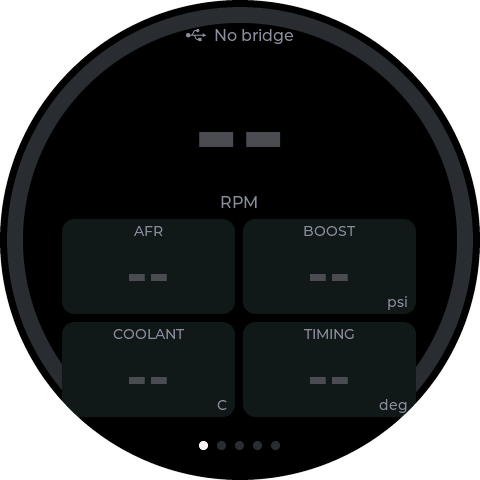
Three screens, one firmware
The same pages run on four Waveshare ESP32-S3 boards. I ordered the three new ones to see which reads best in the car; the 2.1″ is the methanol controller's screen, which I already have.
| Screen | Panel | Brightness | Fits |
|---|---|---|---|
| 2.1″ round LCD | 480 × 480 IPS | not published | 52 mm pod |
| 2.8″ round LCD | 480 × 480 IPS | not published | 60 mm pod or a printed bezel |
| 1.75″ round AMOLED | 466 × 466 | 700 nits | 52 mm pod |
| 2.41″ AMOLED | 450 × 600 | 800 nits | dash top or centre stack |
The AMOLEDs have real blacks, so a dark gauge face holds its contrast in daylight far better than a backlit LCD at the same rating. They can burn in a fixed layout, so the whole picture drifts a few pixels every three minutes, the same care the methanol screen's AMOLED build had.
It logs everything, all the time
The bridge has had a microSD slot since the rev C board. Until now it only logged when the app switched it on, and only the channels it decodes. Now it logs whenever a card is in, and keeps all of it.
- Every CAN frame off the bus, before any filter: the DME, the ABS, the AEM wideband, everything.
- Every K-line request and reply, whoever asked: the bridge's own rotation, and anything the R53 Logger app asks for (coding reads, fault reads, the lot).
- The decoded log as before, in TrackEncoder or RaceCapture format, beside the raw file.
- When the card fills, the oldest logs go. Under 256 MB free, the oldest of the bridge's own logs are deleted until 512 MB is free. It never touches any other file on the card, so a card full of something else stops the logging instead of losing your files.
The raw files are about 25 MB an hour of driving and close every 64 MB, so a 32 GB card holds weeks of it and trims an hour at a time.
Presets
The K-line is slow: every block the bridge reads costs time on the wire. A preset picks which DME blocks get that time. Fewer blocks, each read more often. The CAN bus and the raw SD log record everything whatever the preset.
| Preset | What you see | DME blocks |
|---|---|---|
| Everything | Every block the bridge decodes. The default. | 18131416191727 |
| Fuelling | AFR, fuel trims, injector pulse, MAF, MAP. | 1813171916 |
| Timing & knock | Ignition and knock, the knock block read twice as often. | 18141314 |
| Boost | MAP, throttle and RPM, as fast as it goes. | 1813 |
A preset is the same kind of block list the app already sets, and goes through the same checks: block reads only, nothing that writes to the car. The bridge keeps it across a restart, and the app can set its own at any time.
Hooking it up
One USB-C cable from the bridge to the screen. The bridge is the USB host and powers the screen, exactly as the methanol controller does with its screen. That means the bridge needs its screen build of the firmware, and in that build its USB-C is the screen's, so the serial console moves to the spare header (D4 and D5). The normal build is unchanged for anyone without a screen.
Both go on from Chrome or Edge with the R53 flasher, build 11 on:
- The bridge. Plug in the XIAO, press Connect, tick This board drives a dash screen and flash. Update keeps your K-line polling and shift light settings. From then on the USB-C is the screen's, so to flash the bridge again, hold BOOT on the XIAO while you plug it into the computer.
- The screen. Flash it on its own, not plugged into the bridge. All four have the same chip, so the first time the flasher asks which one it is; after that it knows from the firmware. Not sure whether a 2.41″ is the V1 or V2 board: flash the V2 build, and if it stays dark, the V1.
Where it's at
The firmware builds for the bridge and for all four screens, the link between them is checked by tests on a PC, every page renders as you see above, and it's all on the flasher as build 11 (bridge firmware 381, screen firmware 0.1.0). None of it has run on a screen in the car yet, so keep build 10 on a bridge you rely on until it has. The 2.1″ goes on first, since its panel and touch code are already proven on the methanol controller; the three new screens follow when they land.