Trackday Pyrometer Helper is live on the Google Play Store. But this post isn’t really about the app — it’s about the hardware I built to make it useful. A handheld BLE pyrometer you can print and assemble yourself. A reverse-engineered Tesla TPMS wake coil. A tire-temp workflow that actually works in the paddock, driven by gadgets anyone can build.
▶ Get it on Google Play
PyroTC — print, solder, and probe
My old Longacre pyrometer died mid-session. Replacing it with another $200 gun felt wrong when I already had an ESP32, a MAX6675 breakout, and a 3D printer sitting on the bench.
PyroTC is the result — a handheld K-type thermocouple reader built around a Waveshare ESP32-S3 1.28” round touch LCD, powered by a single 18650 in the grip. The firmware is open source and lives in a single main.cpp (~500 lines) — PlatformIO, NimBLE-Arduino 2.x, and a MAX6675 on software SPI.
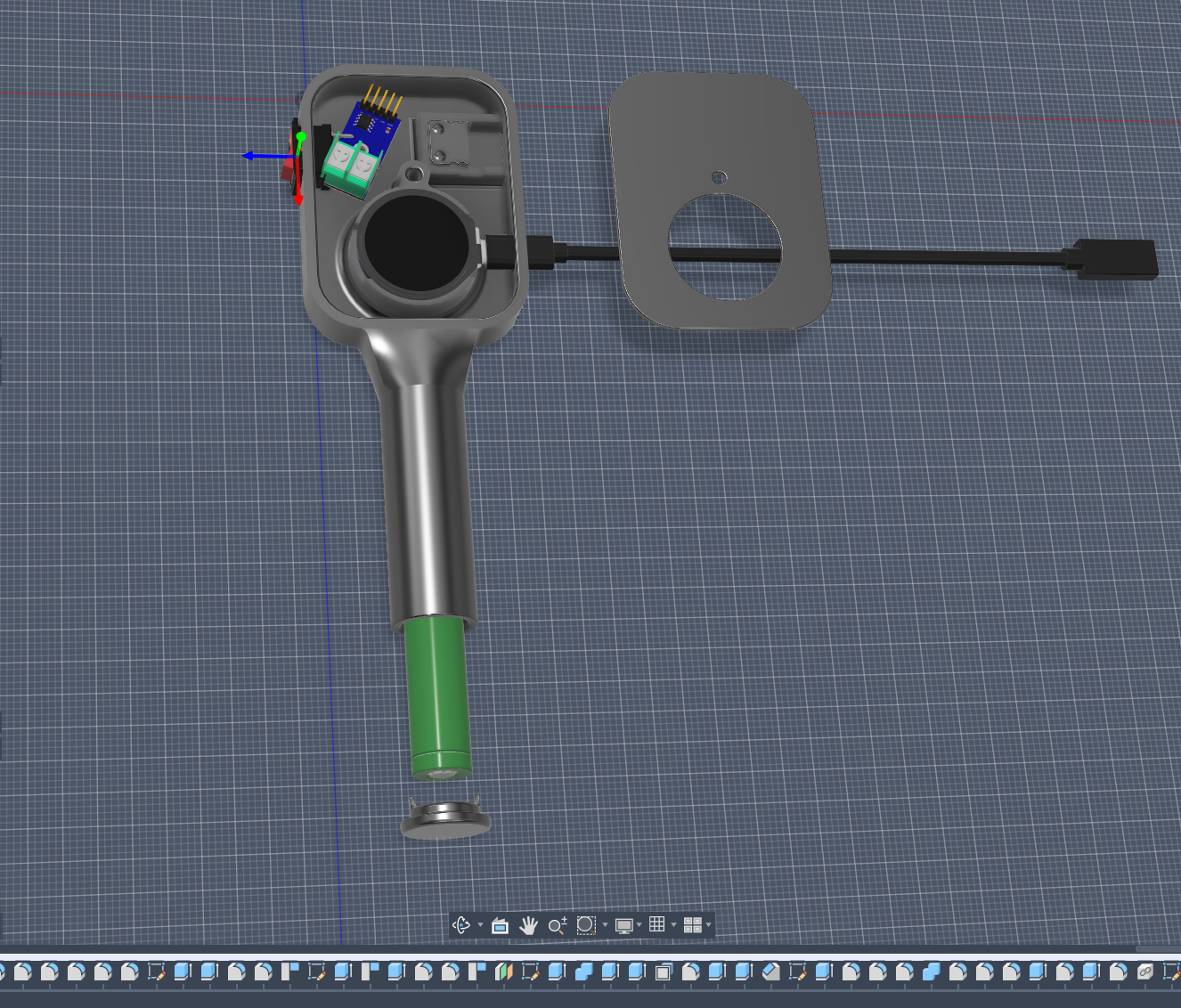 Head, handle, faceplate, and screw-on battery cap — designed around the round display module and an 18650 in the grip.
Download and print
All three STLs are free — slice, print, and you have a housing:
| Part | File |
|---|---|
| Main body (head + grip) | tiretester.stl |
| Faceplate | cover.stl |
| 18650 battery cap | cap.stl |
Full source, BOM, and build notes: github.com/MrBlahhhh/PyroTC. Designed in Fusion 360 — fits the MAX6675 breakout, a rocker switch, and an 18650 cell in the grip. If you can solder a breakout board and crimp a JST connector, you can build this.
Watch it work
The gun owns all twelve readings (four corners × OUT/MID/IN). Pick a corner on the SELECT screen, probe the tire, hit RECORD. A short beep confirms the capture. When you’re done, the app pulls every cell over BLE in one sync — no typing, no paper.
Tire temps, camber advice from the spread, and pressure sync — all driven by hardware you can build yourself.
BLE contract
The app (PyroSync.kt) and firmware share a fixed GATT layout. If you modify either side, keep these in sync or things break silently:
| Item | Value |
|---|---|
| Device name | PyroTC |
| Service | a1b20001-7a9c-4b1e-9d3a-2f6c8e5d4c30 |
TEMP …0002 |
READ + NOTIFY ~4 Hz — float32 LE °C + uint8 fault (live probe) |
STATE …0003 |
READ + NOTIFY on change — 24 bytes, 12 × int16 LE deci-°C |
pio run -t upload
pio device monitor -b 115200
Tesla TPMS wake — 125 kHz coil driver
The cheap Tesla-style BLE TPMS sensors are great once they’re awake — pressure, temperature, and battery over 2.4 GHz BLE. The problem is getting them to wake up on demand in the paddock. Motion and pressure changes will eventually wake a sleeping sensor, but that’s slow and unreliable when you want a reading right now between sessions.
Factory tools like the ATEQ VT30 fire a 125 kHz low-frequency burst at the valve stem. The sensor hears it, wakes, and starts broadcasting. I wanted that same trick built into PyroTC — tap a button, wake the nearest sensor, and read pressure from the phone. This is new since the last post.
Capturing and replaying the signal
The starting point was a scope capture from an Autel TPMS tool — same 125 kHz burst an EL-50448 relearn wand sends. I used a 2008 BMW Continental signal, which happens to wake the Tesla sensors. The raw trace ran through a Python decoder (decode_scope_to_replay.py) to pull out bit timings.
The result: 184 uniform OOK slots at 128 µs each (~23.6 ms total telegram). On-off keying — no Manchester edges, just a fixed replay table in auto-generated cont_wake_data.h.
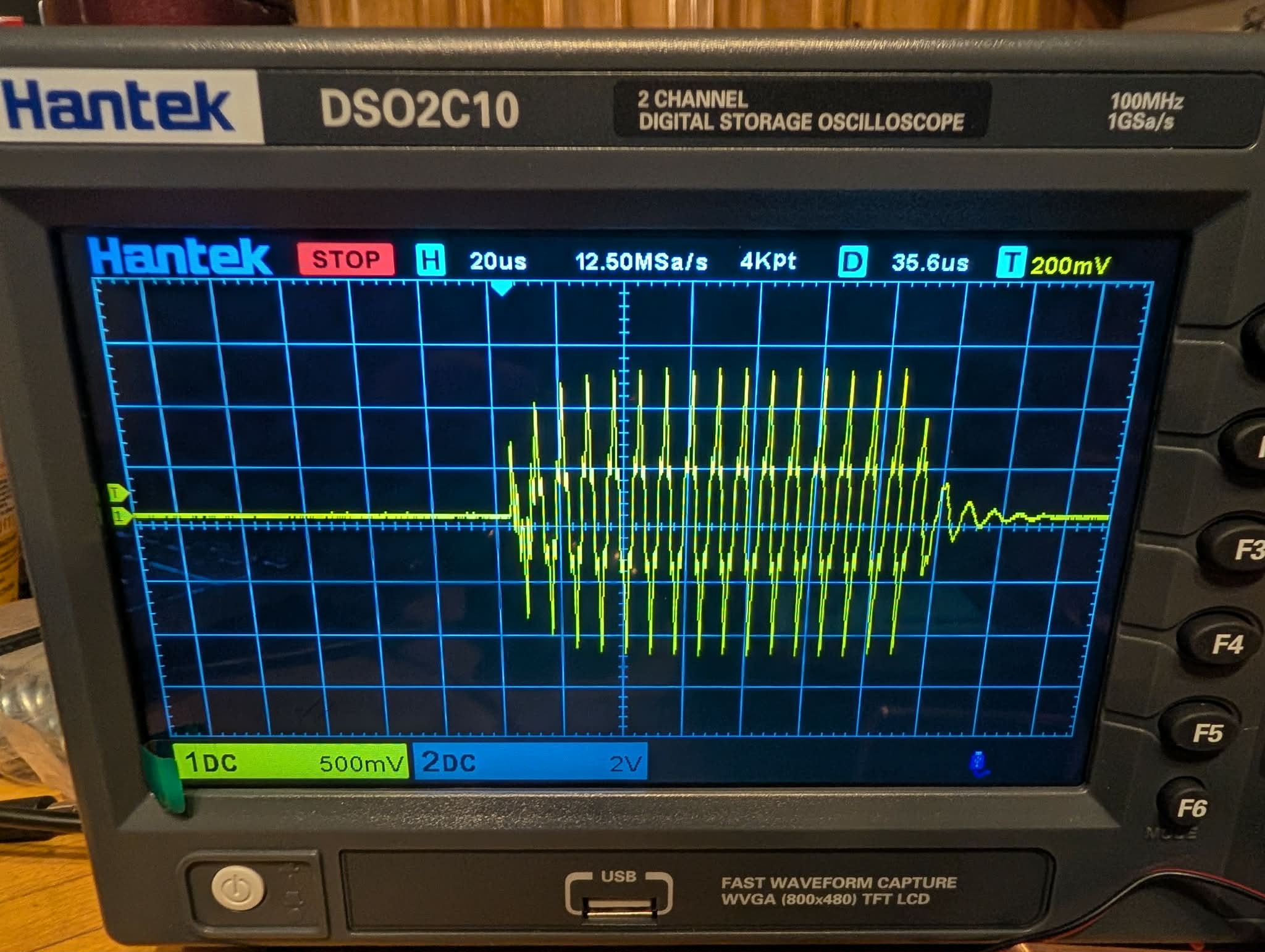 ~160 µs burst envelope on a 125 kHz carrier — the scope confirms the replay table produces the right carrier before you point it at a tire.
The coil driver circuit
The ESP32 can’t drive a 125 kHz tank coil directly, so the driver sits on its own 9 V domain (GND shared with the MCU):
| Part | Role |
|---|---|
| EL-50448 coil (or equivalent 125 kHz antenna) | Magnetic coupling to the valve-stem sensor |
| 10 nF tank capacitor | Parallel resonance with the coil |
| IRLZ44N logic-level MOSFET | Low-side switch — GPIO → 100 Ω → gate |
| 9 V supply (XL6009E1 step-up) | Isolated from the 3.3 V ESP32 rail |
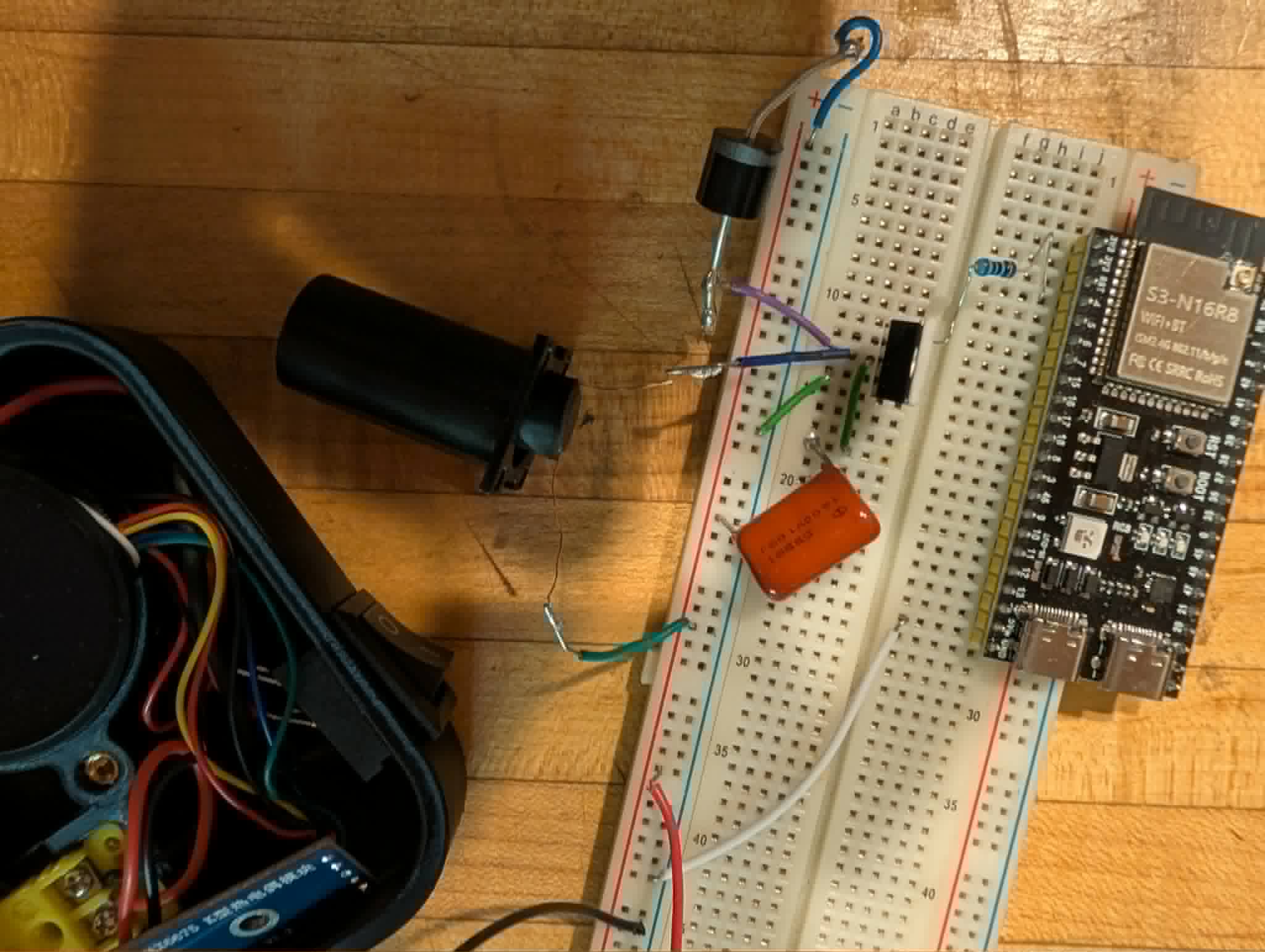 Breadboard bring-up — ESP32-S3 dev board, EL-50448 coil, tank cap and MOSFET driver; pyrometer enclosure shell on the left for fit check.
GPIO4 (LF_COIL_PIN) drives the MOSFET through LEDC PWM at the bit-slot rate. The firmware fires a 10 second burst (startWakeBurst) — most sensors wake in 5, but some were stubborn. While the burst is active, nothing else runs — no MAX6675 reads, no LCD repaint, no BLE. A thermocouple conversion takes ~220 ms and would jitter the 128 µs bit grid.
// LF_COIL_PIN = 4  (platformio.ini build_flags)
// 184 × 128 µs OOK slots from cont_wake_data.h
// WAKE button → startWakeBurst() → 10 s exclusive serviceLfWake()
Fitting it all in the housing
The pyrometer enclosure was already tight — round Waveshare head, 18650 grip, MAX6675 breakout, rocker switch. Adding a 125 kHz coil, a 9 V boost module (XL6009E1), and the MOSFET driver meant revisiting the Fusion 360 assembly.
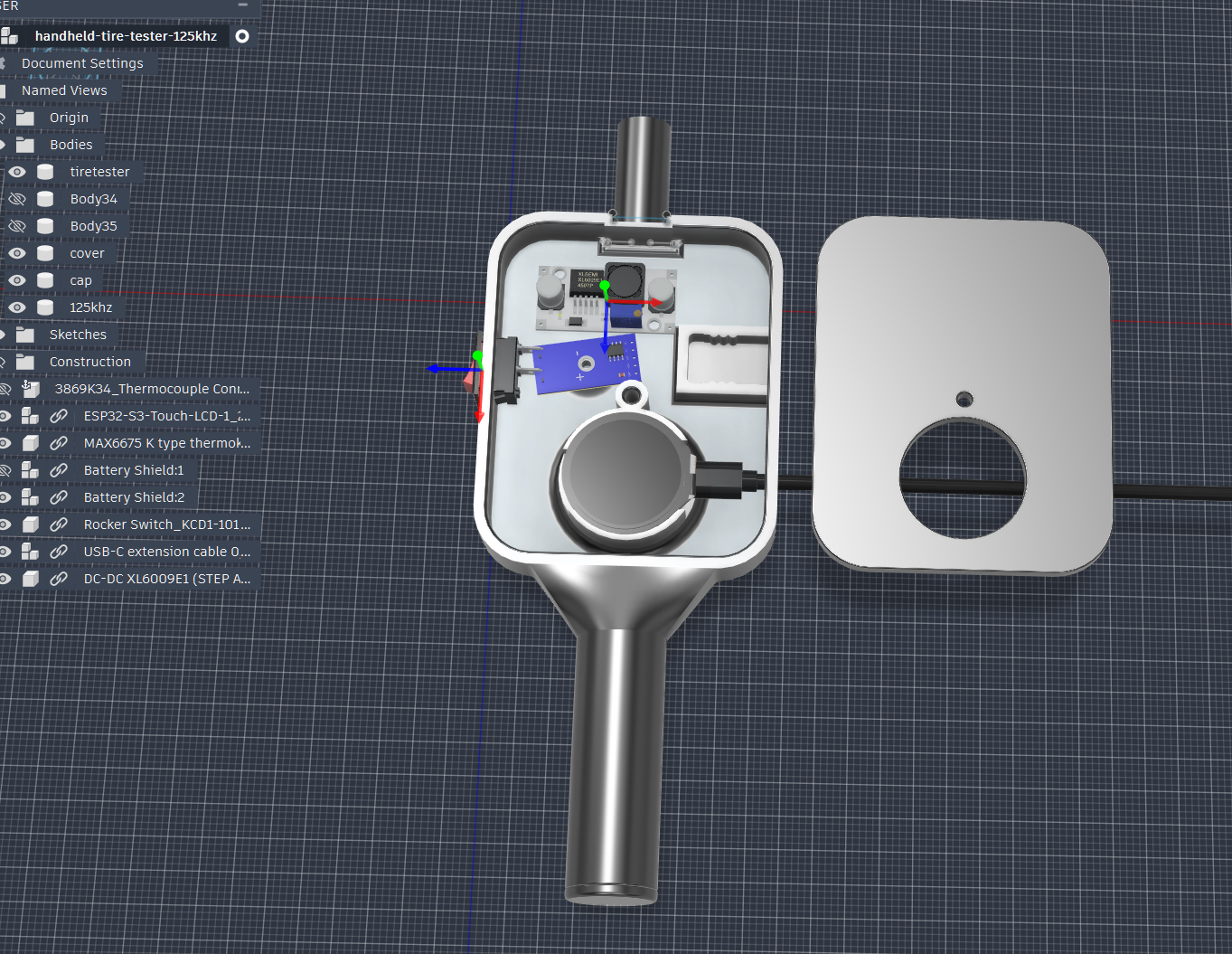 Revised assembly with LF coil and DC-DC boost in the head, battery shields on the right, USB-C extension on the side.
The coil sits forward in the head so you can hold the gun near the valve stem like a factory relearn tool. The XL6009E1 boost board feeds the 9 V tank; the ESP32 and MAX6675 stay on the existing Li-ion rail. The revised STLs are in the print-test-fit cycle — watch the PyroTC repo for updates.
Full deep-dive on the reverse-engineering: Tesla / Continental TPMS 125 kHz wake-up protocol.
TPMS — cheap sensors, color-coded, now with Tesla wake
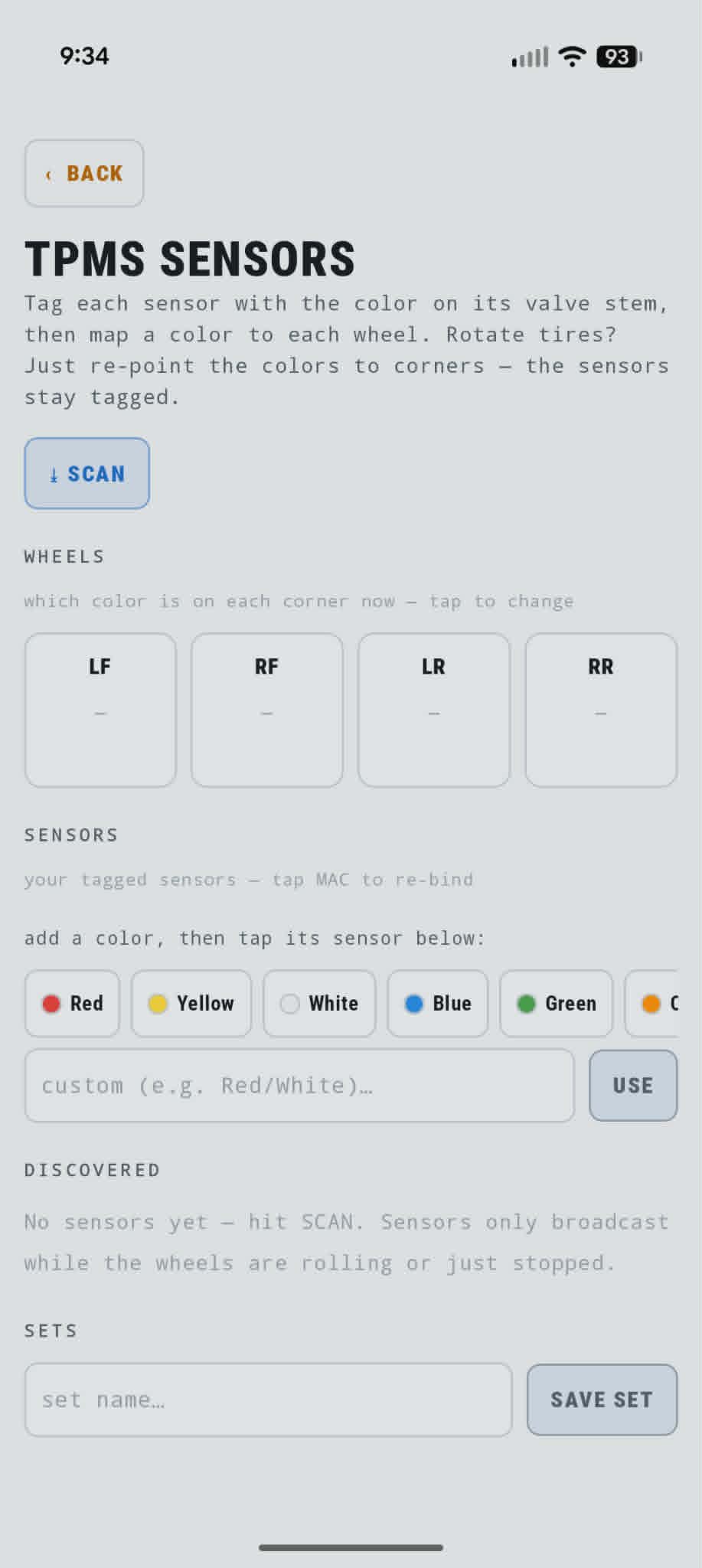 Tag each sensor by valve-stem color, map colors to corners. Rotate tires — re-point colors, not MAC addresses.
The app decodes Zeepin / TPMSII and DJTPMS BLE sensors directly — pressure, temperature, and battery, with protocol auto-detection per sensor. Tag each one by valve-stem color, assign colors to corners, and saved sets cover different wheel/tire combos.
And now with the 125 kHz coil driver in PyroTC, Tesla-style Continental sensors wake on demand — tap the button on the gun and they start broadcasting.
There’s also an all-day background monitor that logs pressure and temperature and auto-counts heat cycles — leave the phone in the car and it tracks everything.
Get the app
▶ Trackday Pyrometer Helper on Google Play
The app handles tire temps, TPMS pressures, corner balance (ProForm wireless scale pads over BLE), tire inventory with heat-cycle tracking, resettable packing checklists, CSV export, and full JSON backup. Everything is on-device — no accounts, no cloud.
I want your feedback
If you run track days on Android, please try it and tell me what’s confusing, what breaks, or what’s missing. Bug reports and “this workflow is dumb” notes are exactly what I’m after — this thing got good by getting used and complained about. h out.
→ matt@geekopolis.com or DM @mattryan6729 on Instagram.
If you give it a run this weekend, let me know how it goes. 🏁